
Samsung Internet Browser
Overview
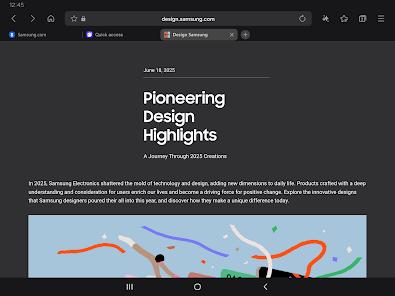
The Samsung Internet Browser is a highly optimized, Chromium-based web browser developed by Samsung Electronics. Initially designed as the stock mobile browser for Galaxy devices in 2013, it has since evolved into a versatile mobile web browser, compatible with most Android devices running Android 8.0 or later, Wear OS smartwatches, and Windows PCs. By utilizing the open-source Blink and V8 rendering engines, the browser delivers a fast, responsive, and battery-efficient browsing experience.
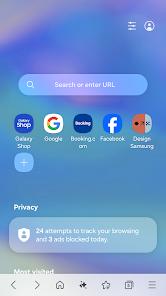
A key focus of the Samsung Browser is its suite of privacy and security features. Under its security settings, the browser includes Smart Anti-Tracking, which intelligently blocks cross-site tracking cookies from accessing local storage. It also features Protected Browsing warnings to alert users before they load malicious web pages.
The application includes a fully integrated Privacy Dashboard that displays real-time statistics on blocked trackers, allowing users to easily monitor their data protections. Secret Mode provides an added layer of privacy by encrypting bookmarks, saving pages in a secure directory backed by Samsung Knox, and requiring biometric authentication (such as fingerprints or iris scans) to access. Additionally, it has Galaxy AI browsing assist.
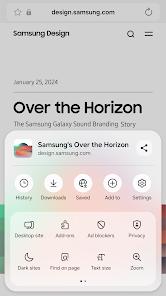
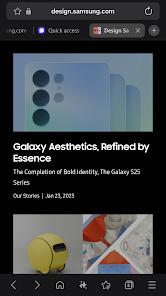
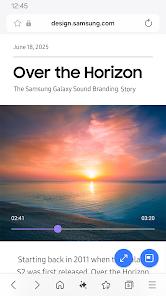
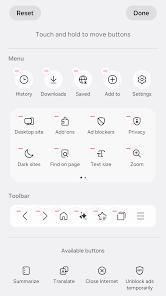
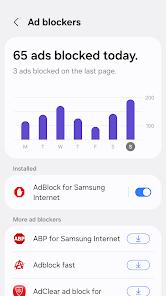
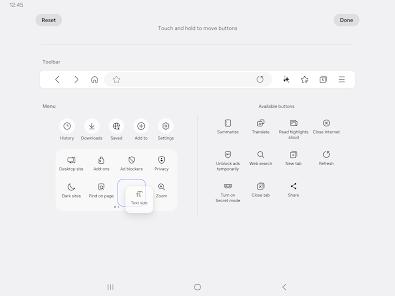
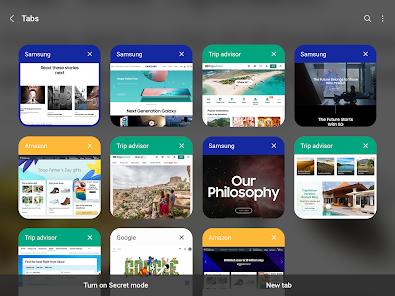
The browser also offers several interface and media enhancements. It features a customizable user menu, quick access shortcuts, and a specialized Video Assistant that provides gestural volume and brightness controls, full-screen playback, and picture-in-picture capabilities. Additionally, the browser supports third-party content blockers to filter ads, which speeds up page loading and reduces data consumption. For productivity, the browser supports cross-device synchronization, allowing users to seamlessly transition active tabs, history, and bookmarks between mobile devices and Windows PCs using a registered Samsung Account.
Pros & Cons
Highly efficient, Chromium-based rendering engine that optimizes battery life and touchscreen responsiveness.
Deeply integrated privacy safeguards, including Smart Anti-Tracking and Knox-encrypted Secret Mode.
Native Video Assistant with full gestural controls, Pop-up Player options, and picture-in-picture modes.
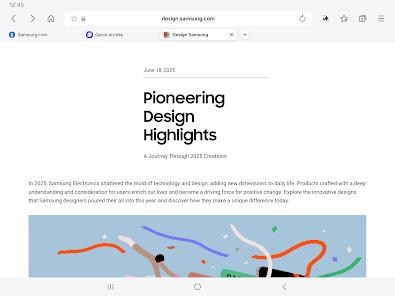
User-friendly bottom navigation bar layout that simplifies one-handed browsing on larger smartphone screens.
Seamless cross-device data synchronization across Android devices, Wear OS wearables, and Windows PCs.
Integrates text search within images directly in the "Find on Page" menu, powered by advanced text-recognition algorithms.
- ✕
High-contrast default dark mode can cause visual issues on certain websites, making text difficult to read.
- ✕
Advanced synchronization features require a registered Samsung Account and One UI system files to function optimally.
- ✕
Lacks native ad-blocking engines, requiring the installation of separate third-party companion filtering apps.
Download
 Get it on Google Play
  Get it on App Store
 FAQs
Can the Samsung Browser be installed on non-Samsung Android devices?
Yes, the browser is available on the Google Play Store for most Android devices running compatible operating systems, including Google Pixel and OnePlus models.
What is the function of the Video Assistant in Samsung Browser?
The Video Assistant is a built-in playback utility that provides pop-up video windows, full-screen options, and gestural controls for brightness and volume.
How does Secret Mode protect private browsing history?
Secret Mode prevents the retention of cookies, search history, and cache. It also stores bookmarks in an encrypted space protected by Samsung Pass biometric security.
Does Samsung Browser support desktop-style browser extensions?
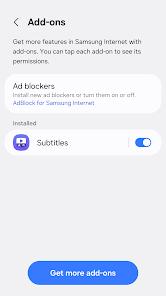
The browser supports a curated selection of mobile-optimized extensions, such as translation tools and third-party content/ad blockers.
Can I continue my active browsing session from my phone to my PC?
Yes, by using a registered Samsung Account on both devices, you can seamlessly access open tabs, bookmarks, and browsing history across platforms.
Hot Reviews
The browser loads content quickly and handles large file downloads reliably without the crash issues common in other browsers.
The bottom-aligned navigation bar is highly intuitive, making it much easier to browse web pages on large modern smartphone screens.
The gesture-controlled Video Assistant makes watching web videos a seamless experience, and the picture-in-picture mode works flawlessly.