
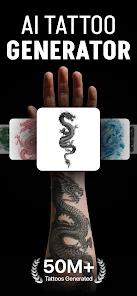
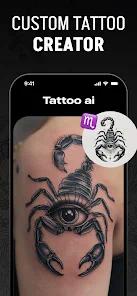
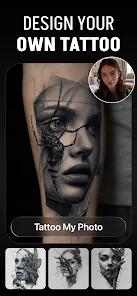
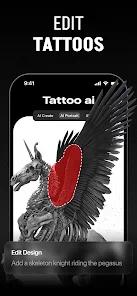
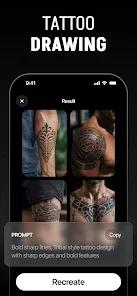
Tattoo AI, also developed by HubX, is a highly specialized vertical application that takes the general capabilities of AI and narrows them specifically for the body art industry.
Functional Breakdown: The Virtual Ink Experience
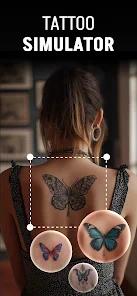
The technical differentiator for Tattoo AI is not just the generation of art, but the "AR Visualization" and "Placement" tools. Users can upload a photo of their own arm, leg, or back and "superimpose" the AI-generated design onto their skin. This uses a basic augmented reality overlay to help users visualize how a tattoo will flow with their physical anatomy before they visit a studio.
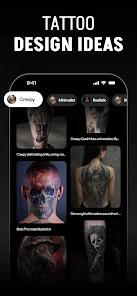
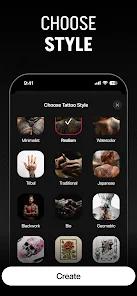
The app also features a "Text-Based Tattoo" generator with hundreds of customizable fonts, as many people search for specific meaningful quotes or script styles. Furthermore, it includes an extensive design library and articles about different tattoo cultures (Japanese, Tribal, Black & White), providing a holistic hub for tattoo enthusiasts.
Deep Insight: The Safety and Creativity Balance
A major technical challenge for Tattoo AI is the management of content filters. Because tattoos are often requested on various parts of the body, the AI's "NSFW" filters can be overly sensitive. Some users have reported that memorial prompts for loved ones were blocked due to the AI's conservative safety protocols. This highlights a growing friction point in specialized AI: the need for filters that understand the deeply personal and sometimes visceral nature of body art.
Pros
The visualization feature allows you to see exactly how a tattoo will look on your specific body part before committing.
Focuses specifically on "tattoo-style" art (shading, linework), which general AI tools often struggle with.
A dedicated "Text Tattoo" tool makes it easy to design scripts and quotes in artistic fonts.
Includes a vast library of inspiration and educational articles about different tattoo styles.
Offers an "Offline Mode," allowing you to work on saved designs without an internet connection.
The "Style Selector" allows you to specifically filter for Japanese, Minimalist, or Tribal designs.
Cons
The "Are You A Tattoo Artist" ad has been reported as excessively repetitive and frustrating for free users.
AI safety filters can be overly aggressive, sometimes blocking innocent or meaningful prompts.
The app's processing speed for generating higher-quality designs can be slow compared to general AI tools.
FAQs
Yes, you can export the images to show your tattoo artist as a reference or stencil.
You take or upload a photo of your arm, leg, etc., and the app lets you resize and place the design on it.
It is free to download, but you often have to watch ads to generate designs or subscribe for a premium experience.
While it can generate elements, a full sleeve usually requires a human artist to integrate several generations together.
It can help you visualize a new design over an existing area, though it isn't specifically a cover-up tool.
Hot Reviews
Yes, you can export the images to show your tattoo artist as a reference or stencil.
You take or upload a photo of your arm, leg, etc., and the app lets you resize and place the design on it.
It is free to download, but you often have to watch ads to generate designs or subscribe for a premium experience.
While it can generate elements, a full sleeve usually requires a human artist to integrate several generations together.
It can help you visualize a new design over an existing area, though it isn't specifically a cover-up tool.