
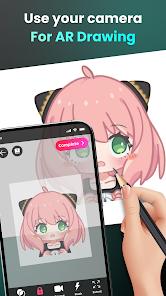
The AR Easy Draw - Trace Sketch app represents a significant leap in creative learning technology. By leveraging Augmented Reality (AR), the app transforms a user’s smartphone into a digital "camera lucida." Its functional core allows users to project an image from their screen onto a physical piece of paper via the camera lens, providing a real-time "trace" that the user follows with a physical pencil.
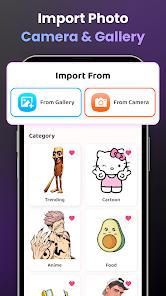
A deep dive into the platform's utility reveals that it is designed as an "educational bridge." For users who feel they lack artistic talent, the app provides a scaffolding that enables them to produce high-quality physical drawings of complex subjects like "Hello Kitty," "Pikachu," or "Jujutsu Kaisen". The app includes a sophisticated "Photo to Sketch" AI that converts personal gallery photos into clean, traceable line-art outlines, effectively allowing users to "draw anything" from their own lives.
Insights into the user experience in 2026 highlight a "monetization friction." While the app is free to download, several high-utility features—most notably the "Draw from Gallery" function—have been moved behind a premium paywall or mandatory ad-locks. Furthermore, the app's success is highly dependent on the user's physical environment. Reviews emphasize that without a "steady tripod" or a glass stand, the phone's inevitable movements will "ruin the trace," leading to significant frustration during long drawing sessions.
Pros
Revolutionary AR technology that allows even "non-artists" to create professional-looking physical drawings.
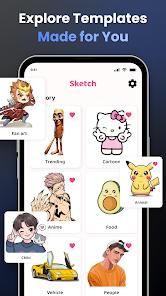
Extensive library of trending templates, including specific categories for Anime, Cute, and Chibi characters.
Powerful "Photo to Sketch" AI that converts real-world photos into high-fidelity tracing outlines.
Integrated time-lapse recording feature that captures the entire creative process for social media sharing.
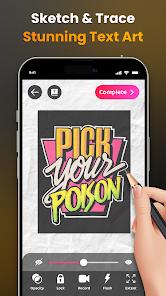
Advanced drawing controls, including opacity adjustment, zoom, and a flashlight for low-light tracing.
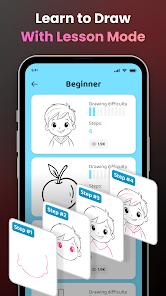
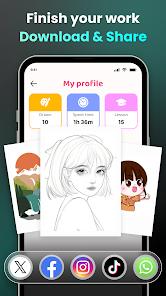
Personalized "Drawing Profile" that tracks the user's progress, time spent, and lessons completed.
Cons
Highly intrusive ad-design that often triggers during the tracing process, causing the user to accidentally move the phone.
Critical features like "Gallery Import" are increasingly locked behind a paid/premium model.
Requires a physical stand or tripod to be truly effective; hand-holding the phone results in a poor tracing experience.
Some users report that the image scaling is limited, leading to "miniature" drawings if not properly adjusted.
FAQs
You must place your phone on a stable tripod or a steady object like a cup that is parallel to the table.
Yes, you can import images from your gallery and the app will automatically convert them into traceable line-art.
The app is free to download and use with basic templates, but premium features and some "hot" templates require watching ads or a subscription.
Use the "Opacity" slider in the app to increase the visibility of the overlay and turn on the built-in flashlight.
Yes, the app saves your time-lapse video directly to your phone, which you can then edit and upload to any social platform.
Hot Reviews
You must place your phone on a stable tripod or a steady object like a cup that is parallel to the table.
Yes, you can import images from your gallery and the app will automatically convert them into traceable line-art.
The app is free to download and use with basic templates, but premium features and some "hot" templates require watching ads or a subscription.
Use the "Opacity" slider in the app to increase the visibility of the overlay and turn on the built-in flashlight.
Yes, the app saves your time-lapse video directly to your phone, which you can then edit and upload to any social platform.