Google Chrome
Overview
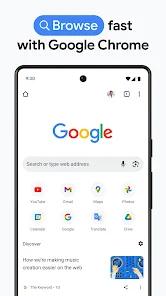
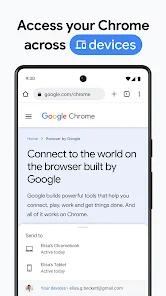
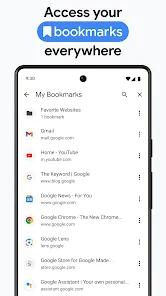
The mobile browser serves as the primary interface for web interactions, client-side scripts, and cloud services. As the default gateway on most Android Google Chrome is built on the open-source Chromium rendering engine, utilizing the Blink layout pipeline and the high-performance V8 JavaScript engine. Chrome focuses heavily on ecosystem integration, using a single Google Account to sync bookmarks, active tabs, saved credentials, and autofill parameters across mobile, tablet, and desktop systems.
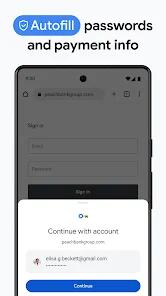
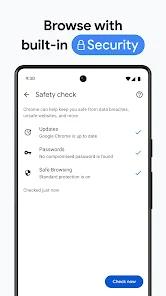
From a security standpoint, Chrome utilizes Google's Safe Browsing API to run proactive security scans, offering three distinct levels of real-time telemetry: Standard Protection, Enhanced Protection, and Safety Check. When Enhanced Protection is active, Chrome shares temporary security metadata with Google servers to block emerging phishing sites and malicious downloads before they compromise the host device. It also includes Google Password Manager, which monitors local databases for credential leaks, suggests complex passwords, and automates form fills.
Chrome is also closely linked to the Android operating system's core rendering engine. The browser shares components with the Android System WebView, meaning changes to Chrome's rendering architecture directly affect how third-party apps display web content. When security certificates update or rendering protocols shift, both Chrome and WebView must synchronize to prevent application login failures and page load errors across the OS.
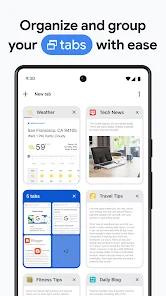
Despite its strong performance, Chrome faces ongoing criticism regarding privacy. Because Google's business model relies heavily on targeted advertising, Chrome's baseline configuration allows extensive first-party telemetry collection. While competitors block trackers out of the box, Chrome takes a more gradual approach to cookie restriction, which can result in more advertisements being served during general browsing. Additionally, recent updates to the tab management interface have introduced synchronization bugs, where entire collections of structured tab groups can desynchronize and vanish during account migrations.
Pros & Cons
Android System WebView Synchronization: Deeply integrated with Android System WebView, Chrome ensures highly stable rendering and certificate validation across third-party applications.
Fast Cross-Device Synchronization: Instantly synchronizes active tabs, bookmarks, payment histories, and addresses across different devices using a single Google sign-in.
Enhanced Real-Time Protection: The Enhanced Protection Mode offers proactive, cloud-assisted defense against phishing and malicious software downloads.
Secure Password Management: Features an integrated password manager that audits credentials, flags compromised accounts, and automates sign-ins.
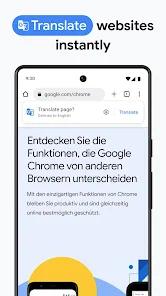
Google Lens and Translate Integration: Includes native support for Google Lens and Translate, allowing users to search images and translate websites in over 130 languages.
- ✕
Substantial System Resource Allocation: The multi-process architecture can consume substantial RAM and battery life, which can impact performance on mid-range and budget Android devices.
- ✕
Permissive First-Party Telemetry and Ad Load: The browser allows first-party telemetry by default, displaying more targeted ads than privacy-first alternatives.
- ✕
Cloud Synchronization Glitches in Tab Group Management: Technical errors in cloud sync can cause saved tab groups to vanish unexpectedly, resulting in data loss.
- ✕
Absence of Native Mobile Extension Support: Unlike some mobile browsers, Chrome for Android does not support third-party extensions, limiting customization.
Download


FAQs
What is the difference between Standard and Enhanced Protection in Google Chrome?
Enhanced Protection proactively shares real-time security metadata with Google to protect against undiscovered threats, while Standard Protection relies on a localized database updated periodically.
Why is updating Google Chrome critical for other apps on my phone?
Chrome shares its rendering engine with the Android System WebView; keeping Chrome updated prevents certificate issues and rendering crashes in other apps.
Can I recover tab groups if they disappear from my browser?
Tab groups lost to synchronization bugs can sometimes be retrieved via the "Recent Tabs" menu if they are stored in the account history, though localized sync errors can cause permanent loss.
Does Google Chrome share my passwords with third parties?
No. Google Password Manager encrypts saved credentials in transit and on the device, checking them against databases of leaked logins without revealing the actual passwords.
How can I translate a foreign-language website in Chrome?
Chrome automatically detects foreign text and prompts the user to translate the entire webpage into their preferred language via Google Translate.
Hot Reviews
Users frequently praise Chrome's quick autofill and seamless tab sync, noting how easy it is to switch between mobile and desktop browsing sessions.
A common concern among long-time users is the increasing volume of advertisements and trackers encountered during everyday browsing, with many noting a drop in performance.
Several users have reported issues where curated tab groups suddenly vanished from their browser after updates, leaving them unable to restore their saved sessions.
Technical reviews note that Chrome’s automatic form-filling for payments, addresses, and multi-factor passwords reduces user friction and increases login speeds.