
Adobe Firefly: AI Generator

Overview
Adobe Firefly represents Adobe's flagship entry into the mobile generative artificial intelligence landscape. Developed to function as an end-to-end creative companion, the application focuses on commercial safety and professional utility. Unlike consumer-focused AI engines trained on scraped internet databases, the underlying models are trained strictly on Adobe Stock's catalog of over 300 million high-resolution assets, openly licensed content, and public domain materials. This structural training methodology allows Adobe to offer legal indemnification to enterprise customers, guaranteeing that the generated media is safe for commercial use.
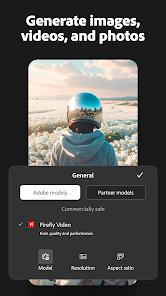
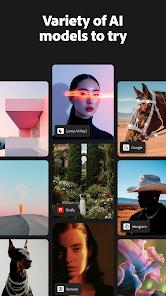
From an architectural standpoint, Adobe Firefly has evolved into a consolidated multi-model platform. Rather than relying solely on its internal models, the application bundles over thirty distinct AI engines within its workspace, including OpenAI models, Luma AI, Runway (Gen-4.5), and Kling (2.5 Turbo). This aggregation strategy allows creators to generate assets using one model, refine them using another, and compare comparative outputs side-by-side in real-time.
The platform supports a broad range of creative generation workflows :
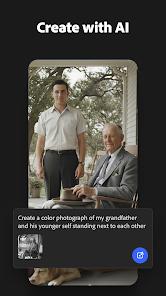
- Text-to-Image Generation: Powered by the Firefly Image Model, this tool delivers high-fidelity raster assets.
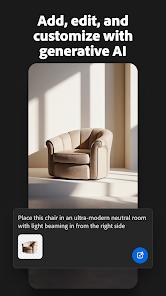
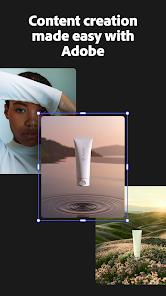
- Generative Fill and Expand: Integrates directly with Creative Cloud canvas layers, allowing users to modify specific regions of an image using simple text prompts.
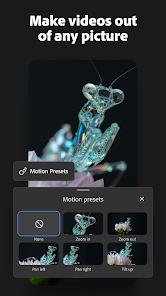
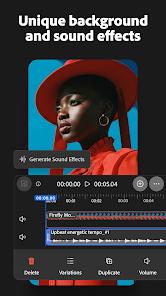
- Text-to-Video Generation: Produces cinematic, short-duration video sequences up to 5 seconds long, complete with precise control over virtual camera movements, lighting, and frame rates.
- Custom Style Training: Teams can upload a set of 10 to 30 reference images (JPG or PNG) to train custom styles, ensuring visual consistency across promotional campaigns.
The application is deeply integrated into the Adobe Creative Cloud environment. Assets generated on a mobile device automatically sync to the user's Creative Cloud account, ensuring immediate access in desktop applications like Photoshop, Illustrator, and Express. This workflow is supported by built-in Content Credentials—cryptographic metadata that details the asset's generative origin, maintaining professional transparency and trust.
Pros & Cons
Certified Ethical and Commercially Safe Models: Trained on licensed and ethical data pools, protecting professionals from copyright infringement risks.
Multi-Model Platform Aggregation: Access to over thirty industry-leading AI models (Runway, Kling, Luma, OpenAI) inside a single mobile interface.
Dynamic Style Training for Brands: Ability to train private, reusable style models using only 10 to 30 custom brand assets.
Flawless Creative Cloud Sync: Automated file synchronizations to keep work moving seamlessly from mobile devices to desktop suites.
Deep Parameter Control: Advanced settings for camera pans, virtual zoom levels, aspect ratios, and precise color grading.
- ✕
Highly Restrictive Free Tier Credits: Free accounts are heavily restricted, with premium credits requiring a recurring monthly subscription.
- ✕
Short Maximum Video Duration: Conversions from text-to-video are restricted to 5-second outputs.
- ✕
Processing Speeds During Peak Demand: Highly detailed multi-model prompts can cause generation delays during peak server loads.
- ✕
Complex Subscription Framework: Navigating various plans across creative applications can be confusing for standalone mobile users.
Download
 Get it on Google Play
  Get it on App Store
 FAQs
What makes the platform commercially safe?
The underlying model is trained exclusively on legally cleared Adobe Stock assets, public domain content, and openly licensed media, preventing intellectual property conflicts.
Can custom styles be trained on the mobile app?
Yes, creators can upload 10 to 30 reference images to train private style models, helping maintain a consistent look across different campaigns.
How does multi-device synchronization function?
Every asset created on mobile is immediately saved to the user's Generation History and synced to their Creative Cloud Libraries for use in Photoshop or Illustrator.
What are Content Credentials?
Content Credentials are secure metadata tags embedded in the exported files that verify the asset was generated using AI, maintaining professional transparency.
Are there limitations on video resolution?
Yes, the text-to-video tool outputs clips up to a specific resolution at 24 frames per second to balance server rendering loads.
Hot Reviews
The guarantee of commercial safety makes this app a standard choice for business marketing designs.
Being able to swap between internal models and third-party engines like Kling or Runway within a single workspace has greatly improved creative efficiency.
While the video quality is impressive, the 5-second duration limit and strict monthly credit allowances on standard plans are highly limiting.
The automatic syncing of generated images directly into desktop Photoshop makes the asset creation process incredibly fast.