
Hala Video Chat & Voice Call




Overview
Hala Video Chat & Voice Call identifies a secure video communication tool developed by Amy and Brody Limited. This application should not be confused with similarly named voice rooms or group-hosting apps. Instead, it functions as a direct messaging client focused on encrypted video and audio communication. The app is built on a communications engine optimized for real-time video streaming across various network bandwidths, including 2G, 3G, 4G, and Wi-Fi.
The platform's features include automated encryption across all communication formats, securing text messages, voice calls, video chats, and group media sharing. This design helps protect private data from unauthorized interception.
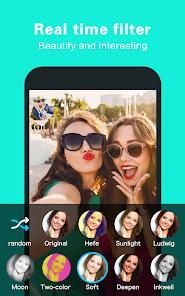
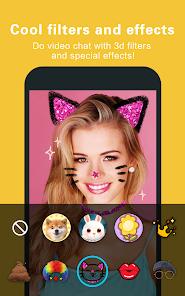
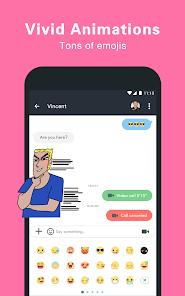
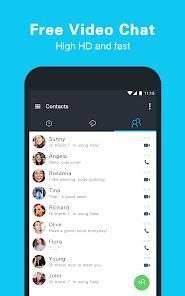
Additionally, the app allows users to apply 3D effects, cosmetic filters, dynamic stickers, and emoji interactions during live video sessions. The application integrates with the device's native address book for quick contact syncing, or users can add contacts directly via phone numbers.
However, recent versions have experienced stability issues, with user reviews highlighting system freezes, message delivery delays, and loop errors during registration and OTP verification.
Pros & Cons
Automated Data Encryption: End-to-end encryption secures messaging, voice, video, and group chats.
Strict Privacy Policy: The developer states that no personal data or message metadata is shared with third parties.
Interactive 3D Visual Effects: Integrates responsive AR filters and cosmetic overlays during active calls.
Direct Global Communication: Connects users worldwide with no regional call charges or roaming fees.
Simplified Contact Syncing: Directly maps local contacts to the platform's chat directory via phone verification.
- ✕
Technical Stability Concerns: Users report frequent crashes, system freezes, and visual lag during calls.
- ✕
Authentication Loop Failures: Users describe issues where entering valid verification codes simply returns them to the login screen.
- ✕
Message Delivery Latency: Message delivery can fail or experience significant delays during peak times.
- ✕
Heavy Resource and Power Consumption: Dynamic video rendering and encryption can cause device warming and high battery drain.
Download
 Get it on Google Play
  Get it on App Store
 FAQs
Does this application support group video communication?
Yes, the application allows users to create group chats and host video calls with multiple participants.
What encryption methods are used by the software?
The app employs automatic encryption across all media types, including text payloads, images, and audio/video calls.
Is a paid subscription required for international calls?
No, calling features are completely free and run over cellular data or Wi-Fi networks.
Can users apply video filters after a call has started?
Yes, the rendering pipeline allows users to toggle 3D filters, stickers, and cosmetic options during live calls.
How are contacts added to the application?
Contacts can be synchronized from the local address book or added manually by entering their mobile numbers.
Hot Reviews
Users note that when the app functions correctly, it provides clear, high-definition video connections across continents.
A portion of feedback criticizes the app's stability, highlighting frequent freezes and crashes that close the application during active calls.
Multiple reviews mention registration loops where the app fails to recognize OTP inputs, locking users out of their accounts.
Several long-term users praise the security architecture, noting they have experienced zero hacking attempts or privacy issues.