
Whoscall: Caller ID & Block


Overview
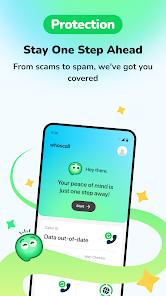
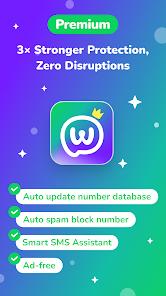
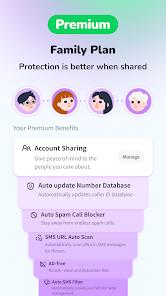
The rapid rise of automated robocalls, spoofed numbers, and SMS-based phishing (smishing) has made mobile security applications essential. Whoscall: Caller ID & Block is developed by the Taiwan-based Gogolook Co., Ltd.. Backed by a database of over several billion numbers, Whoscall identifies unknown calls, filters spam, and flags dangerous SMS phishing links. Key features include real-time caller ID, reverse phone number lookup, an AI-powered SMS assistant, offline database access, and a community contribution badge system.
To work effectively, modern mobile operating systems require Whoscall to be set as the device's default phone, caller ID, and digital assistant handler. This deep integration introduces systemic user friction. Once Whoscall is set as the default, it can disrupt native device dialing software. Users often encounter issues like slow contact searching within the dialer, warning prompts regarding potential carrier charges on the dial pad, and a failure of the app to clean up blocked numbers, leaving spam entries visible alongside regular logs. Users are often forced to choose between the security of Whoscall's blocking capabilities and the speed and simplicity of their phone's native dialer.
Additionally, because Whoscall relies on community crowdsourcing to identify and tag new spam numbers quickly, it is vulnerable to reporting errors. A single mistaken flag from the community can result in legitimate local businesses, medical offices, or delivery drivers being silently redirected to voicemail or blocked entirely.
This represents a classic trade-off in modern call security: aggressive, community-driven blocklists catch more spam but introduce a higher risk of blocking important calls, while gentler filters let spoofed local numbers slip through to the user.
Pros & Cons
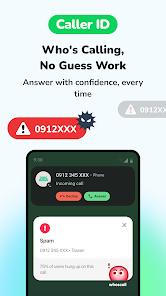
Real-Time Caller Identification: Instantly identifies unknown callers, distinguishing legitimate businesses from potential spam threats before you answer.
Offline Database Support: Allows users to download regional databases to identify and block spam calls without an active internet connection.
Proactive Phishing Protection: The Smart SMS Assistant automatically scans incoming text messages and flags suspicious links or verification code scams.
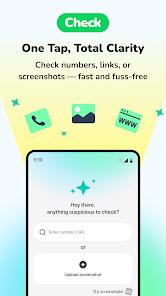
Multi-Input Verification Check: Provides a unified search tool to verify phone numbers, web links, and screenshots in one place.
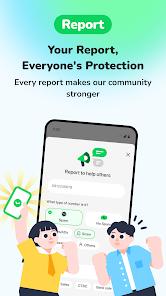
Community Contribution Rewards: Features an engaging badge and mission system that rewards users for reporting spam and verifying numbers.
Strict Privacy Protocols: Secures user data with transit encryption and does not upload your personal address book to make it searchable.
- ✕
Dialer Integration Friction: Replacing the system’s default phone app can slow down contact searches and trigger carrier charge warnings on the dial pad.
- ✕
Call Log Clutter: Blocked spam calls often remain visible in the native phone logs, complicating call history navigation.
- ✕
Risk of Erroneous Blocking: Community crowdsourcing can lead to legitimate numbers (like clinics or schools) being flagged as spam by mistake.
Download
 Get it on Google Play
  Get it on App Store
 FAQs
Why does Whoscall ask to be my default dialer app?
Android security policies require Whoscall to be set as the default phone app to allow it to intercept calls, identify unknown numbers, and block spam in real-time.
Can I use Whoscall without an internet connection?
Yes, in supported regions (such as Japan, Taiwan, Hong Kong, South Korea, and the US), users can download the database to identify numbers offline.
How does the Smart SMS Assistant protect me?
The assistant automatically scans incoming text messages for known phishing links and smishing patterns, warning you before you interact with them.
Does Whoscall share my personal contact list?
No, Whoscall encrypts all collected data in transit and does not upload your personal contacts to make them searchable by the public.
What is the community badge system?
The badge system encourages users to contribute to the global database by completing tasks like verifying numbers and reporting new spam sources.
Hot Reviews
Users highly value the SMS assistant, noting it successfully identifies and blocks fraudulent package tracking and delivery scam links.
Several reviewers report that setting the app as the default handler makes contact searches sluggish and leaves blocked numbers cluttering their native call history.
Travelers appreciate the offline database downloads, which allow them to identify local businesses and delivery drivers without using expensive roaming data.
Many users note that the real-time caller ID accurately flags robocalls and telemarketers, helping them avoid unwanted interruptions.