
Invitation Maker - Card Design
Overview
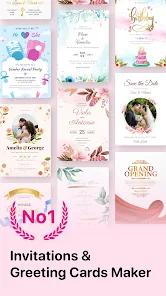
Invitation Maker Card Design, developed by MK Apps Private Limited, is a highly specialized graphic design and template-editing application. While blank-canvas drawing programs can be overwhelming, this application focuses on providing an accessible, template-driven workspace. It serves as a practical, easy-to-use tool for event planners, small business owners, and casual hosts looking to quickly coordinate and design digital invitations and cards.
Comprehensive Template Catalogs and Dynamic Cloud Retrieval
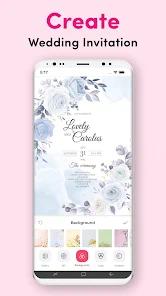
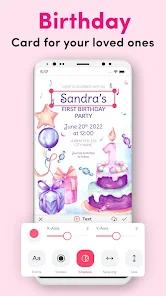
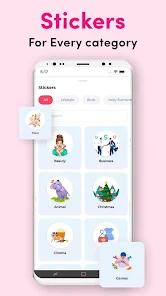
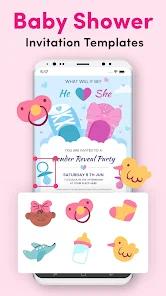
To maintain a small initial download footprint (around 28-39 MB), the application uses a dynamic cloud-retrieval pipeline to fetch high-resolution vector assets and design templates on demand. Its library contains over 5,000 professional templates covering weddings, adult and children’s birthdays, baby showers, gender reveals, private parties, and major seasonal holidays. Users can easily customize these layouts by selecting watercolor, textured, or gradient backgrounds and layering themed stickers over their designs.
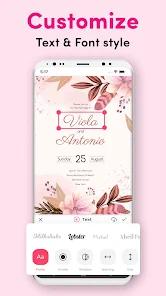
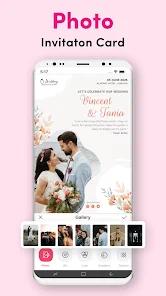
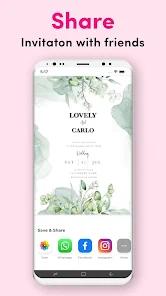
The application's typography engine supports detailed editing controls, including 3D text styling, text alignment, drop shadows, gradient lettering, and stroke adjustments. Users can also import their own photographs to personalize layouts. Completed invitations can be exported as high-resolution images for printing or shared instantly via messaging apps like WhatsApp.
Integrated RSVP and Event Coordination Pipelines
What sets Invitation Maker apart from basic graphic editors is its built-in digital RSVP management system. Rather than just designing a static card, users can attach dynamic RSVP links to track attendee counts, manage guest lists, and receive guest messages directly within the application. This integration makes it a practical, dual-purpose tool for both graphic design and basic event management.
The free version of the application is fully functional, though it includes watermarks on exports and displays frequent advertisements. Upgrading to the Premium version removes ads, removes watermarks, unlocks over 4,000 exclusive premium templates, and allows you to download high-resolution creations. While the template layouts can sometimes be rigid, the app remains a highly convenient tool for rapid, professional-looking event planning.
Pros & Cons
Extensive template library with over 5,000 professional, event-ready layouts.
Integrated digital RSVP system allows you to coordinate and track guest lists directly.
Easy-to-use text customization tools, including 3D text styling and drop shadows.
Rich collection of themed stickers, graphic elements, and artistic watercolor backgrounds.
One-tap sharing options make it easy to send invitations directly through apps like WhatsApp.
- ✕
High-resolution exports in the free version are locked behind watermarks.
- ✕
Frequent in-app advertisements can disrupt the card customization workflow.
- ✕
Rigid template layouts prevent you from modifying the core background structures.
- ✕
Requires a constant, stable internet connection to fetch vector assets.
Download


FAQs
Is this invitation maker free to download?
Yes, the application is free to download and includes hundreds of free templates, though premium designs require an upgrade.
Can I add my own photos to the invitation templates?
Yes, you can easily import personal photographs from your device gallery directly into your invitation designs.
How does the integrated RSVP tracker work?
You can generate and attach digital RSVP links to your cards, allowing guests to submit their attendance and leaving you to manage responses from the app.
What kinds of events are covered in the templates?
The app offers templates for birthdays, weddings, baby showers, pool parties, graduations, retirement events, and major seasonal holidays.
Can I print my completed invitation designs?
Yes, completed invitations can be exported in high-definition, print-ready formats.
Hot Reviews
The application is fantastic for creating quick invitations. You can choose a template, edit the text, and share it directly on WhatsApp in just a few minutes.
The template designs are highly stylish and modern, though adding touch actions to rotate and flip small stickers can be slightly finicky on smaller screens.
The app makes it easy to save progress as a draft and return to make adjustments later, which is highly convenient when details are still changing.