
Volume Control Launcher


Overview
Volume Control Sound Launcher is marketed to users as a quick audio manager, it functions as a complete replacement for the default Android home-screen desktop environment. Understanding this architectural choice is key to evaluating its usability, permissions, and monetization model.
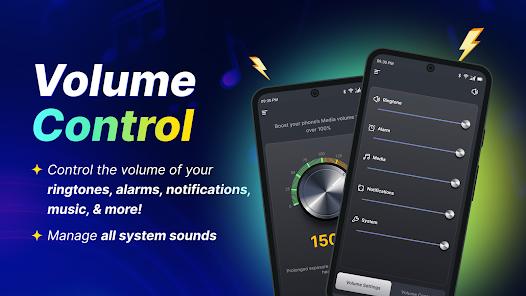
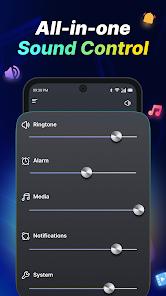
Under standard mobile setups, the Android operating system isolates volume control parameters across separate audio streams. Accessing these streams typically requires opening deep system settings or pressing physical volume buttons to reveal sliders. The Volume Control Sound Launcher changes this flow by placing a unified volume adjustment hub just one swipe away from the home screen. This allows users to quickly change audio thresholds across calls, media, and notifications in one place.
However, building this utility as a system launcher rather than a simple widget or background service has significant trade-offs. An Android launcher replacement takes over the entire desktop environment, modifying home screen grids, icon arrangements, and system navigation. To make this transition more appealing, the developer bundles several desktop customization options, such as personalized clock and weather widgets, a selection of themed wallpapers, and search bars integrated with the Yahoo indexing engine.
This launcher-centric approach helps keep the app running in memory, preventing Android's operating system from closing it to save RAM. However, it also introduces substantial user experience costs and broad privacy requirements, as the app requests launcher-level access to personal user data and location services.
Ultimately, while the launcher structure provides quick swipe gestures for volume changes, users seeking only minor, modular audio adjustments may find the total interface change intrusive.
Pros & Cons
Consolidated Audio Management: Displays all primary volume sliders on a single screen for quick adjustments across music, calls, and notifications.
No Root Access Needed: Modifies standard system volume limits safely without requiring root privileges or system modifications.
Persistent Performance: Avoids background RAM termination by running as a high-priority system launcher.
Desktop Utility Features: Bundles helpful layout tools, including live weather widgets, clocks, and themed wallpapers.
Fast Web Queries: Provides quick search access points directly on the home screen powered by Yahoo.
- ✕
Disruptive Interface Changes: Replaces the user's custom home screen, icon arrangements, and desktop layout upon installation.
- ✕
Broad Data Telemetry: Collects and shares sensitive user information, including location and personal identifiers, with third parties.
- ✕
Ad-Heavy Design: Includes frequent ad placements across the desktop interface to support its free model.
- ✕
No Advanced EQ Features: Lacks professional audio tools such as parametric equalizers, bass boosters, or multi-band adjustments.
Download
 Get it on Google Play
  Get it on App Store
 FAQs
Why did my phone's home screen change after installing this application?
The app is built as a custom launcher. Instead of running as a standard app, it replaces your entire desktop layout and icon configuration to enable its swipe-to-adjust volume feature.
Does this application actually boost speaker hardware beyond safe limits?
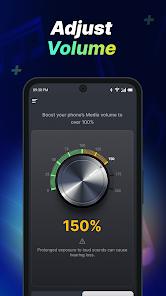
No. It aggregates standard Android software volume channels into one place for convenience. It does not modify low-level audio drivers to bypass manufacturer physical decibel limits.
Is my personal data shared with advertising networks?
Yes. The developer's privacy terms state that the application collects and shares specific telemetry, such as location and device identifiers, with ad networks.
How do I restore my phone's original desktop layout?
You can restore your original layout by uninstalling the application through the Google Play Store or settings menu. This prompts Android to reactivate your original launcher.
Does the application require a paid monthly subscription?
No. The app is free to download and use from the Google Play Store, though it relies on ad revenue and search integration to monetize.
Hot Reviews
Many users express surprise when finding that what they thought was a simple volume slider tool replaces their entire home screen configuration, forcing them to re-organize their icons and widgets.
Several tech-focused reviewers warn against installing the app, noting that its broad permissions and launcher status are unnecessary for basic volume changes and raise privacy concerns.
Enthusiastic users appreciate the simplicity of the app, highlighting the convenience of having all audio streams on a single swipe-away panel instead of hunting through settings.