Netflix
Overview
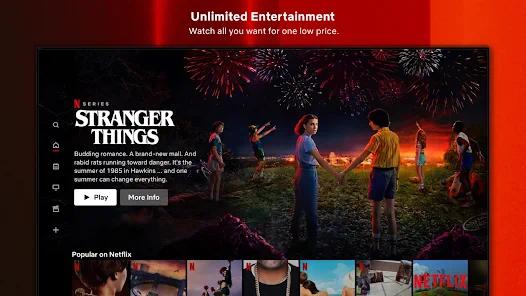
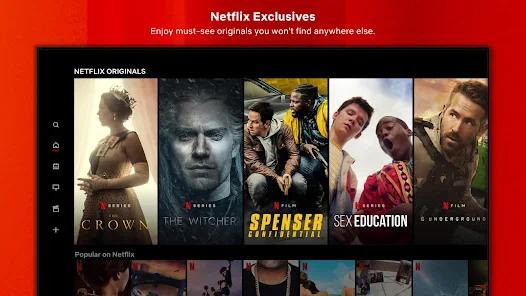
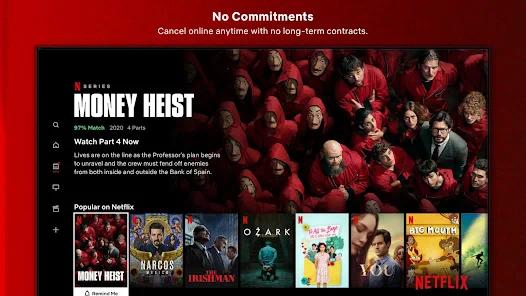
The Netflix app is the specialized client developed by Netflix, Inc. specifically for Android TV, Fire TV, and compatible smart media boxes. Unlike the standard mobile client, this television version is designed from the ground up for larger screens, remote-control navigation, and high-level digital rights management (DRM) requirements.
Users can search for content on the Android TV home screen and launch directly into movie playback within Netflix. The video pipeline is optimized to decode high-bitrate 4K UHD, Dolby Vision, and Dolby Atmos audio streams on supported, certified hardware.
However, the client's high security requirements mean that uncertified Android boxes often experience launch errors or are blocked from downloading the app from the Play Store. Additionally, strict sandbox security limits how the app interacts with home automation systems. For example, integrations like Home Assistant can launch the app but cannot retrieve the active playback state (such as play, pause, or track titles) due to privacy and copyright protections.
Furthermore, recent user interface updates have replaced direct linear navigation with dynamic, card-based grid layouts. This change has drawn criticism from some users, who find the new grid layout makes it more tedious to browse categories and requires more remote clicks to navigate.
Pros & Cons
Advanced 4K and HDR Playback: Fully supports 4K, HDR10, and Dolby Vision on certified television systems and streaming devices.
System-Wide Deep Linking: Integrates with Android TV launchers, allowing users to start specific titles directly from external search results.
Optimized Remote Controls: Designed for standard 5-button television remotes, ensuring low input latency and tactile navigation.
Google Cast Receiver Support: Easily syncs with mobile devices, allowing users to cast content to the TV screen while maintaining playback control.
Secure Data Encryption: Uses high-level encryption in transit and strict DRM protocols to protect stream integrity and user data.
- ✕
Awkward Grid Navigation: Recent interface updates have added complexity to the layout, requiring more remote clicks to find content.
- ✕
Obscured Genre Menus: Traditional subcategory menus are often hidden beneath algorithmic recommendations, making manual browsing harder.
- ✕
Certified Hardware Lockouts: The app will not run on uncertified Android boxes, limiting installation to officially licensed devices.
- ✕
Restricted API Integration: Sandbox restrictions prevent smart home platforms from retrieving playback states or current titles.
Download
 Get it on Google Play
  Get it on App Store
 FAQs
What makes the Android TV application package different from the mobile version?
The TV client is optimized for TV screens and remote navigation, while the mobile client is built for touchscreens.
How can I launch specific titles on Android TV using automated smart-home triggers?
You can use ADB commands to send a VIEW intent along with the source extra key set to "30".
Why does Netflix display a blank screen on some cheap Android TV boxes?
This occurs if the streaming hardware lacks certified Widevine L1 keys. The app's DRM protocols will block playback on uncertified devices.
Can the interface layout be reverted to the older linear look?
No, the visual layout is managed by server-side configuration, meaning users cannot roll back to older navigation interfaces.
Why can't my home automation system show the title of the movie currently playing?
The television client restricts the access of external APIs to protect copyright and user privacy, preventing third-party apps from reading active playback data.
Hot Reviews
The updated TV layout is awkward to use. Moving through the grid-style menus requires way too many remote clicks compared to the older, simpler row lists.
When run on certified devices like the Nvidia Shield, the app delivers pristine 4K video and handles Dolby Atmos audio pass-through flawlessly.
The robust support for external intent calls makes it easy to integrate Netflix with home automation routines, allowing users to launch specific movies with a single automated trigger.