
YouTube for Android TV
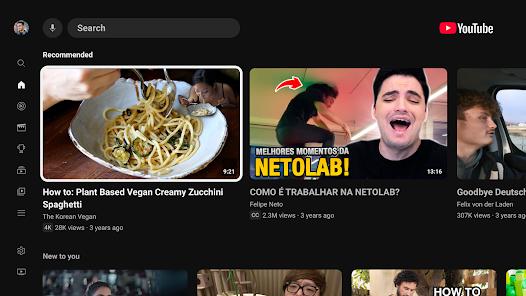
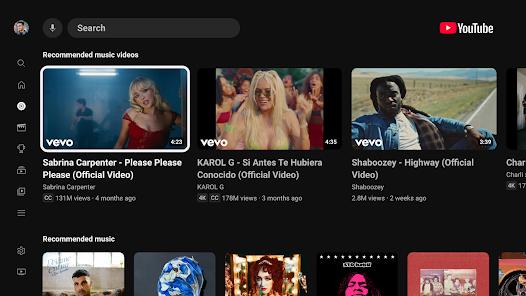
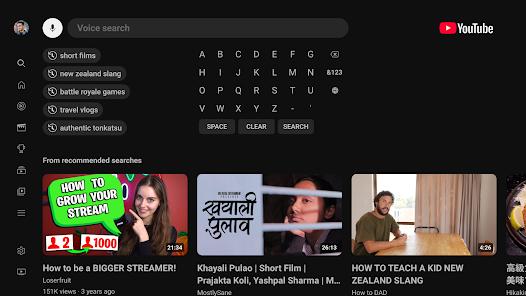
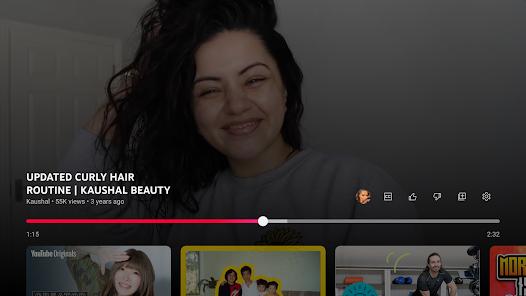
Overview
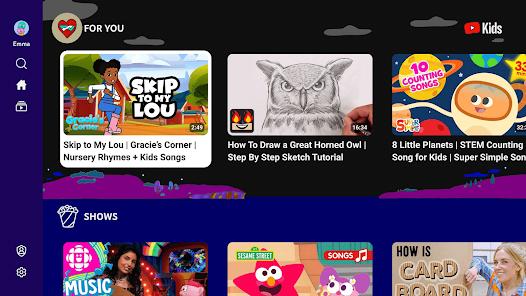
YouTube for Android TV is the official big-screen client designed by Google LLC for Android TV and Google TV platforms. Unlike mobile builds, the app is built for "Leanback" navigation, which is optimized for spatial direction controls and physical D-pad remotes. It supports high-fidelity audio-visual streaming, including 4K UHD, High Dynamic Range (HDR), and 60 FPS video pipelines, provided the TV’s SoC supports hardware decoding.
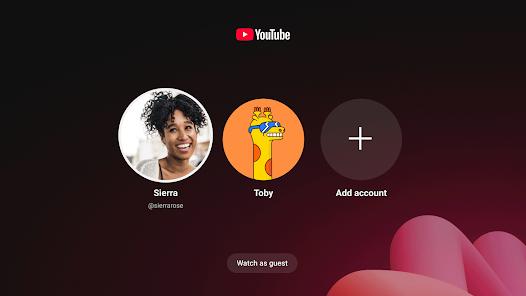
The application relies on remote content delivery network (CDN) structures and dynamic adaptive bitrate streaming to balance quality with local network bandwidth. It integrates with the system’s media framework, allowing remote execution via Google Assistant and cross-device sync. This integration lets users resume videos started on a desktop or mobile device on their TV. Recent updates also added a multi-user account switcher to simplify profile management for families.
However, the application has faced performance challenges on lower-end TV hardware. On devices with limited memory (such as 1GB RAM Android TV boxes), newer builds of the app can cause Out-of-Memory (OOM) crashes during high-resolution stream buffering. To address this, Google blocks newer releases on older TV devices, keeping them on the more stable v5.30 version.
Additionally, codec negotiation issues can affect playback. When streaming certain live feeds, the client may incorrectly default to software-based decoding (such as AV1) instead of using the TV's hardware VP9 or H.264 chips. This software fallback can overwhelm the TV's processor, prompting the app to cap the stream at 360p to prevent video freezing.
Pros & Cons
Big-Screen Leanback UI: Clean, tiled navigation designed specifically for remote-control navigation.
High-Resolution Playback: Supports 4K, HDR, and 60 FPS playback on compatible television hardware.
Google Assistant Integration: Supports voice commands to search, play, pause, or skip content.
Cross-Device Account Sync: Synchronizes subscriptions, watch history, and recommendations across devices.
Family Profile Switcher: Features a dedicated account switcher that supports multiple household profiles.
Verified Data Safety: Uses data encryption and provides options to delete personal activity history.
- ✕
High Ad Density: Regular unskippable ad sequences unless using a Premium subscription.
- ✕
Stability Issues on Low-RAM Devices: Sideloading newer versions on devices with 1GB or less of RAM often leads to crashes.
- ✕
Codec Resolution Capping: Buggy codec negotiation can lock certain streams and live feeds at 360p.
- ✕
Google TV Resuming Issues: Recent update issues can cause the app to freeze after the TV exits screensaver mode.
Download
 Get it on Google Play
  Get it on App Store
 FAQs
Why is a video capped at 360p on the TV when it plays in 1080p on my phone?
This is typically caused by a codec mapping bug. The app may default to a software-based codec like AV1 that struggles on the TV's hardware, prompting the app to drop the resolution to preserve playback.
Can I bypass the profile-selection screen on startup?
There is currently no setting to set a default profile. The app requires selecting a profile on launch if multiple accounts are linked.
How can I resolve app freezes on launch or gray screen bugs?
Force stop the application in Android TV settings, clear the application cache, and restart your TV.
Why can't I update to the latest version via the Play Store on my TV box?
The Play Store blocks newer, more demanding versions on legacy devices with 1GB or less of RAM to prevent instability and system crashes.
How do I report a bug directly to the engineering team?
Open the sidebar menu, select Settings, and choose Send Feedback. You can enable device logs to help diagnose the issue.
Hot Reviews
Users consistently praise how reliably their subscription history, custom playlists, and homepage recommendations sync between their mobile devices and the TV client.
Reviewers report instances where high-definition live feeds are locked at 360p on the TV, even when high-speed broadband connections are active.
Many users report that the application frequently freezes or displays a blank screen when the TV wakes from a standby state or exits a screensaver, requiring a system reboot to resolve.
Owners of older Android TV boxes express frustration that manual updates to newer versions result in immediate crashes due to high RAM utilization.