
Plex: Find Movies & TV Shows


Overview
The application Plex: Find Movies & TV Shows operates as a high-performance client program designed to interface with the Plex Media Server ecosystem, alongside acting as a standalone streaming aggregator. Historically, the platform established its market presence by enabling a decentralized, client-server framework for personal media libraries.
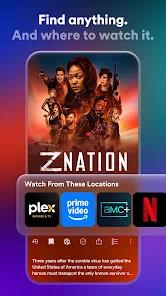
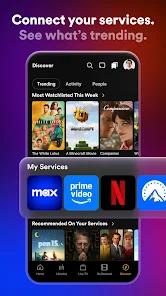
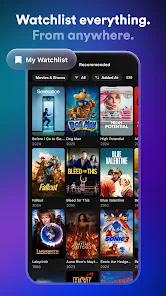
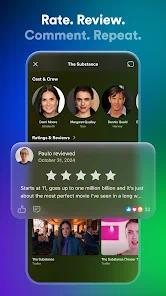
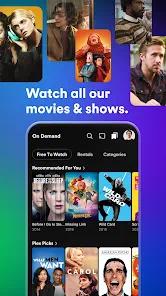
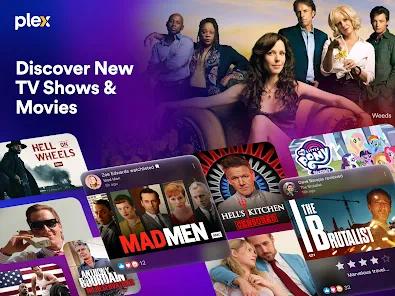
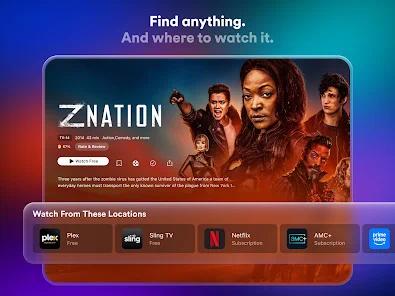
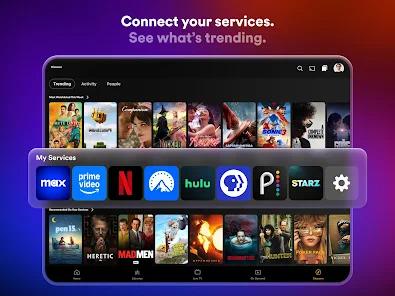
The app offers free ad-supported tiers. In response to changing media consumption trends, the developers have integrated premium commercial streaming content directly into the core application. The app includes over 600 ad-supported live television channels (FAST) and an on-demand library containing over 50,000 free movies and television episodes. It also features a "Universal Watchlist" and "Discover" search utility. This system allows users to search for any title across the digital landscape.
Recent product changes, however, have decoupled personal photo viewing and music playback into standalone companion apps (Plex Photos and Plexamp). This strategy aims to reduce the primary client's memory footprint and streamline the user interface, though it introduces some fragmentation for power users.
Pros & Cons
Automated Metadata Curation: The server automatically matches local directories with cloud databases, saving users from manually organizing metadata and cover art.
Centralized Universal Search: Users can search for a title once to see live broadcast availability alongside catalogs from third-party streaming services.
Secure Remote Streaming: Employs encrypted remote connections, letting users access their home servers securely without complex VPN setups.
Free Ad-Supported Live TV: Access to over 600 live television channels and 50,000 on-demand titles without a monthly subscription.
Cross-Device Playback Synchronization: Stores playback progress server-side, allowing users to pause a show on a mobile device and resume on a TV.
- ✕
Application Feature Fragmentation: Recent updates have removed native music and photo support from the primary app, forcing users to install Plexamp and Plex Photos.
- ✕
Transcoding Paywall Restrictions: Key technical features—including hardware-accelerated GPU transcoding and local mobile file downloads—are locked behind Plex Pass.
- ✕
Resource-Intensive Media Indexing: Initial library scanning and indexing of large storage drives can cause prolonged CPU bottlenecks on hosting hardware.
- ✕
Strict WAN Authentication Dependence: Purely local streaming can fail during internet outages because the client relies on cloud-based authentication servers.
Download


FAQs
Is a local computer or NAS required to run the Plex Android application?
Yes, streaming personal media requires a separately installed and configured Plex Media Server running on a network-accessible PC, Mac, or NAS device.
Can personal files be downloaded directly to Android storage for offline playback?
Yes, but this feature is restricted to paid Plex Pass subscribers, allowing users to cache transcoded copies of their library directly on their mobile device.
Does Plex support DRM-protected files or ISO disc images?
No, the scanning and indexing engine does not support DRM-protected media, raw ISO disc images, or classical video_ts directory structures.
Are there any subscription fees to access the live channels?
No, the catalog of 600+ live TV channels and on-demand movies is completely free and supported by programmatic advertising.
What version of the Plex Media Server is required for client synchronization?
To sync playback state and stream personal files, the hosting machine must run Plex Media Server version 1.41.2 or higher.
Hot Reviews
The platform's ability to turn raw directories into an intuitive, visually polished media center is highly praised, with users highlighting the accuracy of the metadata scraper.
Several long-time users express frustration with recent design shifts, pointing out that separating music and photos into separate apps complicates the user experience.
Reviewers consistently note the stability of remote connections, emphasizing that the automated setup bypasses the need for manual network configurations.
Power users with large media collections observe that initial server configuration can cause high hardware load and long processing delays during file indexing.