
Hulu for Android TV
Overview
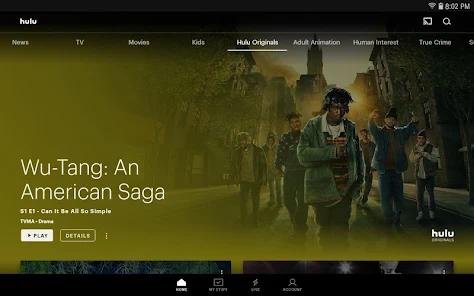
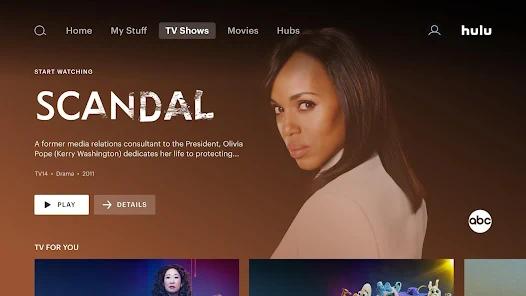
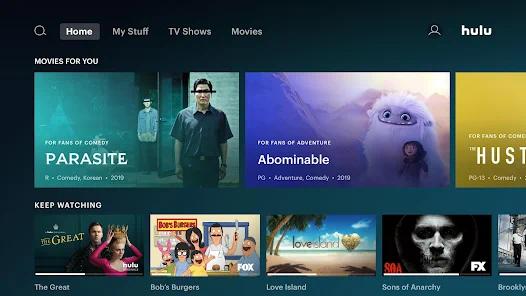
The Hulu for Android TV is a specialized build of the Hulu streaming client optimized for the Android TV and Google TV operating systems. Engineered under the "10-foot user interface" design paradigm, the application's visual architecture prioritizes high-contrast asset grids, D-pad navigation parsing, and dynamic resolution scaling. This design ensures that content remains readable and accessible from typical couch-to-television viewing distances.
It offers high-definition and 4K Ultra HD streams. The streaming engine dynamically switches video bitrates using HTTP Live Streaming (HLS) and Dynamic Adaptive Streaming over HTTP (DASH) protocols. This allows it to adapt to local network conditions in real time. Beyond standard media playback, the app integrates Nielsen measurement software to calculate television ratings. However, this tracking code can occasionally cause memory overhead on low-end smart TVs.
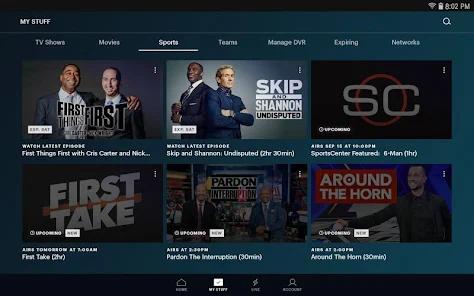
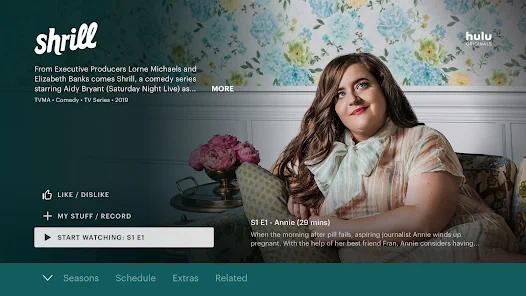
The application supports robust account compartmentalization, allowing up to six individual user profiles. It also includes a "My Stuff" curation folder and a machine-learning recommendation engine. Despite these features, recent iterations of the platform have run into integration issues. After major updates to the Google TV Home Launcher, the application has experienced lifecycle management conflicts. The app's background thread can fail to release system resources correctly, leading to frequent crashes back to the launcher screen. Additionally, the app struggles with connection timeouts. If a stream is paused and times out, the local decryption keys can fall out of sync. This causes persistent playback errors that often require users to force-stop or reinstall the application.
Pros & Cons
Comprehensive Content Curation: Combines Hulu Originals, FX network productions, and major movies in a single hub.
Advanced Profile Separation: Supports up to 6 distinct profiles to keep recommendations and watchlists organized.
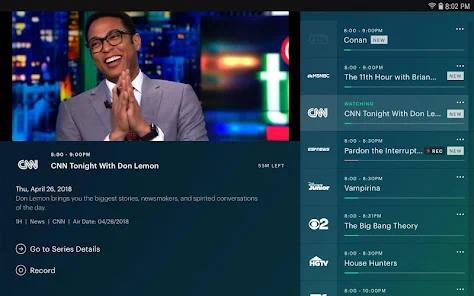
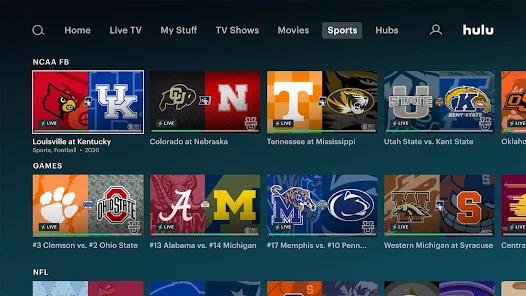
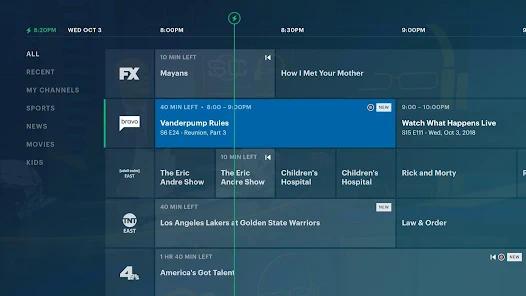
Linear Channel Live Streaming: Offers integrated access to over 75 live channels, including live news and sports.
"My Stuff" Personal Library: Features a straightforward, accessible queue to organize favorite shows.
Add-On Subscriptions: Supports third-party premium networks like HBO and Showtime within the primary client.
- ✕
Persistent Network Connectivity Dropped-Frames: Displays "Connection Error" messages even on stable high-speed networks.
- ✕
Google TV Launcher Compatibility Failures: Spontaneously crashes and kicks users back to the home screen.
- ✕
Post-Pause Decryption Timeouts: Pausing content can lock up playback, requiring a complete system reinstall to recover.
- ✕
Long Commercial Interruptions: The ad-supported tier has seen commercial breaks stretch up to four minutes.
Download


FAQs
Can I download movies to watch offline on Android TV?
No, the offline download function is restricted to mobile devices on eligible premium ad-free plans.
Why does the app crash when returning from a paused state?
This occurs when the DRM decryption handshake times out, making the application unable to resume the secure video stream.
Does this application support Dolby Vision and Atmos on Google TV?
Yes, provided the smart TV hardware supports these standards and the user is subscribed to the appropriate tier.
How do I resolve the launcher crash loop?
Clearing the system application cache, deleting data, or performing a clean reinstall usually resolves home screen crash loops.
Are premium channels like HBO accessible directly within the Hulu interface?
Yes, users can subscribe to premium add-on networks for an additional fee directly inside their account.
Hot Reviews
Recent updates have introduced persistent connection error screens, making the application nearly unusable on otherwise stable networks.
The app regularly crashes and kicks users out to the Google TV home screen, particularly on Sony smart TVs.
Pausing a show often locks up the app. Users have to uninstall and sign back in just to resume playback.