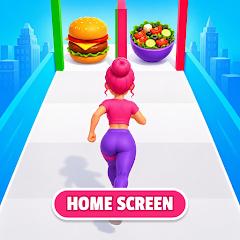
Buns and Bounce Home Screen
Overview
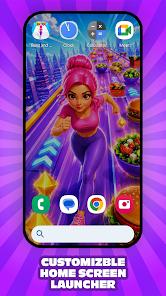
Buns and Bounce Home Screen is a unique Android launcher application developed by Mr.Bunn. Unlike traditional Android launchers that focus primarily on clean productivity, minimalist text, or material design layouts, Buns and Bounce introduces a highly colorful, casual-gaming-centric approach to home screen personalization. It combines advanced system-level launcher settings with an integrated 3D casual runner mini-game.
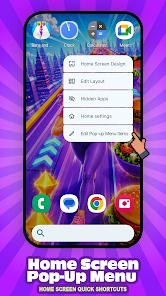
At its core, the application acts as a home screen replacement, taking control of the front-end user experience when the home button is pressed. Users can customize their layout with options for icon shapes, icon sizes, drawer transparency, and label visibility. Long-pressing empty space brings up customizable quick-access system shortcuts.
The app drawer features detailed customization, allowing users to adjust background colors, opacity levels, column densities, search bar locations, and app drawer padding. Additionally, gesture controls can be mapped to actions like double-tapping or swiping, giving users convenient ways to navigate their device.
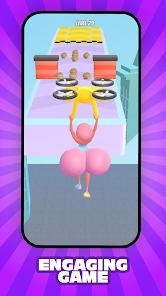
The main differentiator is the integrated hyper-casual runner game, "Buns and Bounce". In this game, players control a character dashing along a track to collect buns, battle competitors, and collect coins. These coins can then be used to unlock skins and character upgrades. The overall launcher design—from the standard system wallpapers to the default accents—is inspired by this game universe, creating a highly thematic experience.
While it may not appeal to business professionals seeking high productivity, it carved out a niche among casual gamers who want their entire mobile experience to feel playful and interactive.
Pros & Cons
The integration of a casual runner game directly into the desktop workspace is a highly creative and engaging design.
It provides advanced app drawer configurations, including detailed background adjustments and custom padding controls.
The customizable home screen pop-up shortcut menu allows for fast navigation adjustments.
It supports responsive gesture mappings, such as double-tapping or swiping, to execute key system commands.
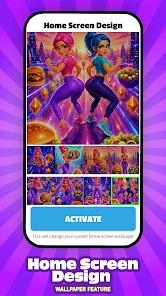
The app features a colorful collection of high-resolution, game-themed wallpapers.
- ✕
The integrated 3D game engine increases system resource usage and battery consumption compared to minimalist launchers.
- ✕
The game-themed aesthetic may not suit professional environments or users who prefer a clean, minimal interface.
- ✕
On entry-level devices, transition animations can lag during periods of heavy memory usage.
- ✕
Some manufacturer system overlays may conflict with the launcher's custom navigation setups.
Download
 Get it on Google Play
  Get it on App Store
 FAQs
What is a launcher, and does this app replace the Android system?
A launcher is a graphical overlay that manages the home screen layout, app drawer, and desktop shortcuts. Buns and Bounce replacing the default launcher does not alter user files, security settings, or systemic Android preferences.
How do users play the integrated runner game?
The "Buns and Bounce" game is built directly into the launcher's environment. Users can launch the casual runner game instantly from a dedicated desktop shortcut or widget.
Is it possible to revert to the default phone home screen?
Yes. Users can open their device system settings, navigate to "Apps," select "Default Apps," then choose "Home App" to switch back to their factory-installed interface (such as Samsung One UI or Pixel Launcher).
Does the launcher support custom third-party icon packs?
Yes, the launcher features a robust icon style menu. Users can customize icon shapes, scale icon dimensions, and hide app labels.
Hot Reviews
This is a highly creative approach to Android launchers. Having a fun, casual game built right into the home screen workspace is incredibly unique, and the themed wallpapers look amazing.
The customization options are surprisingly advanced. Being able to adjust grid sizes, app drawer transparency, and gesture actions allows you to create a personalized layout.
While the concept is fun, the launcher is quite heavy on system resources. On older devices, the active 3D game engine background elements can cause noticeable battery drain.
For users who prefer clean interfaces, the colorful game themes and persistent widgets can feel a bit cluttered and overwhelming.