
UKG Workforce Central
Overview
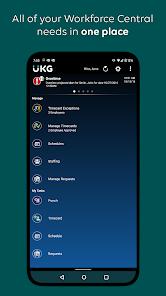
The scheduling and management of shift-based workforces require specialized software capable of coordinating thousands of employees across different locations. UKG Workforce Central serves as the primary mobile client for this system. Designed to integrate directly with corporate Workforce Central environments, the app provides employees and managers with secure mobile access to scheduling, timecards, and payroll information.
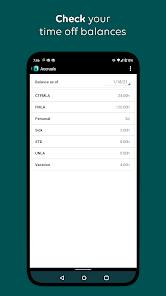
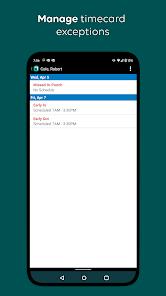
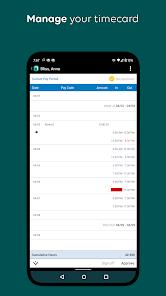
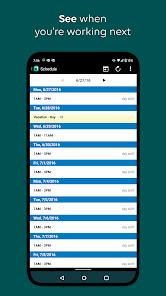
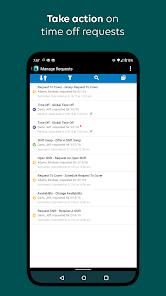
For frontline employees, the application provides an accessible self-service portal to log their workdays. Users can clock in and out, submit timesheets, view scheduling cycles, check accrued benefits, and review pay information. Managers can use the app to resolve timecard issues, approve time-off requests, check staffing coverage, and adjust active schedules.
A key technical feature of the application is its offline operating mode. If an employee needs to clock in or out in an area with poor cellular coverage, the app caches the punch payload locally. Once a secure connection is re-established, the cached data is sent to the central servers, ensuring accurate timecard tracking.
However, because the application requires direct connection to a company's specific UKG database server, end-users cannot use it until their organization's IT department configures and authorizes the server connection. This setup process can occasionally lead to login issues and server connection errors if the backend configuration is incorrect.
Pros & Cons
Reliable Offline Caching: Securely caches clock-in and clock-out punches locally during cellular outages and syncs when reconnected.
Flexible Manager Tools: Lets administrators adjust scheduling rosters, resolve exceptions, and approve requests on the go.
Employee Self-Service: Gives staff quick access to schedule changes, accrued time-off balances, and historical pay statements.
Secure Enterprise Syncing: Uses enterprise-grade encryption to secure data transmissions and protect sensitive payroll information.
Accrual Engine Integration: Integrates directly with corporate payroll backends to display real-time vacation accruals and benefits.
Location-Based Check-Ins: Supports GPS and geofencing validation to ensure frontline workers clock in from approved job sites.
- ✕
Manual Server Configurations: Requires manual entry of company-specific server URLs, which can confuse non-technical users.
- ✕
Server Connection Instability: Frequently drops connection, displaying "unable to connect to server" errors even on stable networks.
- ✕
No Automated Schedule Notifications: Lacks automated push notifications to alert employees when managers change their shifts.
- ✕
Clunky and Outdated Interface: The aging user interface can be difficult to navigate compared to modern, consumer-focused mobile designs.
Download
 Get it on Google Play
  Get it on App Store
 FAQs
Why does the app show an "unable to connect to server" error?
This error occurs when the mobile app cannot reach your company's specific UKG server. You will need to get the correct server URL configuration from your company's system administrator.
Does the application track my location outside of work hours?
No, the app only checks your GPS coordinates when you actively clock in or out to verify you are at an approved job site.
Are my punches lost if I clock in while my device is offline?
No, the application caches your punches locally on the device. The cached data is automatically synchronized once the network connection is restored.
Can I view and sign my timecard directly from my Android phone?
Yes, if your employer has enabled this feature, you can review and approve your timesheet at the end of each pay cycle.
Does the application support biometric logins?
Yes, the app supports Android's biometric authentication, letting you sign in securely using your fingerprint or face scan.
Hot Reviews
Many users report ongoing frustration with server errors and login loops, which prevent them from reliably checking their work schedules.
Frontline workers value the offline clock-in feature, noting that it ensures their shift hours are recorded accurately when working in remote locations.
Reviewers suggest the interface needs a modern update, pointing out that basic tasks like swapping shifts can be difficult due to complex menus.