
Grasshopper
Overview
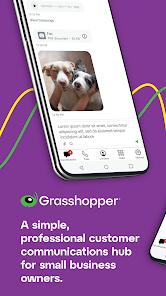
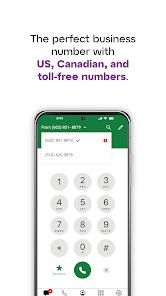
Many small business owners rely on their personal smartphones for client communication, which can lead to privacy issues and make it difficult to separate work from personal life. The Grasshopper virtual phone system addresses this challenge by turning a personal smartphone into a dedicated business communication center. Users can establish a professional business line—such as a local area code or toll-free number—or port an existing number, keeping their personal number private.
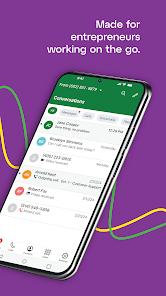
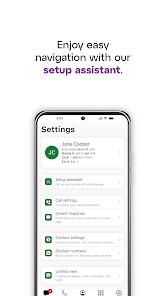
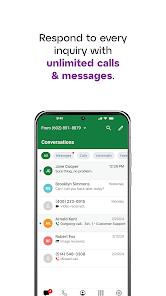
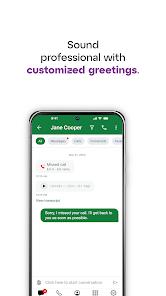
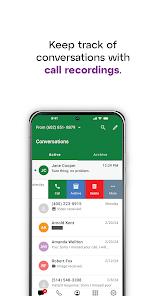
The application centralizes multiple communications channels into a single mobile dashboard. It consolidates voice calls, text messaging (SMS and MMS), voicemail storage, and virtual faxes into one interface. Businesses can configure custom greetings, set up multi-tier extensions to route calls to different team members, and use an automated virtual receptionist. To help prevent missed business opportunities, the app includes an "Instant Response" feature that automatically replies to missed calls with a customizable text message. It also provides automated voicemail transcription to let users read voice messages quickly.
Unlike standard VoIP applications that rely on Wi-Fi or mobile data, Grasshopper routes calls over the carrier's cellular voice network. This design choice helps ensure call quality and stability, even in areas with weak data connections. However, this means call functionality requires an active cellular voice plan.
Additionally, modern users report consistent bugs, including incoming calls that fail to ring, message delivery failures, and notification badges that remain stuck even after messages have been read.
Pros & Cons
Protects personal privacy by adding a professional, dedicated business line to a personal smartphone.
Routes calls over carrier cellular networks rather than VoIP to maintain call quality.
Features professional call-handling tools, including custom greetings, extensions, and a virtual receptionist.
Supports SMS and MMS group messaging on local business lines.
Offers a 7-day free trial to let users test call routing and setup.
- ✕
Suffers from persistent performance bugs, such as incoming calls failing to ring and notification delays.
- ✕
Enforces strict non-refundable billing terms, even when technical issues disrupt service.
- ✕
Experiences syncing delays when managing messages across multiple devices.
- ✕
Provides limited technical support for resolving complex Android-specific software errors.
Download


FAQs
Does Grasshopper require a data connection to make and receive phone calls?
The system routes voice calls over the carrier's cellular network, requiring active cellular phone service rather than a high-speed data connection.
Can I transfer my existing business phone number to the platform?
Yes, the system allows users to port their existing local or toll-free numbers during setup.
Are text messaging features supported internationally?
No, text messaging is restricted to the United States and Canada, and requires compliance verification.
How does the Instant Response feature work?
When an incoming call is missed, the application automatically sends a pre-configured text message to the caller, helping retain potential leads.
Can multiple employees share the same business phone number?
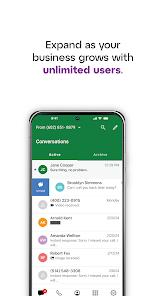
Yes, business owners can set up multiple extensions to route calls to different employee phones.
Hot Reviews
The application frequently fails to ring for incoming calls, only showing a missed call notification long after the call has disconnected. This makes the software unreliable for time-sensitive business calls.
Billing policies are frustrating when technical issues arise. The company enforces strict, non-refundable billing terms even when the service is unusable due to app crashes or missed calls, offering little customer support.
The application struggles to sync notifications and read-states across multiple devices. Text threads show unread badges even after being opened, and team coordination is difficult due to delayed message updates.
The Android client frequently drops outgoing calls before the first ring. For small businesses, this makes reaching clients difficult and creates a frustrating user experience.