
RingCentral


Overview
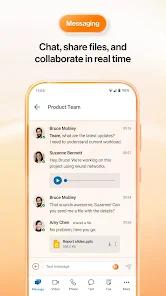
The mobile application represents the mobile face of RingCentral, a unified communications platform designed to integrate enterprise voice telephony, high-definition video conferencing, persistent team messaging, and SMS channels into a single client. The client targets organizations seeking to minimize communication silos and escape the administrative friction of maintaining separate telephony, persistent chat, and video conferencing software. The software bridges the operational gap between desktop workstations and remote environments.
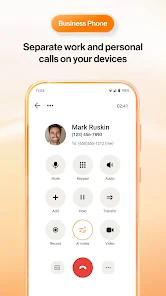
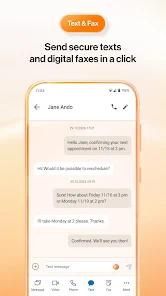
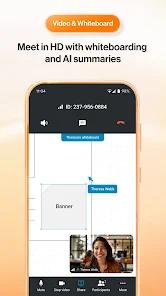
At its technical core, the platform operates a virtual branch exchange system that enables enterprise users to manage calling, messaging, and visual voicemail via a dedicated business number. Telephony features are supported by an Interactive Voice Response (IVR) system that automates call routing, multilingual instructions, and customized queue management to ensure inbound clients are directed to appropriate departments without manual operator intervention. Alongside voice channels, the mobile client supports direct mobile faxing, customizable text snippets, and auto-replies to facilitate high-velocity customer support. Group collaboration is reinforced by built-in video conferencing that supports up to 100 participants in free configurations and expands to 200 participants under premium tiers, complete with live annotation, screen-sharing, and interactive whiteboards.
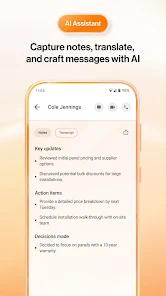
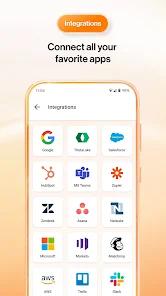
The framework incorporates the proprietary RingSense engine to introduce natural language processing and machine learning into daily workflows. This includes an AI Receptionist for automated call handling, AI Calling for real-time coaching, and AI Notes and Transcripts to automatically summarize discussions and document action items. Shared team text messages benefit from predictive draft helpers and automatic translation, transforming simple chat interfaces into active workflow automation layers. To preserve business continuity, the underlying infrastructure delivers a 99.999% availability rate backed by enterprise-grade transit encryption. Integrations with Salesforce, HubSpot, Zapier, Google Workspace, and Microsoft 365 allow corporate directory contacts and sales pipelines to sync automatically, though administrative configurations present a steep learning curve that requires specialized IT management.
While the integration of these features offers a comprehensive solution for enterprise communication, it also introduces design challenges. Combining these diverse tools within a single mobile interface can result in a cluttered layout, making navigation difficult for non-technical users. Additionally, users frequently report minor performance delays when accessing the dial pad on older mobile devices.
Pros & Cons
Unified Communication Endpoint: Integrates enterprise telephony, high-definition video conferencing, team messaging, and SMS/MMS within a single mobile interface.
Advanced Artificial Intelligence Suite: Leverages RingSense algorithms to provide automated call summaries, action-item extraction, and real-time meeting translation.
Robust Enterprise Telephony Tools: Features a visual voicemail-to-text converter, mobile faxing, call flipping between devices, and customizable automated call routing trees.
Strong Third-Party Integrations: Syncs seamlessly with enterprise platforms including Salesforce, HubSpot, Zapier, and Microsoft 365 to harmonize contacts and communications.
High Reliability Infrastructure: Backed by a verified 99.999% cloud availability rate, ensuring secure and compliant transmission of business-critical data.
- ✕
High Cost of Ownership: Subscriptions are priced higher than standard Voice over IP configurations, potentially stretching the budgets of smaller firms.
- ✕
Cluttered Mobile Interface: The inclusion of numerous features and complex AI settings can overwhelm non-technical users.
- ✕
Rigid Monthly SMS Limitations: Subscription plans enforce strict, tier-based limits on the number of corporate text messages allowed per user.
- ✕
Complex Administrative Backend: Setting up call queues, custom routing paths, and system permissions requires extensive IT configuration and training.
Download


FAQs
Can a live call be transferred from a smartphone to a computer without interruption?
Yes, the platform supports call flipping, allowing active voice connections to transfer seamlessly between the mobile client and a desktop softphone.
Does the application support collaboration with external partners who lack accounts?
Yes, corporate users can add guest accounts for contractors, customers, and partners, allowing them to participate in video calls, shared chats, and task management.
Are standard text messages sent via the app billed to a personal cellular carrier?
No, all text messages, multimedia files, and outbound calls route through the company's dedicated RingCentral business number, leaving personal billing separate.
What is the maximum number of participants allowed in a video conference?
The free tier supports conferences of up to 100 participants, while premium upgrades expand this capacity to accommodate 200 concurrent video feeds.
Is user data protected during transmission across public Wi-Fi networks?
Yes, the application is built with enterprise-grade compliance protocols that enforce strict transit encryption for all voice, video, and text data.
Hot Reviews
The mobile application occasionally fails to display which extension is receiving a call, resulting in inconsistent ringing configurations where some devices remain silent while others trigger alerts.
The overall interface has grown increasingly dense over time, and the design does not prioritize dial-pad accessibility, introducing latency during rapid manual dialing tasks.
The application enables teams to shift effortlessly between persistent messaging and instant video calls, allowing tasks to be assigned, commented on, and tracked directly within the primary message thread.