
Find My Phone by Clap Launcher
Overview
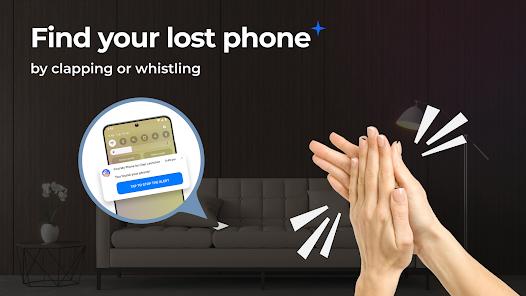
The utility sector of the Play Store often features creative solutions for common household problems. Find My Phone by Clap Launcher addresses the frequent misplacement of devices within a short range—such as inside a home or office—by utilizing real-time audio analysis to trigger alerts.
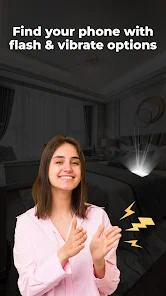
The technical core of the application is an acoustic recognition engine that remains active in the background, specifically tuned to detect the sharp transients of a handclap or the specific frequency range of a whistle. When a match is detected, the app overrides system volume settings—even in silent or "Do Not Disturb" modes—to play a loud ringtone, activate the camera flash, and trigger vibration motors.
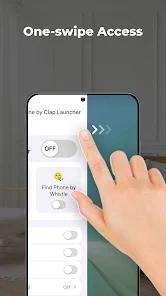
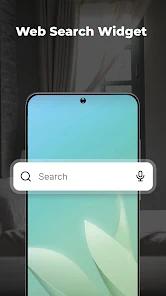
A significant architectural choice is the app's identity as a "launcher." By replacing the standard Android home screen, the app gains deeper system permissions and provides "one-swipe" access to its sound detection settings. However, this comes with a substantial trade-off: the user's entire home screen layout, icons, and widgets are replaced by the developer's custom interface. This "launcher-as-utility" strategy allows developers to integrate advertisements and web search (often powered by third parties like Yahoo) directly into the user's primary navigation path. From a privacy perspective, this requires the user to grant extensive permissions, including microphone access and "appear on top" privileges, which are managed through the Android accessibility and admin frameworks.
Pros & Cons
Internet-Independent Tracking: Unlike GPS-based trackers, this tool works entirely without an internet or cellular connection.
Silent Mode Override: The ability to trigger a loud alarm even when the phone is set to silent is a critical recovery feature.
Visual Alert Integration: The use of the camera flash makes it easier to find phones buried under blankets or furniture.
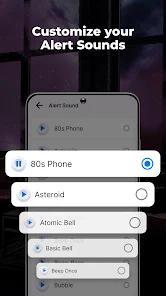
Customizable Audio Responses: Users can choose from unique sounds like "I'm here" or playful animal noises.
Integrated Safety Tools: Includes a built-in compass and weather widget directly on the replaced home screen.
Accessibility Optimization: Provides a simple solution for elderly users who frequently misplace their devices and struggle with digital maps.
- ✕
Intrusive UI Overhaul: As a launcher, it completely reorganizes the home screen, which can be disorienting for many users.
- ✕
High Permission Demands: Requires access to the microphone and system settings, raising potential privacy considerations for some.
- ✕
Occasional False Triggers: In noisy environments, loud bangs may occasionally be mistaken for claps, causing unnecessary alarms.
Download
 Get it on Google Play
  Get it on App Store
 FAQs
Will it change my app icons?
Yes, because it is a launcher, it will change your home screen layout, though your apps remain on the device.
How far away can it hear a clap?
It can typically detect sounds within the same room or an adjacent room, depending on sensitivity settings.
Is it safe for my battery?
The app is optimized for low power consumption, though background listening always has a minor impact.
Can I turn it off easily?
Yes, there is a prominent toggle on the home screen to enable or disable sound detection.
Does this app require the internet to find my phone?
No, the clap and whistle detection systems work completely offline.
Hot Reviews
Users report that in cluttered environments where phones are easily lost in laundry or bedding, the clap trigger is significantly more efficient than using another device to call the lost phone.
While the phone-finding feature works perfectly, some users warn that the app takes over the entire interface, adding search bars and changing wallpaper settings they didn't ask for.
Caregivers often install this for elderly relatives, noting that a simple clap or whistle is much easier for them than navigating a "Find My Device" website.