






The Messenger app is developed by Meta Platforms, Inc. Technically, installing it creates a dedicated directory on the Android file system, which serves as a central hub for all encrypted chat data, media cache, and temporary files.
One of the most profound technical insights regarding the app is its role in message recovery. The app maintains a fb_temp file within its cache directory. This file stores temporary fragments of chat data, which advanced users can sometimes access via a PC or file explorer to retrieve messages that were deleted from the UI. This architecture highlights the application’s focus on high availability and data persistence, though it contributes to the "folder bloat" often cited by users.
In terms of functionality, Messenger has evolved into a "communication OS." It supports high-definition photo sharing, large file transfers up to 100MB (including Word, PDF, and Excel documents), and the creation of collaborative shared albums for group events. The integration of Meta AI provides a layer of intelligence, offering instant answers to questions, homework assistance, and generative image creation directly within the chat interface. Furthermore, the app provides sophisticated privacy tools like disappearing messages and end-to-end encrypted threads that the user can set to auto-delete after reading.
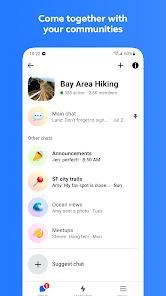
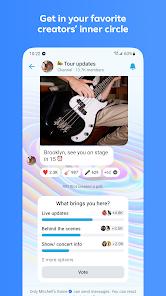
The future of Messenger lies in its "Broadcast Channels" and community hubs. By moving away from purely 1-to-1 or small group chats, the app is becoming a platform for creators and organizations to reach their inner circles with casual, authentic content. This reflects a broader trend toward "private social media," where users prefer the intimacy of a chat thread over the public nature of a news feed.
Pros
High-Definition Media Support: Unlike many competitors, it allows for the sending of crisper, clearer HD photos and the creation of shared group albums.
Professional File Sharing: The 100MB file limit for PDFs and Office docs makes it a viable tool for quick work-related communication.
Advanced AI Integration: Meta AI serves as a creative partner that can generate images or provide advice on-the-fly within a conversation.
Post-Send Flexibility: Offers a 15-minute window to edit or unsend messages, a critical feature for correcting errors.
Robust Privacy Options: Includes disappearing messages and end-to-end encryption for users who prioritize security.
No Phone Number Required: Allows users to connect with any Facebook contact without needing to share a private phone number.
Cons
Excessive Storage Usage: The Orca folder can grow significantly over time as it stores media, plugins, and extensive caches.
System Stability Issues: Some devices experience persistent "pname com facebook orca has stopped" errors that require manual cache clearing.
Resource Competition: Simultaneous use with other heavy apps can lead to performance lag or delayed message delivery on older hardware.
FAQs
It is the system folder created by Messenger to store your chat files, videos, images, and cache.
It is often possible by locating the fb_temp file in the cache directory, though this requires a file manager or PC.
You have up to 15 minutes to make changes or unsend the message.
Currently, Meta AI features are available in select countries and languages, with a phased global rollout.
No, you can connect with people via their Facebook profile or a unique QR code.
Hot Reviews
It is the system folder created by Messenger to store your chat files, videos, images, and cache.
It is often possible by locating the fb_temp file in the cache directory, though this requires a file manager or PC.
You have up to 15 minutes to make changes or unsend the message.
Currently, Meta AI features are available in select countries and languages, with a phased global rollout.
No, you can connect with people via their Facebook profile or a unique QR code.