
Future Face – AI Age Changer


Overview
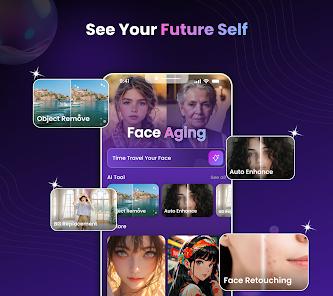
Future Face – AI Age Changer, developed by Protean Studios, is an entertainment-focused photo editor. It uses deep generative neural networks to apply age progression and regression filters to portrait photographs.
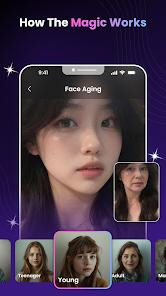
The core feature is the "Age Changer Filter," which uses age progression models to simulate realistic changes in facial structure, skin elasticity, and texture over decades. The system naturally maps wrinkles, age spots, and changing contours based on trained patterns. Conversely, the "Age Regression" tool allows users to de-age a photo, rendering a younger, childhood version of the subject.
For dynamic content, the app includes "Journey to Ages," which compiles these aged and de-aged frames into a smooth, animated transition video. This allows users to watch themselves age or de-age in real-time, perfect for social sharing.
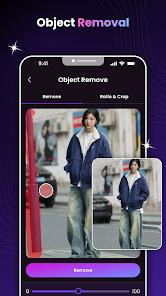
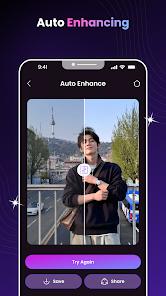
The app also features several secondary AI editing tools. The "Remove Object" tool uses spatial inpainting to seamlessly erase unwanted background details. "Auto Enhance" automatically adjusts exposure, contrast, and color balance to improve portrait quality, while the "Remove Background" tool uses silhouette segmentation to easily swap out photo backdrops.
By packing these features into a lightweight 100 MB file, Protean Studios has created a highly accessible entry point for casual users curious about biometric image editing.
Pros & Cons
Realistic Aging Details: Generates convincing age textures, naturally mapping lines, wrinkles, and structural changes onto the face.
Engaging Video Timelines: The "Journey to Ages" feature creates seamless animated videos tracking the aging process.
Useful Secondary Tools: Includes helpful extra utilities like background removal and object eraser tools.
Highly Accessible Layout: Features a simple, straightforward design that requires no manual photo-editing experience.
Lightweight Install Size: Optimized to run smoothly on mid-range Android devices with a modest download footprint (~100 MB).
- ✕
Intrusive Ad Delivery: Non-paying users face frequent full-screen ads that can disrupt the editing process.
- ✕
Lacks Granular Manual Adjustments: Lacks granular sliders for fine-tuning specific aging details or wrinkling in target areas.
- ✕
Demanding Video Processing: Older, low-spec devices may experience lag or performance drops when rendering the animated aging videos.
- ✕
Requires Active Internet: Generative processes are handled server-side, requiring a stable internet connection to function.
Download
 Get it on Google Play
  Get it on App Store
 FAQs
How does the AI age progression model simulate realistic aging?
It analyzes facial landmarks and overlays textures representing wrinkles, skin laxity, and age spots based on trained patterns.
Is the application free to use?
Yes, the base app is free to download, but advanced filters and ad removal are locked behind premium options.
What system requirements are needed?
The app requires a device running Android 8.0 or higher, with at least 100 MB of free storage space.
Can the app de-age older photos?
Yes, the Age Regression filter is specifically designed to render younger, childhood versions of uploaded portraits.
Are processed photos stored on secure servers?
The app encrypts data in transit to ensure privacy during processing, and developers state that personal data is handled securely.
Hot Reviews
Users frequently comment on how realistic the aging effects look, noting the subtle details like skin texture changes are highly convincing.
A major source of negative feedback is the high volume of ads, which some users feel makes the free version frustrating to navigate.
The animated aging videos are a hit with users, who find them easy to export and share with friends.
Many reviews highlight the background eraser as a great bonus feature, finding it works surprisingly well for quick edits.