
2ndLine - Second Phone Number
Overview
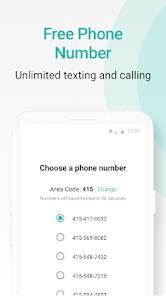
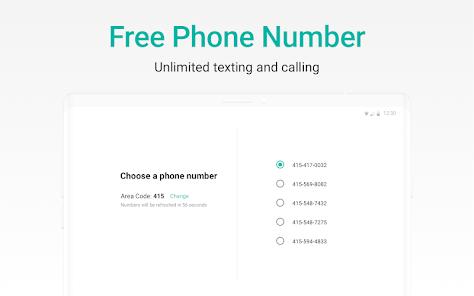
2ndLine - Second Phone Number is a dedicated Voice over IP (VoIP) utility developed by TextNow, Inc. It is designed to provide Android users in the United States and Canada with an autonomous secondary phone number on their existing physical device. This solution addresses the demand for private identity boundaries, allowing freelancers, online sellers, and privacy-conscious users to handle work or personal communications without purchasing a second SIM card.
Unlike typical cellular services that route voice calls over the carrier's dedicated public switched telephone network (PSTN), 2ndLine uses a virtual VoIP architecture. It encapsulates audio and SMS payloads into IP packets, transmitting them over Wi-Fi, LTE, or 5G channels. This design allows tablets and smartphones to function as dual-line communicators without cellular network dependencies.
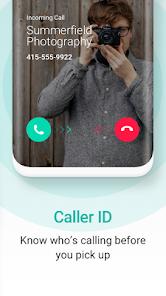
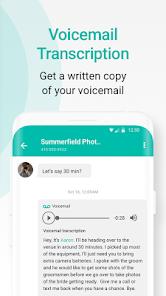
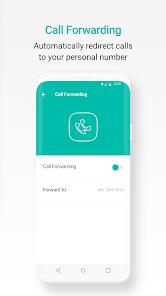
The application provides calling and messaging features, including voicemail transcription, passcode protection, custom ringtones, and group texting. Its primary business model is ad-supported and free, but users can purchase premium subscriptions to remove ads, unlock verification shortcode support, or reserve numbers from expiration.
Despite its utility, 2ndLine has operational limitations. Under strict Android OS power management, background VoIP processes can be suspended, causing missed call notifications. Additionally, security researchers have identified vulnerabilities in older builds, such as CVE-2024-36437, which allowed unauthorized local applications to trigger calls without user intervention by sending crafted intents.
Pros & Cons
No-Cost North American Communication: Offers free calling and messaging within the United States and Canada using local IP networks.
Dedicated Passcode Protections: Features integrated security locks to protect private logs and conversations from unauthorized access.
Automated Voicemail Transcription: Converts spoken voicemails into text transcripts, allowing users to read messages in quiet settings.
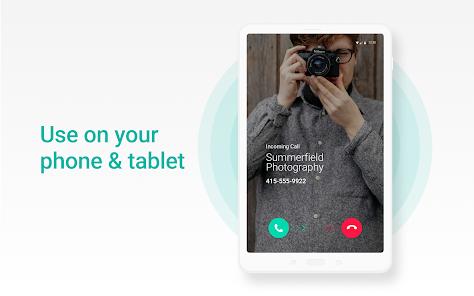
Multi-Device Support: Operates on Android tablets and smartphones, converting non-cellular devices into active communication terminals.
Interactive Customizations: Allows users to configure custom ringtones, call backgrounds, and signatures for individual contacts.
- ✕
Strict Regional Limits: Sign-up and standard configurations are restricted to users based in the US and Canada.
- ✕
Inactive Number Recycles: Reclaims and reallocates virtual numbers if accounts remain inactive for extended periods without a subscription.
- ✕
Disruptive Free Ad Layout: The free version features prominent banner and pop-up ads that can impact navigation.
- ✕
Security Intent Vulnerabilities: Older app versions exhibited code flaws (such as CVE-2024-36437) that could permit unprompted outbound call routing.
Download
 Get it on Google Play
  Get it on App Store
 FAQs
Is 2ndLine completely free to use?
Yes, calling and texting within the United States and Canada are free and supported by ads. International calls require purchasing prepaid credits.
Can I install 2ndLine on an Android tablet?
Yes, because the app runs over Wi-Fi using VoIP technology, it can turn an Android tablet into a fully functional phone without a cellular plan.
How can I prevent my 2ndLine number from being reclaimed?
To keep your number active, you must use it regularly for outbound calls or texts. Alternatively, you can buy a premium, ad-free subscription to reserve the number permanently.
Can I receive verification codes on my virtual number?
The free ad-supported version may block some verification shortcodes for security reasons. Upgrading to a premium subscription generally unlocks full shortcode support.
Are there safety features to block spam calls?
Yes, the application includes custom call blocking and filtering settings to reject telemarketing calls and unsolicited numbers.
Hot Reviews
This application is highly effective for managing online marketplaces. It allows users to list a real, working phone number for listings, keeping their personal contact details secure and spam-free.
While text messages deliver reliably, voice calls can stutter. If the Wi-Fi signal drops slightly, the audio often breaks up, making professional conversations difficult.
The application occasionally encounters server errors during login. Users are sometimes logged out unexpectedly and face difficulties resetting their passwords or reconnecting to their accounts.
The automatic transcription feature is a valuable addition. It transcribes audio files quickly, making it easy to scan message contents without having to listen to the recording.