Threema. The Secure Messenger
Overview
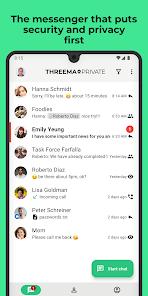
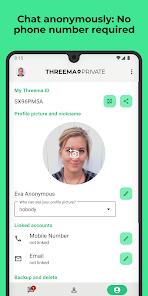
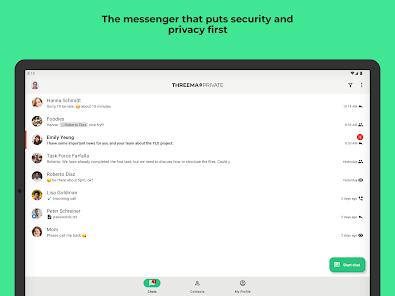
Threema is a highly secure mobile messaging client developed in Switzerland. Designed for privacy-conscious users, it operates under a strict zero-knowledge framework. Unlike standard messengers that require a phone number or email address, Threema generates a unique, randomized 8-digit Threema ID to identify accounts. This allows users to remain completely anonymous, preventing the creation of digital profiles or tracking.
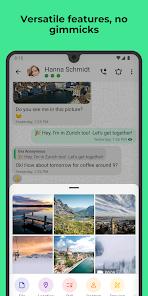
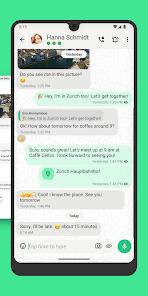
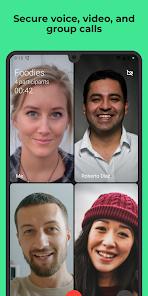
All communication via Threema—including text chats, voice calls, video calls, groups, and file transfers—is secured using end-to-end encryption based on the open-source NaCl cryptography library. This cryptographic model incorporates Perfect Forward Secrecy to prevent retrospective decryption of historic logs.
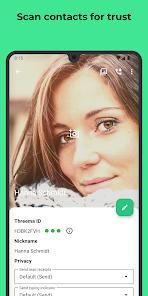
Metadata generation is also strictly minimized. Messages are deleted from Threema's Swiss servers immediately after delivery, and contact directories are stored solely on the user's device. Users can also visually confirm a contact's identity by scanning physical QR codes.
Threema requires a one-time purchase ($7.49), a payment structure that allows the platform to remain independent of advertising networks and trackers. It works alongside business-oriented versions like Threema Work, offering compliance with European GDPR and Swiss data protection mandates.
Pros & Cons
Anonymous Account Generation: Accounts are identified solely by a randomized Threema ID, requiring no personal phone number or email linkage.
Swiss Security Standards: Fully redundant servers are hosted in secure data centers inside Switzerland, shielding data from foreign surveillance.
Strong Cryptographic Protocols: Integrates NaCl encryption across all data types, including text, media attachments, and live voice/video calls.
Auditable Open Source Code: Fully published open-source directories allow independent security reviews and verifiable application builds.
Verified Key Authentication: Eliminates man-in-the-middle risks through physical QR code exchanges to verify contact identities.
- ✕
Friction in Building Networks: The paid license requirement and anonymity-first design make it harder to build a broad personal contact network.
- ✕
Video File Sharing Issues: Users report occasional transmission stalls when sending high-definition video files.
- ✕
Difficult Account Recovery: Because Threema does not keep central registration lists, losing local back-up credentials can make recovering an account impossible.
- ✕
Non-Transferable Store Licenses: Desktop companion apps and multi-device pairings require a local license that cannot be transferred across different app stores.
Download


FAQs
Is a phone number required to use the app?
No, the application does not require a phone number or email address, identifying accounts via a randomized 8-digit Threema ID.
What cryptographic libraries are used?
The application uses the open-source NaCl (Networking and Cryptography library) framework to manage end-to-end encryption.
How long are messages stored on Threema's servers?
Messages are deleted from Swiss servers immediately after delivery to the recipient's device.
Can the app be run on a desktop computer?
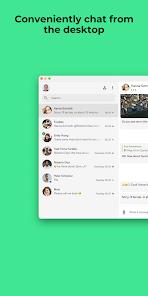
Yes, Threema provides desktop apps and web clients that link to the mobile app via a secure QR code connection.
What is the difference between Threema and Threema Work?
Threema is designed for private individuals, while Threema Work offers enterprise administration tools, MDM support, and unified configurations.
Hot Reviews
Users praise the platform for maintaining high privacy standards over several years without adding ads or tracking tools.
Some feedback notes frustrations regarding video files occasionally stalling or failing to send despite having strong internet connections.
Enterprise users highlight the platform's utility as a secure corporate workspace, though some mention occasional messaging delays on managed networks.
Reviews frequently commend the straightforward layout and highly intuitive QR verification process.