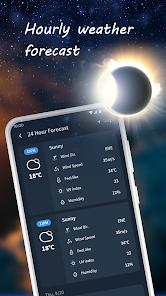
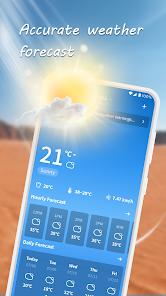
The application frequently marketed as "Nice Weather" or "Accurate Weather Forecast," represents a significant step forward in personalized atmospheric monitoring. At its architectural core, the software aims to bridge the gap between high-level satellite data and granular, neighborhood-level insights. Unlike standard pre-installed weather widgets that often rely on a single data source, Nice Weather integrates multiple meteorological feeds to provide a 72-hour hourly forecast and a 14-day extended trend. This depth of data is critical for professional planners and outdoor enthusiasts who require high-resolution information on temperature fluctuations, cloud cover, and precipitation probability.
A defining feature of the "Nice Weather" interface is its horizontal scrolling temperature progress bar, which provides a cinematic visualization of the day's projected thermal changes. This UX choice allows users to rapidly ingest data across a full 24-hour cycle with a single gesture, an innovation that distinguishes it from the traditional vertical-list-based layouts found in competitors like Real Weather. Furthermore, the application expands beyond basic temperature metrics to include advanced indices such as the Air Quality Index (AQI), "Feel-like" temperatures, dew points, relative humidity, wind gusts, and UV Index. These metrics are synthesized into a "Health & Activities Assessment" index, which offers actionable advice on whether current conditions are suitable for specific outdoor hobbies. Interestingly, the developer has integrated a lifestyle layer into the application, offering zodiac-based astrological predictions for career and personal life, a feature that targets a broader consumer base beyond traditional weather enthusiasts.
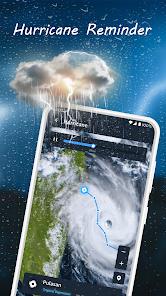
From a technical perspective, the application utilizes a hybrid location system, combining automatic GPS detection with the ability to manually track any number of global cities. This is supported by a real-time weather radar that tracks cloud movement and tidal patterns, providing users with a visual representation of storm fronts as they develop. Data security practices for this package involve transit encryption, although the developer notes that user data cannot currently be deleted through the app interface, a point of potential concern for privacy-conscious users. The application remains a strong contender in the utility space by offering a "simple and beautiful" UI that emphasizes data clarity without the excessive ad clutter often found in free-tier meteorological tools.
Pros
The implementation of a 72-hour hourly forecast combined with a 14-day trend allows for superior short-term and long-term planning across diverse geographic regions.
The real-time radar mapping system provides high-fidelity tracking of cloud formations and severe weather fronts, enhancing safety for users in high-risk zones.
The application includes specialized health and activity indices that translate raw meteorological data into actionable advice for outdoor safety.
Users benefit from significant personalization options, including theme switching (day/night modes) and comprehensive unit customization for global compatibility.
The horizontal scrolling feature for daily temperature progress represents a major advancement in weather visualization ergonomics.
Ad interruption is notably lower than in comparable free weather applications, ensuring that users can access vital information without intrusive delays.
Cons
The architectural limitation preventing the deletion of collected user data may deter individuals who prioritize high levels of data privacy.
Some advanced users have requested more granular barometric pressure data to better track rapid atmospheric shifts.
The inclusion of lifestyle features like astrology may clutter the interface for professional users seeking a purely scientific tool.
FAQs
The software uses a combination of network-based positioning and GPS, while also allowing users to manually input and save multiple global locations for simultaneous monitoring.
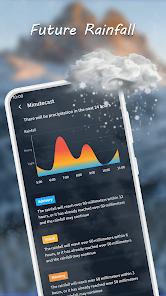
This is a specialized notification system that alerts users to the probability of precipitation in the next 6-hour window, providing an extra layer of preparedness for commuters.
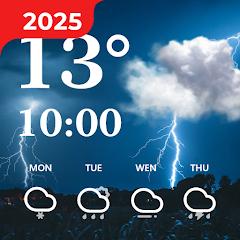
Yes, the app offers a variety of desktop widgets that can be resized and customized to show specific data points such as time, current temp, and upcoming forecast.
While its primary focus is on forecasting, it provides context for current conditions against recent daily trends.
The radar data is refreshed frequently to ensure that the movements of clouds and tides are reflected accurately as they occur.
Hot Reviews
The software uses a combination of network-based positioning and GPS, while also allowing users to manually input and save multiple global locations for simultaneous monitoring.
This is a specialized notification system that alerts users to the probability of precipitation in the next 6-hour window, providing an extra layer of preparedness for commuters.
Yes, the app offers a variety of desktop widgets that can be resized and customized to show specific data points such as time, current temp, and upcoming forecast.
While its primary focus is on forecasting, it provides context for current conditions against recent daily trends.
The radar data is refreshed frequently to ensure that the movements of clouds and tides are reflected accurately as they occur.