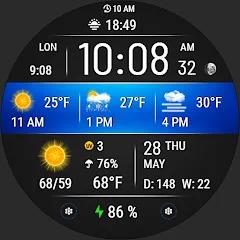
VF03 Weather Inform Watch Face
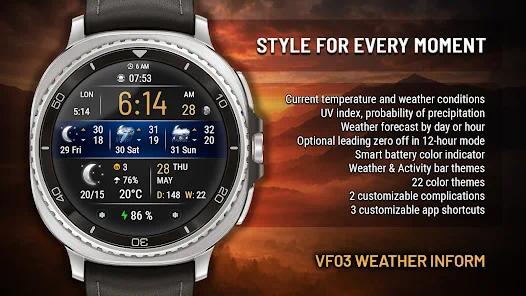
Overview
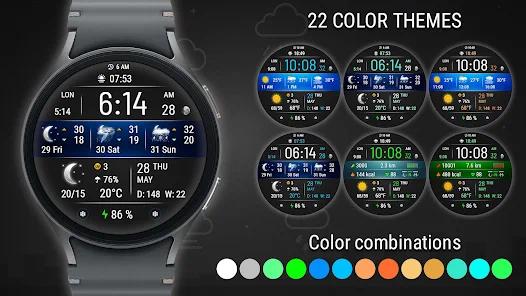
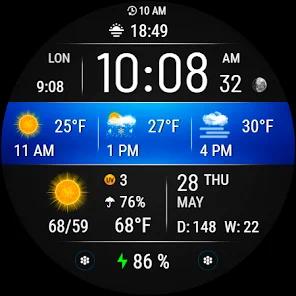
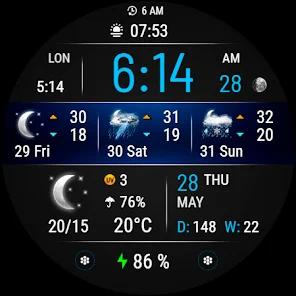
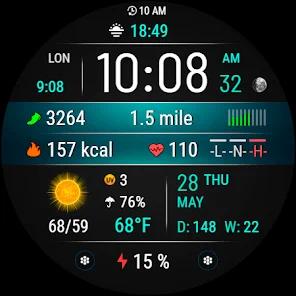
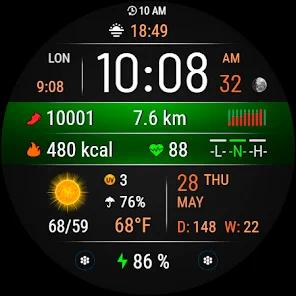
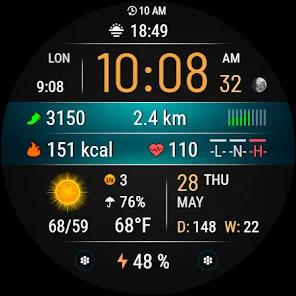
The VF03 Weather Inform is a specialized Wear OS watch face that prioritizes hyper-local meteorological data and dynamic visual feedback. Designed for users who demand a high-information dashboard on their wrist, the VF03 integrates a comprehensive suite of weather metrics—including UV index, precipitation probability, and current conditions—alongside robust fitness tracking. Developed using the API 34+ standard, the app is engineered for the latest hardware ecosystems like the Galaxy Watch 7 and Pixel Watch 3, offering a "beautiful functionality" that adapts its visual theme based on the time of day.
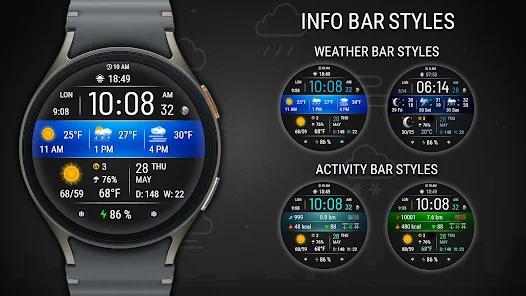
In-depth feature breakdown reveals a highly adaptive interface. The main information bar is modular, allowing users to switch between a detailed weather forecast and activity data depending on their current needs. For weather, the app provides accurate daytime and nighttime icons and automatically switches between hourly and daily forecast views. For activity, the VF03 includes a dynamic background that changes color based on the user's current intensity level, supported by an activity graph with low, medium, and high indicators. A unique technical observation is the app's distance estimation logic, which calculates kilometers or miles based on a defined step-count ratio: $1\text{ km} \approx 1312\text{ steps}$ and $1\text{ mile} \approx 2100\text{ steps}$.
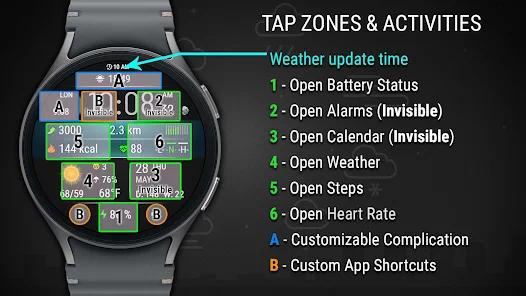
Comparative analysis of the VF03 shows a distinct focus on "hidden" shortcuts to maintain a clean aesthetic while providing power-user utility. For instance, tapping the minutes digits opens the alarm, while tapping the day-of-week circle opens the calendar. A hidden shortcut is also placed under the clock area for a user-defined app. Insightful observations regarding personalization show that the app offers 22 color themes and a "Smart Battery" color indicator that shifts from green to red based on the remaining charge. While the weather shortcut is hardcoded to the Samsung Weather app on Galaxy devices, the weather forecast data itself is fully functional on other models like the Pixel Watch.
Pros & Cons
Comprehensive weather reporting includes UV index and rain probability, which are often absent from standard faces.
The dynamic background provides an intuitive, glanceable context for the time of day and environmental conditions.
High-information density for fitness tracking, including visual heart rate zones and activity intensity graphs.
The "hidden" shortcut system allows for a clean, professional aesthetic without sacrificing immediate app access.
Smart battery color indicator provides an immediate visual warning for low power levels.
- ✕
The application is not compatible with rectangular or square watches, limiting it to round Wear OS hardware.
- ✕
The direct weather app shortcut is optimized for Samsung's ecosystem and may not launch third-party apps on other watch brands.
- ✕
API 34+ requirement means older watches that have not received recent system updates cannot run the app.
Download
 Get it on Google Play
  Get it on App Store
 FAQs
How do I change the distance units?
You can toggle between KM and MI in the watch face settings menu.
Does this app support the Always-On Display?
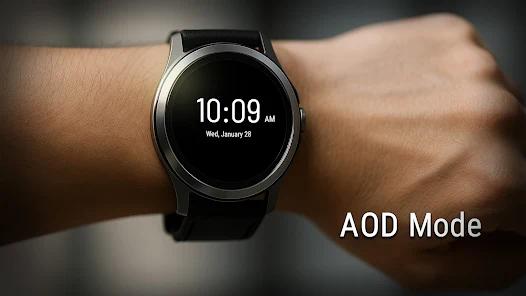
Yes, it includes a dedicated AOD mode that preserves battery while showing the time and date.
Why is there no zero at the start of the time?
You can enable or hide the leading zero in the settings for 12-hour format.
Where is the weather forecast from?
The app pulls data from the watch's internal weather service or connected phone system.
How do I see heart rate zones?
These are indicated by a dynamic color bar next to the heart rate reading.
Hot Reviews
This is the most data-rich watch face I have found that still looks elegant and professional.
Having the rain probability and UV index on the main screen is perfect for planning my morning runs.
The transitions between activity and weather modes are smooth, and the hidden shortcuts work perfectly.