Wander Weather
Overview
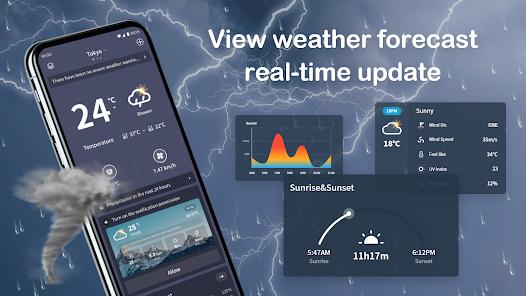
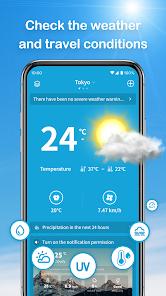
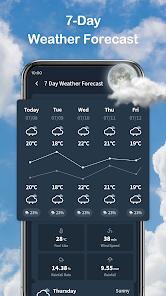
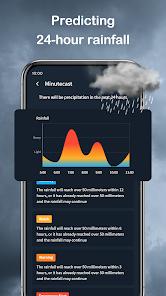
Wander Weather, developed by Leapora Tech, is a streamlined meteorological application that prioritizes ease of access and "at-a-glance" weather insights. The app is designed for users who require accurate, multi-city tracking for travel planning or daily commutes. Its primary features include 7-day forecasts, hourly trends for precipitation, UV index, and wind speed, and a global database covering over 180,000 cities.
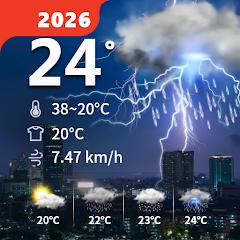
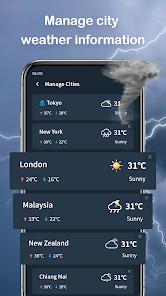
The technical appeal of Wander Weather lies in its integration with the Android OS through a dedicated home screen widget. This allows users to view current conditions and temperatures without the need to launch the full application, which is a critical feature for high-frequency users. The app's tracking capabilities are particularly robust, allowing users to save and monitor weather trends in multiple cities simultaneously—making it an ideal tool for business travelers or those with family members living in different climate zones.
Market competition for Wander Weather includes both industry giants and minimalist utility apps. While it may lack the advanced radar layers of professional tools like Windy, it differentiates itself through a clean, accessible UI that avoids the "feature bloat" often found in modern weather suites.
Pros & Cons
Wander Weather provides a highly functional home screen widget that delivers real-time weather updates without forcing the user to open the app, a significant convenience for daily planning.
Its ability to track and provide hourly updates for multiple cities simultaneously is an excellent feature for travelers or those managing cross-region logistics.
The 7-day forecast is presented clearly, with detailed insights into often-overlooked metrics like UV index and humidity.
The app’s global reach is impressive, providing accurate data for over 150 countries, ensuring its utility for international users.
The user interface is designed to be lightweight and intuitive, making it accessible for users who find more complex weather apps overwhelming.
- ✕
The application’s data safety disclosure indicates that it shares location and app activity data with third parties, which may be a deterrent for privacy-conscious users.
- ✕
Compared to professional-grade tools, the radar and satellite imagery are relatively basic, lacking advanced layer customization for things like lightning strikes or specialized wind gusts.
- ✕
As a free, ad-supported app, the presence of banners and interstitials can occasionally detract from the clean aesthetic of the forecast screens.
Download
 Get it on Google Play
  Get it on App Store
 FAQs
Does Wander Weather provide severe weather alerts?
Yes, the app includes a notification system for severe weather warnings, including storm situations and extreme temperature shifts.
Can I track the weather in multiple cities?
Absolutely; the app allows you to add and save numerous cities, providing hourly updates for each one in a dedicated list.
Is the widget customizable?
While the widget is designed for "at-a-glance" info, its size and placement can be adjusted on the Android home screen for better visibility.
How accurate is the "Feels Like" temperature?
The "Feels Like" metric is calculated using a combination of actual temperature, humidity, and wind speed to give a more realistic idea of outdoor comfort.
Hot Reviews
Users frequently mention that the widget is the primary reason for keeping the app, citing its accuracy and clean look as top-tier.
The 7-day forecast and multi-city tracking receive high marks from travelers who need to keep an eye on weather patterns in their destination.
Feedback consistently highlights that the app is "clutter-free" compared to major competitors, making it much easier to find the humidity or wind speed quickly.