
TradeIndia: B2B Marketplace

Overview
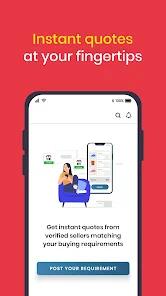
In emerging economies, business-to-business (B2B) digital trade portals serve as an essential link between fragmented manufacturing hubs and regional distribution networks. TradeIndia is a prominent platform in this sector, hosting a directory of over 75 lakh registered sellers and matching micro, small, and medium enterprises (MSMEs) with high-intent buyers. The mobile client functions as an integrated lead management workspace, digital catalog publisher, and real-time communication terminal.
When a registered buyer submits a sourcing requirement, the platform processes the request and shares it with relevant suppliers as a "BuyLead". Sellers use the mobile dashboard to sort incoming leads using custom labels (such as "Contacted", "Important", or "Negotiated") and can initiate contact directly through phone calls or WhatsApp API integrations. For inventory management, the app supports bulk catalog uploads and sends push notifications for expiring leads.
While the application provides useful tools, B2B marketplace dynamics can introduce operational challenges. Sellers frequently report issues with lead quality, noting that a high percentage of distributed leads are automated, non-responsive, or low-intent, which can impact sales conversion rates. Technical bugs also exist, such as a camera-upload cropping issue that impacts image framing in mobile listings. Additionally, security concerns have been raised regarding account registration processes that link phone numbers to incorrect profiles without proper verification. Consequently, businesses must carefully evaluate the cost of premium tiers against actual conversion metrics.
Pros & Cons
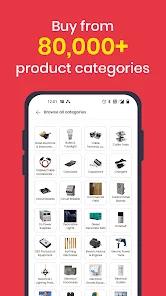
Expansive MSME Network: Connects suppliers with over 75 lakh verified businesses and distributors across 1,000 distinct product categories.
Structured Lead Management: Features an administrative dashboard that lets users categorize, track, and follow up on inquiries.
Direct WhatsApp Integration: Features built-in shortcuts to share trade leads and product brochures directly via WhatsApp.
Bulk Inventory Administration: Includes tools for bulk product uploads, helping suppliers update catalog listings efficiently.
Expiring Lead Notifications: Sends real-time push notifications about expiring sourcing leads to help sales teams prioritize follow-ups.
Dedicated Account Support: Provides premium subscribers with dedicated relationship managers to help optimize directory visibility.
- ✕
Inconsistent Inquiry Validity: Sellers report high numbers of automated, non-responsive, or duplicate inquiries within the leads system.
- ✕
Mobile Image Cropping Bugs: The camera upload tool occasionally crops product photo corners, requiring users to rely on the desktop portal for proper formatting.
- ✕
Profile Verification Flaws: Automated setups can associate phone numbers with incorrect user accounts, raising privacy and security concerns.
- ✕
No Self-Service Account Deletion: The application lacks direct, in-app options to remove profiles or delete message logs.
Download
 Get it on Google Play
  Get it on App Store
 FAQs
Who is the primary target audience for the TradeIndia application?
The platform is designed specifically for manufacturers, wholesalers, distributors, importers, exporters, and service-oriented MSMEs looking to expand their sales reach in India.
How do "BuyLeads" differ from standard inquiry messages?
BuyLeads are verified sourcing requirements submitted by active buyers, which are processed by the platform and distributed directly to relevant category suppliers.
Why does the mobile application crop product photos during upload?
A known interface bug in the mobile upload module causes edge cropping. To ensure full-image resolution and avoid cropping, users should upload catalog images through the web-based My Trade India panel.
Are there any free subscription tiers available for new suppliers?
Yes, suppliers can register and set up a basic profile with a limited product catalog for free. However, premium features, search visibility boosts, and direct lead access require a paid subscription.
How does the system handle incorrect account linkages?
If a phone number is linked to an incorrect name or profile, users must contact the mobile support desk directly at [email protected] to initiate manual verification and profile correction.
Hot Reviews
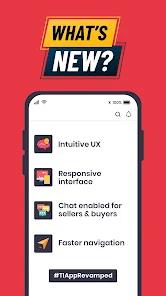
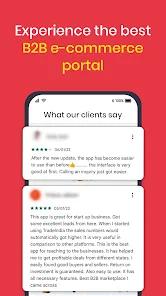
The updated user interface makes it easy to organize inquiries using custom tags, and navigation speeds are notably faster.
Subscribers report that a high percentage of purchase leads do not respond to inquiries, which can impact the overall return on investment for paid tiers.
The mobile camera upload tool often cuts off photo edges, forcing users to use a computer to maintain clean product listings.
Some users report that their phone numbers were associated with unfamiliar business profiles without prior OTP verification, raising data privacy concerns.