
Smartsheet: Projects & Teams
Overview
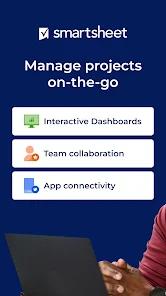
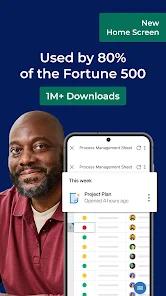
Smartsheet: Projects & Teams serves as the primary mobile gateway to Smartsheet’s Intelligent Work Management Platform. It functions as a operational bridge that allows teams to plan, schedule, track, automate, and report on business work at scale. For enterprises operating under stringent performance metrics—including approximately 75% of Fortune 500 organizations running workflows across 190 countries—this mobile application is designed to keep remote workforces aligned with core project databases.
Using a shared database, users can dynamically transition between a traditional grid sheet, card view (for agile board management), Gantt chart (for dependency tracking), and calendar view. It supports automation triggers that include native alerts, approvals, and update requests. This flexibility helps bridge the gap between back-office developers and field workers.
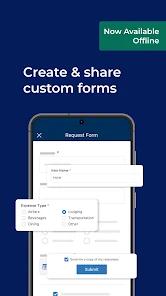
The application's capabilities are especially clear in its mobile telemetry collection features. Field service professionals can use mobile-native forms to input telemetry data in real time. These forms operate offline, caching inputs securely within local application sandboxes when network connectivity is lost. In addition to text inputs, these forms capture high-resolution imagery and scan physical barcodes directly into sheet rows. This process bypasses manual data entry, reduces transaction errors, and updates centralized KPI dashboards instantly once connectivity is restored.
To help businesses scale their workflows, the app includes "WorkApps," a no-code ecosystem that lets managers package specific sheets, forms, and reports into clean, role-based mobile interfaces. On the backend, the app integrates with cloud providers like Google Drive, OneDrive, and Dropbox, letting users attach assets directly to specific rows.
However, translating complex desktop spreadsheets to mobile layouts presents notable challenges. While the mobile client is excellent for data consumption and quick updates, executing deep schema changes or editing complex calculations on a smaller smartphone screen can be difficult.
Pros & Cons
Multi-View Rendering: Allows users to seamlessly switch the exact same dataset between spreadsheet, card, Gantt, and calendar views, ensuring adaptive layouts for different tasks.
Offline Field Collection: Built-in forms support offline data capture, barcode scanning, and direct photo attachments to streamline field operations.
No-Code WorkApps: Enables organizations to compile custom, role-specific mobile interfaces that hide background sheet complexities from end users.
Cloud Asset Syncing: Direct integration with Google Drive, OneDrive, and Dropbox allows users to attach files to tasks and edit them on the go.
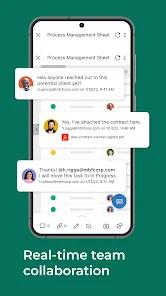
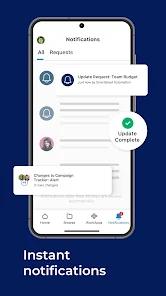
Automated Mobile Approvals: Relies on background automation triggers to send alerts, update requests, and manage approval loops directly through push notifications.
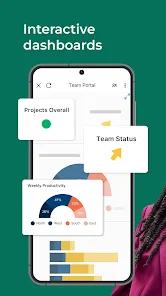
Dynamic Executive Dashboards: Provides leadership teams with real-time mobile access to high-level charts, key metrics, and consolidated reports.
- ✕
Incomplete Feature Parity: Critical scheduling features, such as setting up and configuring task reminders, are excluded from the mobile app and require a desktop computer.
- ✕
Runtime Instability: Real-world usage reports highlight recurring application crashes during intensive data loading operations and daily work routines.
- ✕
Authentication Interruption: Users frequently report login validation failures and authentication errors that delay access during time-sensitive tasks.
- ✕
Complex Grid Navigation: Managing large, multi-column sheets on a compact smartphone screen can be tedious, occasionally resulting in accidental edits.
Download
 Get it on Google Play
  Get it on App Store
 FAQs
How does Smartsheet’s offline form data synchronization work?
When offline, the application stores form inputs, barcode scans, and images locally in secure sandboxed storage. Once your device reconnects to a network, the app automatically synchronizes this data with the target sheet.
Can I build sheets or set task dependencies within the mobile interface?
While the mobile app lets you modify rows and update cells, creating complex sheets, setting up predecessor relationships, and modifying Gantt schemas are best performed on the desktop platform.
Which external cloud storage providers are supported for attachments?
The app natively integrates with Google Drive, Microsoft OneDrive, and Dropbox, letting users attach files from these sources directly to specific task rows.
Does the application support single sign-on (SSO)?
Yes, the app supports enterprise-grade Single Sign-On (SSO) alongside standard Google account credentials to ensure secure access.
What is the purpose of the WorkApps feature on mobile?
WorkApps is a built-in, no-code framework that lets developers bundle sheets, forms, and reports into simplified mobile layouts tailored to specific roles.
Hot Reviews
Reviewers point to periodic login failures and authentication errors that interrupt access, preventing field agents from inputting time-sensitive data.
The application is reported to experience frequent crashes, often closing unexpectedly during critical data entry and reopening only to fail again immediately, which hampers daily workplace productivity.
Users express frustration that fundamental desktop features, such as setting up and configuring task reminders, are entirely absent from the mobile app, forcing team leads to use a desktop computer.