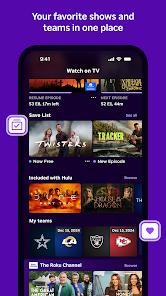
The Roku App is a comprehensive utility designed to enhance the experience of owning a Roku device, transitioning the smartphone from a simple tool into an advanced entertainment hub.
App Introduction and Professional Feature Breakdown
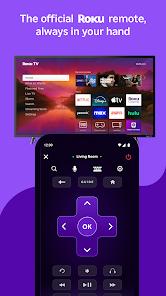
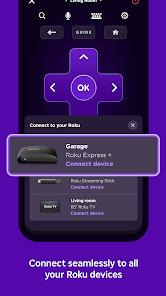
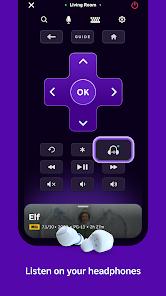
The Roku App serves as the official mobile companion for the millions of users with Roku TVs and streaming players. Its primary technical function is as a "Remote for All," providing a virtual D-pad and media controls that communicate with the TV hardware via a shared local Wi-Fi network. Beyond basic control, its most advanced feature is "Private Listening," which redirects the TV's audio stream to the smartphone’s headphones, allowing for high-volume viewing without disturbing others in the room.
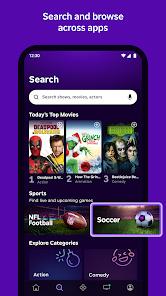
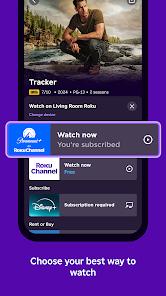
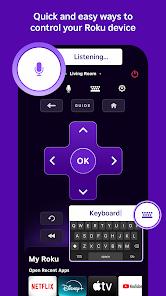
Technically, the app excels in "Discovery and Search." It features a robust voice search and mobile keyboard input, solving the frustration of navigating on-screen keyboards with a physical remote. The app aggregates content across thousands of channels, showing users where movies and shows are available for free or at the lowest cost through "Roku Zones". Furthermore, it includes a "Cast" feature, enabling users to beam media files—such as personal photos and 4K videos—directly from their phone gallery to the TV screen.
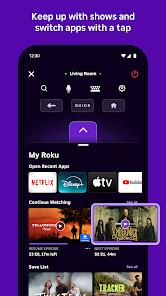
In-depth comparison shows that Roku has increasingly moved toward a "Services" model within the app. It now includes a built-in mobile player for "The Roku Channel," allowing users to stream free movies and live news on the go. Insightful observations regarding the 2026 version of the app reveal a significant UI shift; the traditional arrow buttons have been replaced by a large "Purple Touchpad" designed for swipe-based navigation. While this modernize the interface, it has been met with mixed reviews from long-time users who find the gestures less precise than physical clicks.
The app also serves as the entry point for Roku's "Smart Home" ecosystem, allowing for basic management of cameras and bulbs without switching applications. Despite its high functionality, the app is heavily dependent on network stability; users frequently report that "hand-shaking" issues between the app and the TV can lead to disconnection or input latency.
Pros
Exceptional Discovery Speed: Voice search and keyboard input make finding content exponentially faster.
Superior Audio Privacy: Private Listening is the industry's best solution for late-night TV viewing.
Convenient Remote Redundancy: An essential backup for when the physical remote "keeps sprouting legs".
Robust Casting Capability: Effortlessly beams high-definition media from the phone to the TV screen.
Unified Content Aggregator: Roku Zones simplify the search for free or lowest-cost streaming options.
Comprehensive Smart Integration: Acts as a bridge between entertainment and smart home management.
Cons
Wi-Fi Connection Sensitivity: Latency or disconnection issues can occur if the local network is congested.
Controversial Touchpad UI: The replacement of directional arrows with a touchpad has been polarizing for users.
Regional Feature Locking: The Roku Channel mobile player and certain voice features are only available in specific countries.
FAQs
Yes, if "Fast TV Start" is enabled in the TV's settings, the app can wake the device via Wi-Fi.
Yes, up to three friends can join the same audio stream on their own phones.
No, but logging in allows for easier channel management and access to the Save List.
It can control Roku TV volume natively; for Roku players, it depends on the TV's CEC support.
No, it is designed specifically for Roku OS devices, though some third-party apps claim broader support.
Hot Reviews
Yes, if "Fast TV Start" is enabled in the TV's settings, the app can wake the device via Wi-Fi.
Yes, up to three friends can join the same audio stream on their own phones.
No, but logging in allows for easier channel management and access to the Save List.
It can control Roku TV volume natively; for Roku players, it depends on the TV's CEC support.
No, it is designed specifically for Roku OS devices, though some third-party apps claim broader support.