
Moonlight Game Streaming
Overview
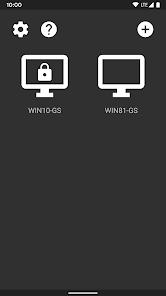
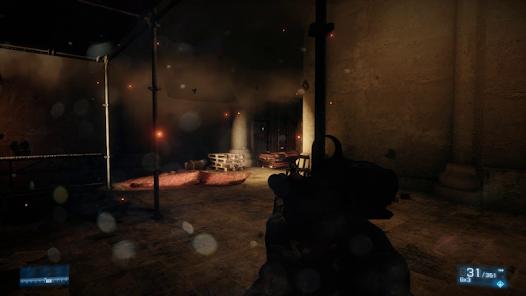
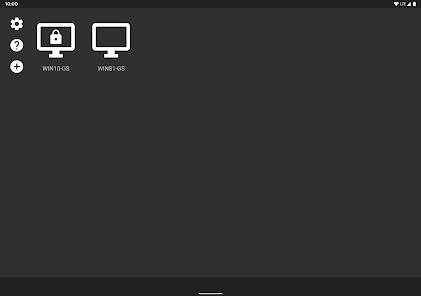
Moonlight Game Streaming is an exceptional open-source client designed for high-performance PC virtualization. It allows users to stream their full PC desktop, games, and programs over a local network or the internet. By taking advantage of low-latency video streaming protocols, the app turns any Android phone, tablet, or TV box into a high-end portable gaming machine.
Historically, Moonlight operated as a third-party client for NVIDIA's proprietary GameStream protocol. Following the deprecation of GameStream, the platform transitioned to Sunshine, a powerful, self-hosted, open-source streaming server. Sunshine allows users with any modern GPU (NVIDIA, AMD, or Intel) to stream their systems with exceptional performance. This transition has made Moonlight highly flexible, freeing it from the constraints of single-vendor hardware ecosystems.
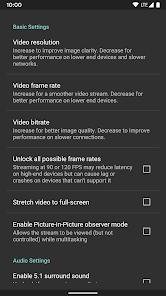
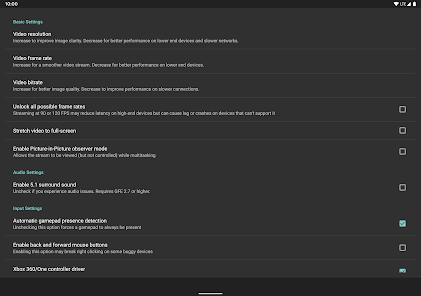
The app's performance metrics are highly competitive, supporting video feeds up to 4K resolution at 120 frames per second with HDR10 color rendering. It supports modern compression standards like H.264, HEVC, and the highly efficient AV1 codec, which minimizes bandwidth usage while maintaining high visual fidelity. Multi-channel audio pipelines can stream up to 7.1 surround sound, delivering a highly immersive desktop experience on mobile clients.
To deliver a true desktop experience, the app translates touch inputs into precise mouse coordinates. It also features native driver-level support for mice, physical keyboards, stylus inputs (including Samsung S-Pen), and modern console gamepads with force feedback and gyro motion sensors. For local multiplayer setups, the client can manage up to 16 co-op controllers simultaneously on a single stream, transforming a phone or tablet into a portable gaming console.
Pros & Cons
Entirely open-source and free, with zero ads, tracking scripts, or in-app purchases.
Exceptional performance metrics, supporting up to 4K 120 FPS streaming with HDR10 and 7.1 surround sound.
Hardware-agnostic hosting capability utilizing Sunshine to stream from AMD, Intel, or NVIDIA graphics cards.
Comprehensive peripheral support including physical mice, keyboards, S-Pens, and modern gamepads.
Support for local co-op play with up to 16 connected controllers on a single session.
- ✕
Demanding manual setup, requiring Sunshine installation and port configurations.
- ✕
Strictly dependent on high-speed 5 GHz routing and Ethernet physical connections.
- ✕
High CPU/GPU decoding load on older devices using complex HEVC or AV1 streams.
- ✕
Lack of integrated game libraries, requiring manual shortcut path configs on host.
Download
 Get it on Google Play
  Get it on App Store
 FAQs
Do I need an NVIDIA graphics card on the host PC to use Moonlight?
No. By using the open-source Sunshine host application, users can stream games from host PCs equipped with AMD, Intel, or NVIDIA graphics cards.
Can I stream my games over a cellular data connection?
Yes. Moonlight supports streaming over LTE and 5G networks, though you may need to configure port forwarding or use a secure VPN tunnel on the host PC.
Does Moonlight support controller rumble and vibration?
Yes. Gamepad force feedback and motion sensors are supported on client devices running Android 12 or later.
Can I stream my entire Windows desktop, or only specific games?
Yes. Moonlight allows you to stream your entire desktop by adding the Windows hosting utility path to your stream client.
Is there a limit to how many controllers I can connect?
Moonlight supports up to 16 connected controllers for local co-op play when hosted via Sunshine.
Hot Reviews
The app's near-zero input latency and flawless video decoding consistently outperform proprietary streaming clients, making PC games fully playable in bed or on the go.
While the performance is exceptional, configuring the host server, installing Sunshine, and setting up network ports can be highly intimidating for non-technical users.
The app delivers a premium, high-performance streaming experience entirely free of charge, with no ads or locked premium tiers.