
Intuit QuickBooks for Business
Overview
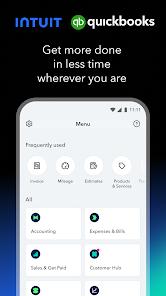
The application Intuit QuickBooks for Business is the mobile client for Intuit's QuickBooks Online cloud accounting platform. It is designed to help small business owners, freelancers, and independent contractors manage their financial records, track transactions, and monitor tax obligations while working remotely.
The core QuickBooks app connects to the full QuickBooks Online system. This enables businesses to manage complex balance sheets, track multi-user permissions, and organize inventory records. The mobile client uses REST APIs to communicate with the Intuit Partner Platform, ensuring that actions taken on mobile devices immediately update the company's central ledger.
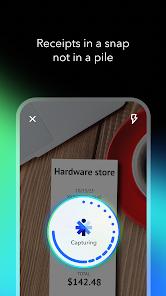
The application includes an advanced optical character recognition (OCR) parsing engine for receipt scanning. When a user captures a photo of a receipt, the OCR engine extracts key transaction details, matches them against connected bank feeds, and categorizes them automatically to help prepare for tax filing.
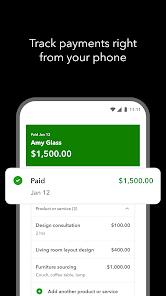
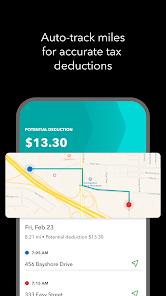
The app also uses background location APIs to support automated mileage tracking, logging business trips to calculate tax deductions. However, background GPS tracking on Android can sometimes encounter system limitations, leading some users to rely on external backups like Google Timeline to prevent missing logs. Despite these challenges, the app's integration with Intuit's payment network allows small business owners to send professional invoices, process mobile check deposits, and accept credit card payments, simplifying cash flow management.
Pros & Cons
Real-Time Data Syncing: Instantly uploads invoice modifications, receipts, and mileage logs to the QuickBooks Online central database.
Advanced Receipt Scanning: Uses OCR technology to extract transaction details from receipt photos, matching them to bank feeds.
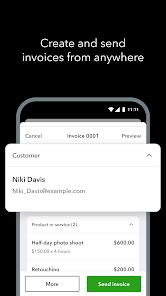
Professional Mobile Invoicing: Allows users to quickly create, customize, and email invoices directly to clients.
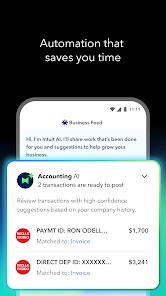
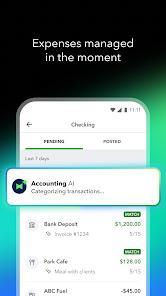
Automated Expense Tracking: Recognizes recurrent transactions to organize and categorize expenses automatically.
Granular User Permissions: Supports multi-user access, allowing employees to log hours and expenses without exposing sensitive financial reports.
Accurate Tax Estimates: Calculates dynamic quarterly tax projections based on real-time business performance.
- ✕
Inconsistent Interface Layouts: Displays noticeably different menus and user options on tablets compared to phones, causing navigation confusion.
- ✕
Fragile Mileage Tracking: Aggressive Android battery-saving policies can occasionally disable background GPS tracking, leading to missed trip logs.
- ✕
Unexpected Feature Changes: Important business tools, such as mobile check deposits, can be disabled or restricted without prior notification.
Download
 Get it on Google Play
  Get it on App Store
 FAQs
Can QuickBooks Mobile sync with local QuickBooks Desktop installations?
No. This application is designed to sync exclusively with cloud-native QuickBooks Online accounts and does not support local desktop databases.
How can a user resolve background mileage tracking failures?
Users should change Android's system settings to allow "Always Allow" location access for the app and disable battery optimization to prevent background processes from sleeping.
Why did the mobile check deposit option disappear from the app?
Intuit reserves the right to restrict payment features based on risk assessments, updated compliance standards, or account status evaluations.
Are invoices queued locally when the device is offline?
Yes. Invoices created offline are saved locally and will automatically upload to the central cloud ledger once the device reconnects to a network.
What causes a blank screen when attempting to email invoices?
This is a known bug related to local cache corruption. Users can resolve it by clearing the app's cache, updating to the latest release, or sending the invoice from the main invoices menu instead of the preview screen.
Hot Reviews
The application interface is inconsistent. Using the app on a tablet requires extra steps to add line items to invoices, whereas the phone interface is faster but lacks key tools for processing customer credits.
Important business features can be changed without warning. Users report the sudden removal of mobile check deposit options, forcing them to find other, more expensive payment methods.
The invoicing system can be buggy. When attempting to email existing invoices to clients, the app frequently displays a blank screen, requiring users to clear app data to restore function.