Grubhub for Drivers
Overview
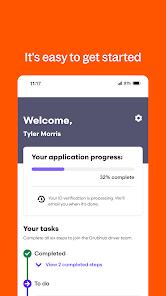
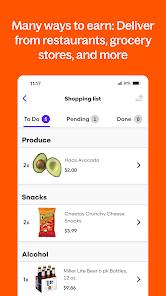
The on-demand delivery sector relies on real-time routing systems and gig-worker coordination platforms to manage local logistics. The Grubhub for Drivers application is the primary portal for independent delivery contractors on the Grubhub network. It handles the entire gig lifecycle, from driver onboarding and shift scheduling to real-time navigation, earnings tracking, and instant pay disbursements.
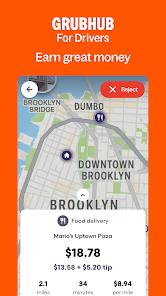
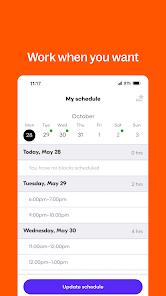
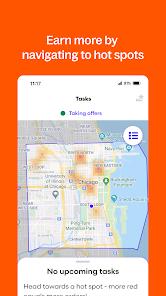
A primary feature of the app is its shift scheduling system. Drivers can choose to book structured "blocks" in advance to secure priority order dispatch, or go online spontaneously during peak hours. Once online, the application's dispatch algorithms match the driver's GPS location with nearby restaurant pickups and customer destinations, displaying estimated earnings and route parameters prior to acceptance.
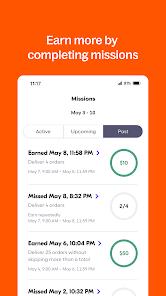
The application supports multiple vehicle types, allowing drivers to complete deliveries via car, moped, or bicycle. Financial features are integrated directly into the dashboard, displaying hourly trends, order breakdowns, and total tip retention (100% of which goes to the driver). While the app includes options for immediate pay transfer, users should note that instant cashouts may incur processing fees depending on the selected bank transfer tier.
Despite these functional capabilities, drivers face challenges with algorithmic dispatching and notification reliability. The app's route optimization engine can occasionally assign pickup orders located outside the driver's preferred zone or contrary to their current driving direction.
Additionally, system notifications for new orders may fail to trigger an audible alert or appear on screen, resulting in "ghost misses" where the system registers a missed offer and lowers the driver's acceptance rate. Drivers also report safety concerns regarding on-the-fly order alerts popping up while traveling at high speeds.
Pros & Cons
Flexible Scheduling Options: Offers both structured, pre-booked blocks and spontaneous, on-demand dispatch.
Full Tip Retention: Ensures that 100% of confirmed customer tips are paid directly to the delivery driver.
Multi-Modal Vehicle Profiles: Supports delivery setup for cars, bicycles, scooters, and mopeds.
Integrated Earnings Diagnostics: Provides clear, real-time tracking of completed runs and earnings.
Broad Geographic Footprint: Connects drivers with a wide network of restaurants and diners in major cities.
- ✕
Algorithmic Dispatch Errors: Occasionally assigns long-distance or out-of-zone orders with poor pay-to-mileage ratios.
- ✕
Notification and Alert Failures: Order alerts sometimes fail to render or sound, leading to automated missed-offer penalties.
- ✕
Distracting On-the-Road Popups: Incoming order alerts can appear while driving at high speeds, raising safety concerns.
- ✕
Inconvenient Order Cancellations: Canceling an order after acceptance often requires contacting support agents, adding time friction.
Download


FAQs
What credentials are required to drive for Grubhub?
Applicants must be at least 18 years old, possess a valid driver's license (or state ID for bikers), have active auto insurance, and pass a background check.
How are earnings and tips distributed?
Drivers receive base pay per delivery, plus any promotional incentives and 100% of customer tips, which can be cashed out instantly or paid weekly.
What are the consequences of missing a delivery notification?
The system registers the unaccepted offer as "missed," which lowers the driver's acceptance rate and can impact their eligibility for priority scheduling blocks.
Can a driver use multiple vehicles under one profile?
Yes. The driver's profile can be updated to reflect different transit modes, such as cars, mopeds, or bicycles, to adjust delivery routing.
What steps should a driver take if the app stops sending orders?
Drivers are advised to verify their GPS permissions, toggle airplane mode to refresh network connections, or reinstall the application.
Hot Reviews
Drivers report issues where order alerts fail to trigger audible sounds or show up on screen, resulting in missed assignments that lower their standing.
Reviewers express frustration with routing algorithms that assign pickups far outside their designated areas, leading to high fuel expenses relative to the payout.
Delivery personnel note that receiving sudden, sound-heavy order notifications while driving at high speed can be distracting and create safety concerns.