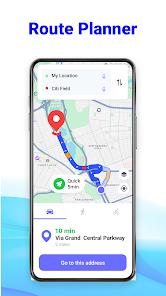
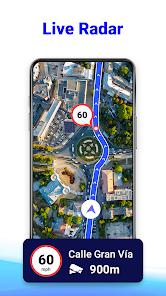
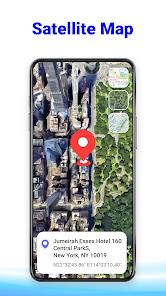
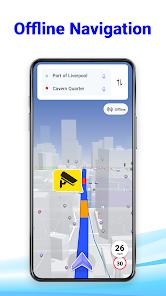
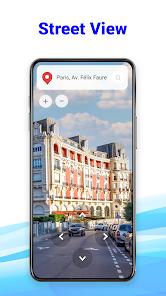
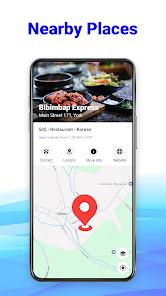
The GPS Route Planner application is a specialized utility designed for high-utility navigation and traffic avoidance. Its core value proposition lies in the "Radar Map" feature, which alerts drivers to speed cameras and potential fines, and the "Offline Maps" capability, which is vital for long-distance travel in areas with spotty signal. Unlike generalist navigation tools, this app targets the "savvy commuter" market by integrating a GPS speedometer and real-time traffic updates into a unified dashboard.
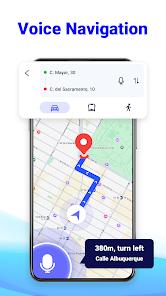
A functional breakdown reveals a heavy emphasis on "Circles"—a private group feature that allows families to track one another’s real-time location and history for safety. The app also includes a unique "After Call" feature, which provides an instant navigation shortcut as soon as a telephone conversation ends, anticipating the user's next move. In terms of guidance, the app utilizes turn-by-turn voice directions and sophisticated rerouting algorithms that recalculate the path if a turn is missed, ensuring the traveler stays on the most efficient route.
However, the user experience is significantly polarized. While the technical features are robust, the app’s monetization strategy involves a high density of advertisements, which many users find intrusive. There is also a recurring technical observation that the app occasionally acts as a "shell" that launches Google Maps for actual navigation, which can be frustrating for those looking for a truly independent navigation engine. Despite these challenges, its niche features like speed camera alerts and weather-integrated travel planning provide a clear utility that keeps it competitive in the maps category.
Pros
Comprehensive speed camera radar provides early warnings to help drivers avoid fines.
Highly reliable offline maps allow for navigation in remote regions or during data outages.
Integrated "Circles" feature provides a safe environment for family location sharing.
Responsive rerouting quickly corrects the course if the driver misses a designated turn.
Includes a full suite of auxiliary tools, such as a speedometer, compass, and weather alerts.
Turn-by-turn voice guidance ensures a hands-free and focused driving experience.
The "After Call" shortcut provides convenient, immediate access to navigation tools.
Cons
High frequency of full-screen advertisements can disrupt the user experience at critical moments.
Sometimes functions as a launcher for Google Maps rather than a completely standalone navigation engine.
Some users report difficulty with unit settings, specifically switching between metric and imperial systems.
FAQs
Yes, the Radar Map feature is specifically designed to alert you to speed monitoring zones.
Users can download specific maps for their destination while connected to Wi-Fi to use them later without signal.
Yes, you can create "Circles" and add members to see each other's real-time movements and location history.
It is a tool that provides a one-tap shortcut to navigation tools immediately after you finish a phone call.
The app is free to download but is supported by advertisements; some premium features may require a purchase.
Hot Reviews
Yes, the Radar Map feature is specifically designed to alert you to speed monitoring zones.
Users can download specific maps for their destination while connected to Wi-Fi to use them later without signal.
Yes, you can create "Circles" and add members to see each other's real-time movements and location history.
It is a tool that provides a one-tap shortcut to navigation tools immediately after you finish a phone call.
The app is free to download but is supported by advertisements; some premium features may require a purchase.