
DeepL Translate
Overview
DeepL Translate is an advanced, AI-powered translation application developed by DeepL SE, headquartered in Cologne, Germany. Widely recognized for its accuracy, the platform has become a popular alternative to traditional translation software for professionals, academics, and travelers. While competitors often prioritize broad language catalogs, DeepL focuses on linguistic quality and context-aware phrasing to produce natural-sounding translations.
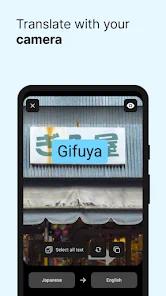
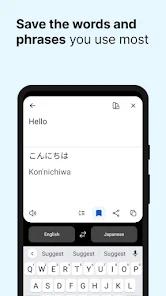
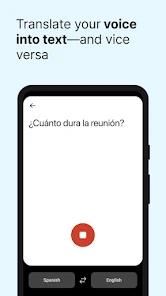
DeepL's strength lies in its use of deep learning models trained on rich multilingual datasets. Instead of translating words literally, the engine analyzes the structure of entire sentences to preserve idioms, subtle nuances, and industry-specific jargon. The application offers a variety of input methods, including real-time camera translation, photo uploads, dictation, and hand-drawn character input.
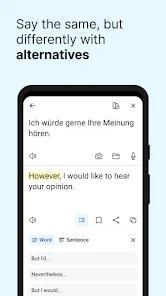
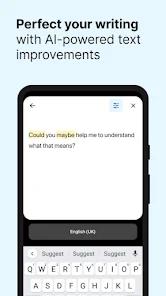
For text refinement, the app provides alternative translations for single words and short phrases, helping users choose the best phrasing for their context. It also includes "DeepL Write," an AI-driven writing assistant that suggests stylistic improvements, grammatical corrections, and clarity adjustments to make text more impactful. For business and enterprise users, the app supports Single Sign-On (SSO) login and provides tools to customize glossaries and choose between formal and informal tones.
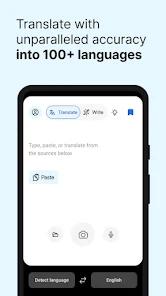
However, DeepL's focus on quality means its language catalog is smaller than its competitors, supporting around 30+ core languages with a focus on European and major Asian markets. Additionally, advanced features like tone adjustments are locked behind a paid plan, and the free tier enforces character limits that can interrupt the translation of longer documents.
Pros & Cons
The platform delivers highly accurate, context-aware translations that sound more natural than standard translation engines.
The integrated "DeepL Write" assistant provides helpful grammatical corrections and stylistic suggestions to improve overall writing quality.
It offers multiple input modes, including instant camera translation, photo uploads, voice dictation, and handwriting recognition.
The "Alternative Translations" feature lets users tap specific words to explore different phrasing options for their sentences.
Enterprise-level security, including SSO support, ensures that sensitive business documents are translated securely.
- ✕
The free tier enforces strict character limits, and key customization tools—such as glossaries and tone adjustment—are locked behind a paywall.
- ✕
It supports fewer languages than its main competitors, focusing primarily on European and major global languages.
- ✕
The voice dictation tool can be difficult to use, as it lacks automatic punctuation and the microphone can shut off too quickly during pauses.
- ✕
The app lacks offline functionality, requiring a stable internet connection to communicate with its cloud translation servers.
Download


FAQs
Is DeepL Translate free to use?
Yes. The core app is free to download and offers basic translation tools. Advanced features, such as larger text limits and tone adjustments, require a DeepL Pro subscription.
What is the "DeepL Write" feature?
DeepL Write is an built-in AI writing assistant that analyzes your text to suggest grammatical corrections, better word choices, and stylistic improvements.
Does the app support offline translation?
No. DeepL relies on powerful cloud-based neural networks to process its translation models, meaning it requires an active internet connection to work.
How do I adjust the formality of my translation?
The option to choose between formal and informal tones (for languages like German or French) is available as part of the paid DeepL Pro subscription.
Can the app translate entire files or documents?
Yes. The mobile application includes a document translation feature that allows users to upload and translate compatible files.
Hot Reviews
Users frequently praise DeepL for producing translations that capture natural conversation and industry-specific context much better than traditional, literal translation tools.
A common complaint is that the voice recognition microphone cuts off too quickly during brief pauses, requiring users to speak rapidly without stopping to avoid having to restart their dictation.
Some reviews report bugs where the app displays a connection error or fails to recognize that the phone is online, preventing translations until the app is reinstalled.
Many bilingual professionals state that they use the app to double-check their written messages. The ability to swap out specific phrases with natural-sounding alternatives helps them communicate clearly with international colleagues.