
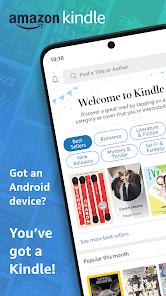
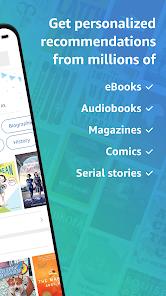
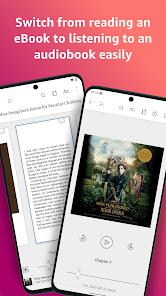
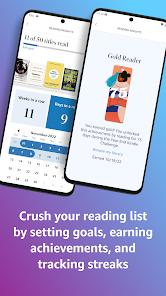
The Amazon Kindle app has transitioned from a simple e-reader to a comprehensive digital library and social platform for bibliophiles. In 2026, the app’s standout feature is the deep integration with Audible and Kindle Scribe. Users can switch between reading a text and listening to the narrated version (Whispersync for Voice) without losing their place. The 2026 version includes 'AI-Insights,' which summarizes long chapters or identifies recurring themes in a novel. Kindle’s primary advantage is the sheer volume of the Amazon Bookstore and the 'Kindle Unlimited' subscription. While it lacks the extreme customization of Moon+ Reader (like complex gesture controls), its simplicity and sync stability across devices remain unrivaled.
Pros
Seamless syncing between Kindle devices and the mobile app.
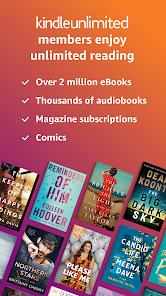
Access to millions of books, including Kindle Unlimited titles.
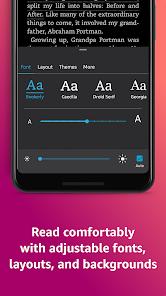
Adjustable fonts, spacing, and 'Dark Mode' for eye comfort.
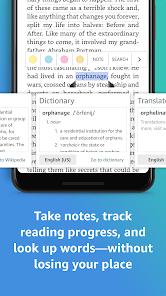
Built-in dictionary, Wikipedia, and X-Ray for character tracking.
Cons
You cannot purchase books directly in-app on Android due to Google Play billing policies.
The UI can feel heavy with recommendations and ads for the store.
PDF handling is still inferior to dedicated PDF readers.
FAQs
Yes, you can send personal EPUB or PDF files to your Kindle library via the 'Send to Kindle' service.
Once a book is downloaded, you can read it anywhere without a connection.
You must use a web browser to purchase books on Amazon.com, then they sync to the app.
Hot Reviews
Yes, you can send personal EPUB or PDF files to your Kindle library via the 'Send to Kindle' service.
Once a book is downloaded, you can read it anywhere without a connection.
You must use a web browser to purchase books on Amazon.com, then they sync to the app.