
YouVersion Bible App + Audio
Overview
The YouVersion Bible App, is a non-profit digital phenomenon with over 500 million downloads. Developed by Life.Church, it has become the "Gold Standard" for religious digitization, providing more than 2,500 Bible versions in over 2,100 languages—all entirely for free and without advertisements.
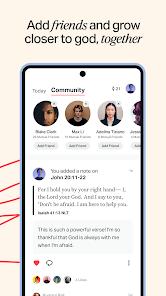
The technical brilliance of YouVersion lies in its "Social-Scripture" framework. It is not just a reader; it is a community platform where users can add "Friends," view an "Activity Feed" of what others are highlighting, and join "Reading Plans" together. For students of the text, it offers a "Parallel Mode" to compare different translations (e.g., KJV vs. NIV) side-by-side, which is essential for cross-referencing and deeper understanding.
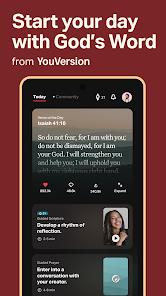
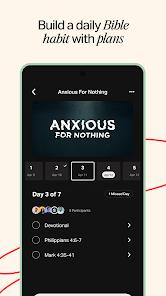
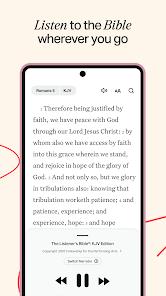
In-depth analysis of the user experience reveals a highly optimized "Engagement Loop." The "Verse of the Day" feature, delivered via a home screen widget and push notifications, encourages daily app usage. Furthermore, the app includes thousands of "Reading Plans" and "Devotionals" curated by global partners like "Our Daily Bread" and "The Bible Project". For the modern visually-driven user, the "Bible Art" feature allows for the creation of shareable verse images, which are optimized for social media. However, the app's vast feature set has led to recent technical friction; following major updates, some users have reported that "Reminders" for their reading plans have stopped working, even when correctly set. Additionally, while audio Bibles are high-quality (often featuring dramatized narrations), they are generally not available for offline use, requiring a constant data connection for those who prefer to listen while driving.
Pros & Cons
Unmatched linguistic and version diversity, providing free access to nearly every published translation globally.
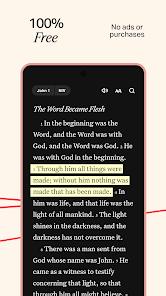
Completely ad-free and subscription-free, ensuring that the user experience is never compromised by commercial interests.
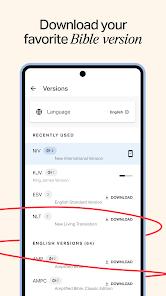
Exceptional offline capabilities that allow users to download entire Bible versions for use without a network.
Powerful social features that enable community-led study and honest conversations about faith.
Highly customizable interface with "Easy Reading" settings for font, size, and dark mode for low-light environments.
Robust "Cloud Sync" ensures that all notes, bookmarks, and plans are accessible across any device.
Integrated high-quality video content from major religious projects like "The Chosen" and the "JESUS Film".
- ✕
Audio Bibles are generally not downloadable, making it difficult to listen in areas with poor cellular reception.
- ✕
Recent update bugs have caused issues with "Plan Reminders," where notification times are not consistently honored.
- ✕
The application size and feature set can be overwhelming for beginners who just want a basic reading experience.
Download


FAQs
Is it truly free, or are there hidden in-app purchases?
It is 100% free with no ads and no hidden costs; it is funded by donor support and content partners.
Which versions can I read without an internet connection?
Versions that have a "Download" button next to them in the library (e.g., KJV, ESV, NLT) are available for offline use.
Can I share my notes with my friends?
Yes, you can set notes to "Public," "Friends Only," or "Private" (the default) to control who sees your reflections.
Does the app include a "search" feature?
Yes, there is a powerful keyword search that allows you to find specific verses or themes across all your downloaded versions.
How do I create a "Verse Image"?
Select a verse, tap "Image," and then choose from a variety of backgrounds or upload your own photo to create shareable art.
Hot Reviews
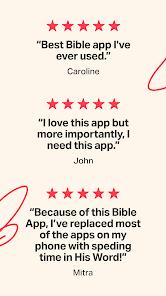
Users describe the app as a "fantastic way to read on the go," specifically praising the parallel comparison feature and the wealth of devotionals that help them "connect with God's word" daily.
A significant number of users have flagged that since the recent update, they "no longer receive reminders" for their reading plans, describing it as a frustrating break in their daily habit.
Reviewers from non-English speaking backgrounds are extremely appreciative of the "1,000+ languages" available, noting that they can finally read the text in their native dialect with ease.