
Box


Overview
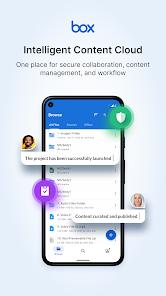
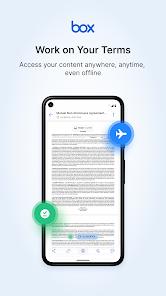
Box prioritizes business collaboration and strict regulatory compliance. Originally designed with a browser-first focus, its mobile application serves as a productivity companion that extends the core file-sharing ecosystem. The platform integrates with over 1,500 external services, allowing users to open, edit, and save files directly within suites like Microsoft 365 and Google Workspace.
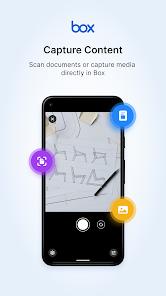
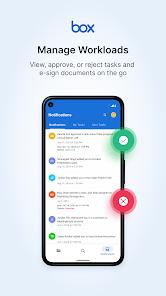
For mobile users, Box includes built-in document scanning with optical character recognition (OCR), converting physical pages into searchable PDF files. It also supports collaborative work management by letting teams assign tasks, write project checklists, set deadlines, and configure automated content reviews. Box secures this collaborative space with robust compliance controls, meeting standards for HIPAA, GDPR, PCI DSS, and ISO 27001.
While Box provides 10GB of storage on its free personal tier, it implements restrictive limitations to encourage paid upgrades. Free accounts are subject to a 250MB single-file upload limit, which makes the storage impractical for large media assets.
Additionally, it charges $14.00 per month for 100GB of storage. Box also lacks default client-side zero-knowledge encryption, requiring users to rely on external encryption software for absolute privacy.
Pros & Cons
Deep App Integrations: Connects with over 1,500 external software tools, including Google Workspace and Microsoft 365.
Competitive Free Storage: Provides 10GB of free storage space, which is larger than the free tiers of Dropbox and OneDrive.
Smart Mobile Scanning: The built-in document scanner utilizes OCR to turn images into text-searchable PDFs.
Broad Compliance Certifications: Fully supports HIPAA, GDPR, PCI DSS, and ISO 27001 security standards.
Integrated Project Workflows: Supports task assignments, collaborative notifications, and file checklists.
Multi-Version Recovery: Keeps an audit trail of previous file changes to prevent data loss from accidental overwrites.
- ✕
Restrictive File Size Limits: Free accounts cannot upload files larger than 250MB, making the tier unsuitable for high-resolution video.
- ✕
High Personal Pricing: Paid plans cost significantly more per gigabyte than equivalent consumer options from Google or Microsoft.
- ✕
No Native Client-Side Encryption: Lacks zero-knowledge, client-side encryption options, leaving files visible to server administrators.
- ✕
Mobile Performance Bottlenecks: Users occasionally report sluggish syncing and slow upload speeds on the Android application.
Download
 Get it on Google Play
  Get it on App Store
 FAQs
What limits apply to Box's free personal tier?
The free plan provides 10GB of total storage but limits individual file uploads to a maximum of 250MB.
Can I collaborate on Microsoft Office files in the Box app?
Yes. Box’s integrations allow you to edit Office and Google Workspace documents directly from your device.
Does Box offer automated phone backup features?
Yes. The mobile app can automatically upload device photos and videos, though larger files may hit file-size ceilings.
How does the document scanner work?
The scanner uses your device's camera to capture text, applying OCR to generate clean, searchable PDF files.
Does the personal tier support zero-knowledge privacy?
No. Box uses secure server-side encryption, but it does not offer native client-side zero-knowledge encryption.
Hot Reviews
Enterprise users appreciate how easily Box handles multi-user file editing across platforms, particularly through Office and Google integrations.
Many personal users note that while the 10GB free tier is generous, the 250MB individual file limit makes it impossible to share large media assets.
Reviews frequently point out that the mobile application suffers from slow load times and upload sync delays when handling larger folders.