
Pillow Chase Home App

Overview
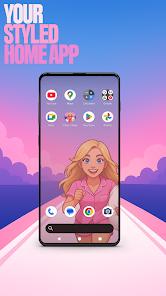
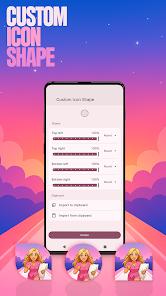
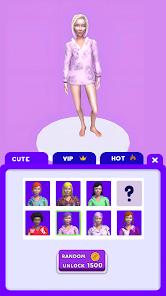
The Pillow Chase Home App, developed by Hadiz Studio, represents an innovative yet controversial niche in the "Gamified Launcher" market. Structurally, it functions as a comprehensive replacement for the default Android home screen, offering deep customization of icon shapes, accent colors, and folder layouts. The "deep insight" of this application is the integration of a hyper-casual game directly into the personalization engine; by playing the "Pillow Chase" runner—where a protagonist dodges alarm clocks and coffee cups to collect pillows—users can unlock exclusive wallpapers and icon packs. This gamification of the UI creates a unique engagement loop that is rare in traditional productivity tools.
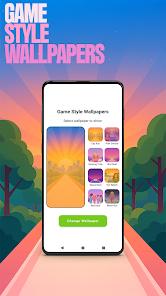
Functional disassembly reveals that the launcher provides advanced power-user features typically found in premium products. These include "Custom Gestures" (e.g., swiping to open the app drawer), "Hide Apps" functionality for privacy, and a "Game Style Wallpapers" menu that applies the visual language of the runner game to the entire phone interface. Users can select the app as their "Default home app" to completely overhaul their device's visual identity. However, the application has faced significant scrutiny from the user community; many reviewers have flagged it as "dodgy," citing that it sometimes "hides its own icon" from the home screen to make uninstallation difficult and may inject advertisements into unrelated system settings.
Market analysis shows that while the app has achieved millions of downloads and high rankings in countries like Brazil and Spain, it holds a "Medium Maturity" rating due to these intrusive behaviors. The paradox of the Pillow Chase Home App lies in its high utility as a customization tool versus its reputation as "malware-like" by a vocal minority of users. For those looking for a "fresh style" that changes the daily interaction with their phone, the app offers a compelling experience, but it requires a high degree of technical awareness to manage its default settings and uninstallation process.
Pros & Cons
Offers a highly unique "gamified" personalization experience where playing a built-in game rewards the user with exclusive phone themes.
Includes high-end launcher features like custom icon shapes and "accent color" presets that allow for a truly personalized device style.
"Custom Gestures" support (swiping or tapping to open apps) provides a significant efficiency boost for users navigating complex app libraries.
The "Hide Apps" feature is natively integrated, allowing for a clean, secure home screen without needing additional privacy software.
The integrated "Pillow Chase" game is lightweight and fun, making it an excellent "boredom killer" that doesn't consume heavy system resources.
- ✕
The application is reportedly difficult to uninstall, as it may hide its icon from the main screen or drawer after being set as default.
- ✕
Users have reported that the launcher can cause intrusive advertisements to appear when clicking on unrelated apps or settings.
- ✕
Changing the default UI can cause lag or visual bugs on some older Android devices, making the phone feel "unstable".
Download
 Get it on Google Play
  Get it on App Store
 FAQs
How do I unlock the exclusive icon shapes?
You must play the integrated "Pillow Chase" game. As you collect pillows and dodge obstacles, you will reach milestones that unlock new shapes in the launcher settings.
Why can't I see my original home screen anymore?
This is a "Launcher" app. It replaces your default home screen. You can switch back to your original launcher at any time via your phone's "Default Apps" settings.
Is it true that the app hides itself?
Some users have reported difficulty finding the app icon to delete it. If this happens, you should search for "Pillow Chase" in your phone's "Settings" -> "Apps" menu.
What are "Custom Gestures"?
These allow you to perform actions, like opening the camera or the app drawer, by swiping in a certain direction on the home screen.
Does the app collect my personal data?
The developer states that no data is shared with third parties, but the app does collect location and app activity for its internal systems.
Hot Reviews
Positive reviewers love the "new look" of their phone. They find the launcher to be exciting and appreciate that the icons and wallpapers are different from the standard Android "material design".
A large portion of feedback warns other users to "not install." These reviewers claim the app causes ads to appear constantly and that it is "dodgy" because it messes with the system UI in ways that are hard to reverse.
Users who are not tech-savvy report a "nightmare" experience trying to get their old home screen back. They mention that the app "hides" and that they had to go through several settings menus just to uninstall it.