
MobileSheets
Overview
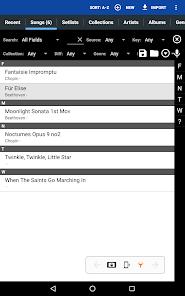
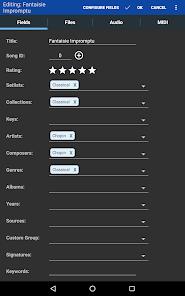
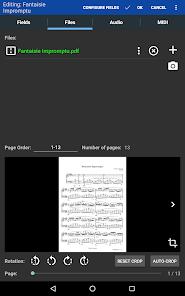
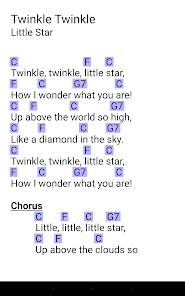
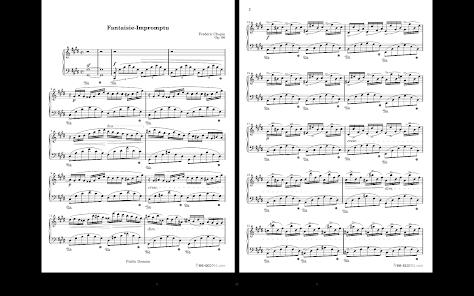
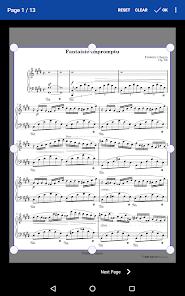
MobileSheets is arguably the most sophisticated digital sheet music reader for the Android and Windows ecosystems. Designed to replace physical binders and books, it acts as a powerful file manager for PDFs, images and text files. Unlike simple PDF viewers, MobileSheets is built as a performance tool, offering a "hands-free" environment that is critical for musicians whose hands must remain on their instruments.
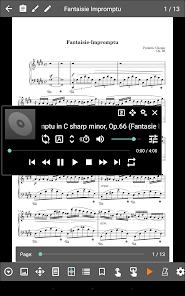
The technical hallmark of the app is its diverse "page-turning" mechanism. Users can trigger turns via Bluetooth or USB pedals, automatic timed scrolling, or innovative "face gestures" such as a smile or an open mouth. Beyond display, the app features an integrated audio player with A-B looping, a multi-mode metronome, and "Link Points" that allow musicians to handle repeats by jumping instantly between specific pages.
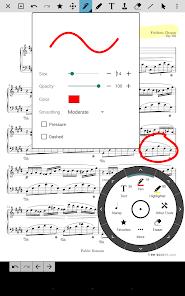
A significant trend in 2026 is the platform's focus on "Ensemble Coordination." MobileSheets supports MIDI communication over USB or Bluetooth, allowing one tablet to control the scores and keyboard registrations of others in a band or choir. The app also provides a robust annotation suite, supporting freeform drawing, text, and custom musical stamps (such as organ pedaling symbols) that can be layered and shared.
For many users, the most insightful aspect of MobileSheets is its "traditional" business model. In an era of mandatory subscriptions, developer Michael Zuber has maintained a "one-time purchase" structure ($15.99) with no recurring fees, making it a favorite among professional musicians. However, the technical complexity of the app can lead to synchronization issues; users have reported that syncing libraries across cloud folders (like Google Drive or OneDrive) can sometimes lead to file duplicates or database desynchronization if not managed carefully.
Pros & Cons
Exceptional Versatility: Supports virtually every file format used by musicians.
One-Time Payment Model: No recurring subscriptions or in-app "gold" currencies, offering high long-term value.
Sophisticated Practice Tools: Integrated metronome, audio player, and snippet tools for focused practice.
Professional Hardware Support: Seamlessly integrates with MIDI instruments and Bluetooth page-turner pedals.
Highly Responsive Support: The developer is known for actively addressing bug reports and feature requests from the community.
- ✕
Complex Learning Curve: The massive feature set can be overwhelming for casual players who just want to "open a PDF".
- ✕
Cloud Sync Frictions: Users frequently report issues with library synchronization creating duplicate entries or failing to refresh properly.
- ✕
Device Limitations: While it works on phones, it is "optimized for 7-inch and larger tablets," making it less effective on small screens.
Download


FAQs
Does MobileSheetsPro include sheet music?
No, it is a management tool. You must provide your own PDFs or image files of scores.
Can I sync my library between my Android tablet and Windows PC?
Yes, you can use the cloud synchronization feature (Google Drive, Dropbox, etc.) to keep your devices in sync.
How does the facial gesture page turning work?
It uses your tablet's front-facing camera to detect specific movements like a smile or opening your mouth to trigger a page turn.
Is there a way to manage large setlists for a gig?
Yes, the "Setlists" and "Collections" features allow you to group and order songs efficiently for any performance.
Hot Reviews
Professional musicians have called it "the best money I've spent on music gear in ages," noting it has "freed me from lugging around books and binders".
Players have praised the ability to create "custom stamps" for complex organ registrations and pedaling, noting it’s a "game changer" for classical repertoire.
Some users have expressed frustration with the sync tool, noting it can "create a duplicate with the changed name" instead of overwriting, causing clutter.