EQ Pro - Equalizer & Volume
Overview
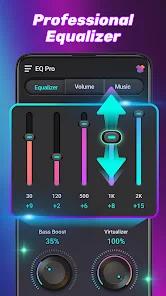
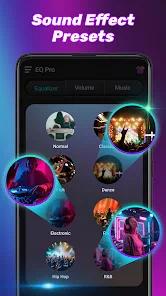
The application commonly known as EQ Pro (developed by IPLUG), is a high-performance audio enhancement suite designed for Android audiophiles who prioritize local file playback and sound customization. In a market saturated with streaming services, EQ Pro carves out a niche by providing professional-grade sound shaping tools for offline media, including support for high-fidelity formats like FLAC, WAV, and APE. The application's core architecture is built around a powerful 10-band equalizer (available on Android 9.0+) that allows for granular frequency adjustment across the spectrum from 31Hz to 16kHz.
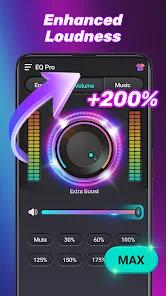
A deep functional disassembly of EQ Pro reveals that it is more than a simple music player; it is a system-wide audio processor. One of its most powerful features is the "System-wide" volume booster, which can amplify media output by up to 200%, effectively compensating for weak device speakers or low-gain headphones. The application also incorporates a "Music Virtualizer" and "3D Surround Sound" effect, which uses psychoacoustic processing to simulate a broader soundstage. This is particularly valuable for users who listen to music on standard mobile speakers and wish to achieve a more immersive "studio" feel.
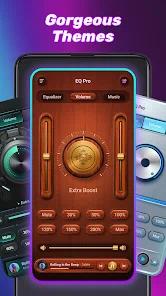
Deep insight into the app's user base suggests it serves as a primary tool for device customization. The inclusion of a built-in "Ringtone Maker" and "MP3 Cutter" allows users to trim their favorite tracks and set them as notifications or alarms directly from the interface. Furthermore, the app provides a highly visual experience through a live sound spectrum and customizable "Gorgeous Themes," which allow users to tailor the UI to their aesthetic preferences. This focus on personalization, combined with its ability to manage large music libraries grouped by artist, album, and folder, positions it as a robust alternative to stock system players.
Technically, the app demonstrates significant efficiency, maintaining a relatively small APK size of approximately 25MB to 44MB while managing to handle complex 3D reverb effects and hardware acceleration. The application has maintained a high rating (approximately 4.78 stars) with over 500,000 downloads, indicating a high level of user satisfaction with its sound processing capabilities.
Pros & Cons
Professional 10-band equalizer provides granular control over 31Hz to 16kHz frequencies.
Volume booster allows for extreme amplification (up to 200%) for weak hardware speakers.
Comprehensive support for all major high-fidelity audio formats including FLAC and WAV.
Integrated ringtone maker and MP3 cutter add significant customization value.
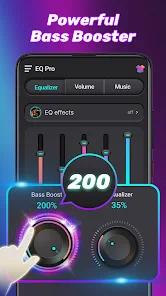
Bass boost and 3D surround sound effects enhance the immersive quality of audio.
System-wide integration affects not only music but also ringtones and audiobooks.
- ✕
The free version is heavily ad-supported, which can occasionally interrupt the user interface.
- ✕
Some advanced features may require in-app purchases or a "Pro" version upgrade.
- ✕
Occasional reports of the app being forced closed when used alongside high-resource games.
Download
 Get it on Google Play
  Get it on App Store
 FAQs
Does EQ Pro work with streaming apps like Spotify?
The application is primarily designed for local files, but its system-wide volume and EQ settings can often affect other media outputs depending on the Android OS version.
What is the difference between the 5-band and 10-band EQ?
The app automatically unlocks the 10-band EQ for devices running Android 9.0 or higher; older versions utilize a 5-band configuration.
Can I save my own custom sound presets?
Yes, users can create, save, and delete their own custom equalizer presets to suit different headphones or genres.
Does the app include a sleep timer?
Yes, the app features a sleep timer that can automatically stop audio playback after a set duration.
Is it safe to boost the volume to 200%?
While the app allows for 200% boost, users are advised to use high levels cautiously to avoid potential speaker distortion or ear damage.
Hot Reviews
Many users describe the app as being "like a studio in your pocket," praising the depth of the equalizer and its ability to make cheap headphones sound premium.
Reviewers frequently note that the volume booster successfully "saves" devices with quiet speakers, making it possible to hear music in noisy environments.
A common point of criticism is the high frequency of advertisements in the free version, with some users stating that the "market trash" ads distract from the professional utility.