The evolution of the digital audio workstation (DAW) has reached a critical juncture in 2026, where mobile platforms are no longer merely secondary "sketchpads" but have become viable environments for sophisticated music production. The application FL Studio Mobile, stands at the forefront of this transition. Developed by Image-Line, the software leverages over three decades of engineering expertise derived from the flagship desktop version of FL Studio to provide a comprehensive multitrack project environment on Android and iOS devices. The current iteration of the application is built upon a high-performance audio engine optimized for low CPU consumption, ensuring that complex projects with dozens of simultaneous tracks, effects, and virtual instruments can run smoothly on contemporary mobile hardware.
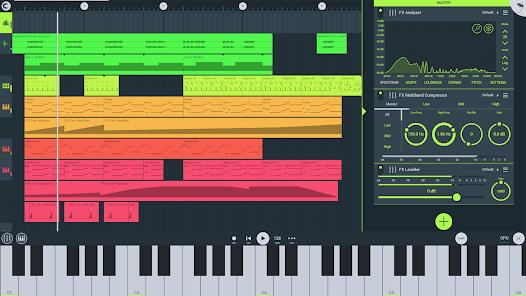
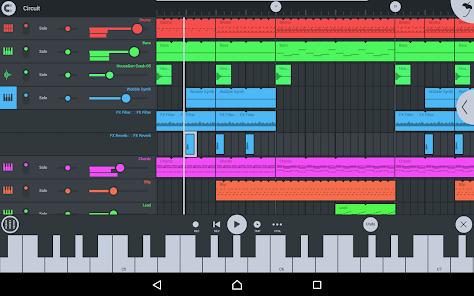
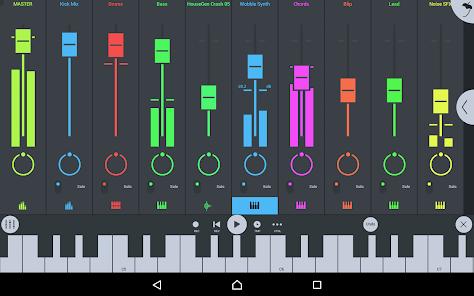
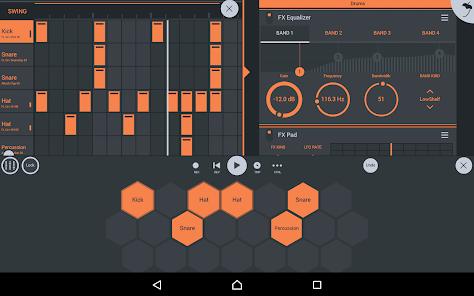
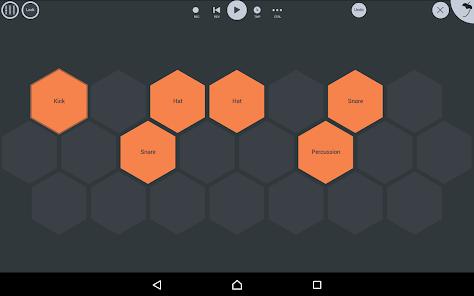
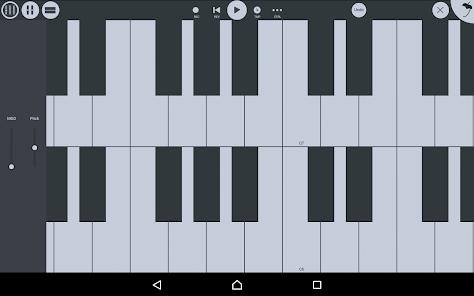
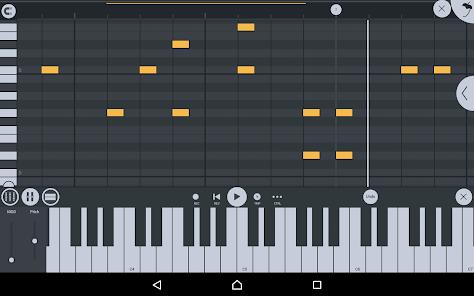
The functional architecture of FL Studio Mobile is centered around a modular workflow. It incorporates a sophisticated step sequencer designed for rapid percussion programming, a professional-grade piano roll for melodic composition, and a versatile mixer capable of per-track solo, mute, effect bus routing, pan, and volume adjustments. The 2026 version has significantly refined its integration with external hardware, offering full-screen support for Samsung DeX and Chromebook environments, which allows producers to utilize trackpads, mice, and large displays to mirror a desktop-like experience. For vocalists and instrumentalists, the application provides high-quality audio recording and track-length stem/WAV import, facilitating live performance capture directly into the project timeline.
Beyond basic sequencing, the application's sound design capabilities are driven by a collection of high-quality synthesizers (such as the Kepler synth), drum kits, and sliced-loop beats. A profound insight into the application’s ecosystem reveals its "Cloud" integration and the seamless interoperability with the desktop version of FL Studio. Users can initiate a project on their mobile device while traveling and, via local network syncing or direct file export, transfer the entire project to a PC or Mac for final mixing and mastering using the FL Studio plugin version. This cross-platform continuity is a significant competitive advantage in a market where creative fluidity is paramount.
However, the application is not without its architectural constraints. While it offers a robust internal palette, it does not support third-party VST plugins like Serum or Massive, which are industry standards in electronic music production. Consequently, users are reliant on the proprietary expansion packs and the ability to export DirectWave sounds from the desktop version to expand their sonic range. Despite these limitations, the pricing model—a one-time purchase of approximately $15—remains highly attractive compared to the subscription-based models adopted by many competitors in 2026.
Pros
Professional-grade audio engine optimized for low-latency performance on modern mobile chipsets.
Seamless project synchronization and interoperability between mobile and desktop FL Studio environments.
Comprehensive suite of internal effects, including Parametric EQ, Auto Ducker, and high-quality Reverb modules.
Exceptional interface scaling for DeX, Chromebooks, and tablets, enabling a desktop-class workflow.
Robust MIDI control capabilities for linking external hardware knobs and sliders to software parameters.
Lifetime free updates for the application, maintaining the developer's long-standing tradition of user-centric value.
Cons
Absence of support for external VST/AU plugins, limiting sound design to internal modules.
The smartphone interface can become cluttered and cumbersome during complex mixing tasks compared to the tablet version.
Lack of a trial or demo version makes it difficult for new users to test hardware compatibility before purchasing.
FAQs
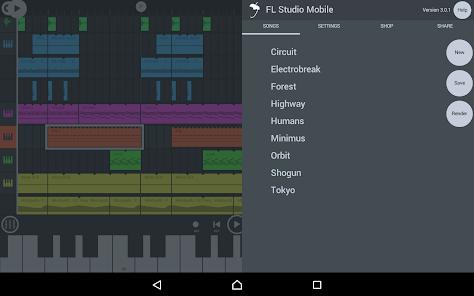
Yes, projects can be synced over a local network or exported as.flm files to be opened in the FL Studio desktop application.
The application supports multi-track audio recording and allows for the import of track-length WAV or stem files.
No, FL Studio Mobile is a one-time purchase, although some optional sound packs are available as in-app purchases.
Yes, it supports MIDI control, allowing you to play instruments and link software knobs to your physical hardware.
You can render your songs in WAV, MP3, AAC, FLAC, and MIDI formats.
Hot Reviews
Yes, projects can be synced over a local network or exported as.flm files to be opened in the FL Studio desktop application.
The application supports multi-track audio recording and allows for the import of track-length WAV or stem files.
No, FL Studio Mobile is a one-time purchase, although some optional sound packs are available as in-app purchases.
Yes, it supports MIDI control, allowing you to play instruments and link software knobs to your physical hardware.
You can render your songs in WAV, MP3, AAC, FLAC, and MIDI formats.