
Lemuroid
Overview
The emulation landscape on Android has historically been split between highly specialized single-system emulators and massive multi-system frontends. Developed by Filippo Scognamiglio, Lemuroid is an open-source multi-system emulator built on the Libretro API. Lemuroid provides a streamlined, user-friendly experience designed to integrate seamlessly on a variety of Android platforms, including phones, tablets, Android TV, and Chromebooks.
At its core, Lemuroid leverages modular emulation libraries, known as Libretro cores. It automates core management entirely. It dynamically handles the execution requirements of different game architectures in the background, making retro emulation highly accessible to casual gamers.
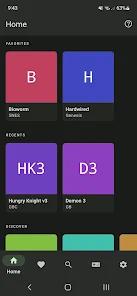
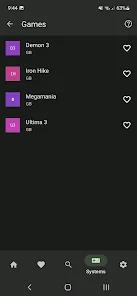
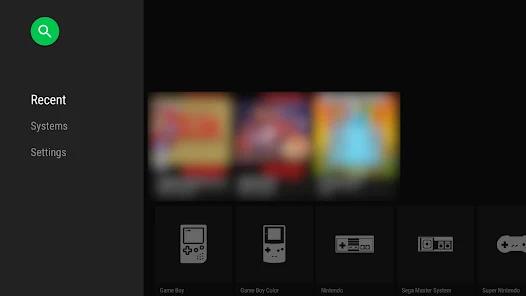
The system compatibility of Lemuroid spans several generations of hardware, with performance requirements scaling relative to console complexity. To simplify game cataloging, Lemuroid features an automated storage indexing engine. When granted access to a user-specified folder, the engine scans directories for compressed or native formats, checks title hashes, and downloads corresponding cover art to construct a clean visual library.
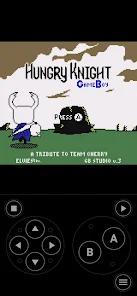
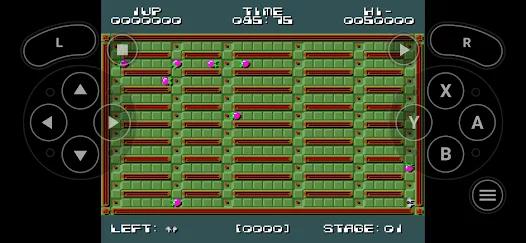
Controls are highly adaptive; Lemuroid renders optimized touch overlays based on the active console's layout and supports automatic physical mapping for Bluetooth gamepads. With native display filters like CRT scanlines and LCD pixel grid simulators, along with robust local co-op capabilities, Lemuroid is a top-tier choice for preserving and playing classic titles on Android devices.
Pros & Cons
Completely Free and Ad-Free: Distributed under the GPL-3.0 license without any commercial ads, paywalls, or user-tracking libraries.
Automated Core Management: Eliminates manual core downloading and configuration by packaging optimized engines directly into the app.
Visual Library Indexing: Automatically scans storage directories, identifies ROMs, and downloads box art to build a clean catalog.
Robust Multi-Gamepad Local Play: Supports multiple Bluetooth controllers bound to a single device for multiplayer co-op sessions.
Cross-Device Save Syncing: Utilizes secure cloud save syncing to keep game progress updated across phones and Android TV setups.
Crash-Resistant State Saving: Saves active game states when the application transitions to the background, preventing lost progress.
- ✕
High Demand on 3D Emulation: Systems like the PSP and 3DS can experience frame drops on entry-level or older processors.
- ✕
Limited Advanced Shader Control: Offers fewer options for tweaking custom shaders compared to dedicated, advanced emulation frontends.
- ✕
No Network Multiplayer (Netplay): Lacks built-in netplay support, limiting multiplayer games to local physical controllers.
- ✕
Storage Framework Glitches on TV Boxes: Some Android TV boxes can run into issues with the Storage Access Framework, requiring manually targeted ROM directories.
Download
 Get it on Google Play
  Get it on App Store
 FAQs
Does Lemuroid come packaged with game ROMs?
No, the application does not contain game files. Users must supply their own legally owned backups to play.
How do I solve directory access issues on Android TV?
If the folder picker fails, you can copy files directly to /Android/data/com.swordfish.lemuroid/files/roms for automatic scanning.
Does Lemuroid support cheats?
Yes, Lemuroid supports standard cheat databases, though users may need to manually format file names to match the ROM titles.
Is there a way to fast-forward gameplay?
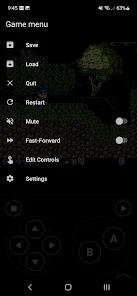
Yes, the application features an optimized fast-forward toggle to skip loading screens or speed up slow gameplay sections.
Can I map custom button layouts for different systems?
Yes, you can customize the size, position, and opacity of the on-screen touch controls directly in the settings menu.
Hot Reviews
Unlike other emulators with cluttered settings menus, this app is incredibly intuitive. It handles ROM scanning and control mapping automatically, making retro gaming seamless.
This application runs flawlessly on Android TV. Connecting multiple Bluetooth gamepads is quick and easy, making it perfect for classic couch co-op games.
While the automated controller setup is solid, recent changes to the button layouts for certain arcade and 6-button systems feel awkward. More control over manual button mapping would be a great addition.