
StarMaker Lite: Sing Karaoke





Overview
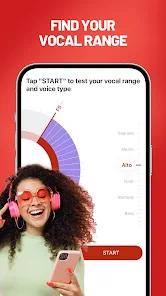
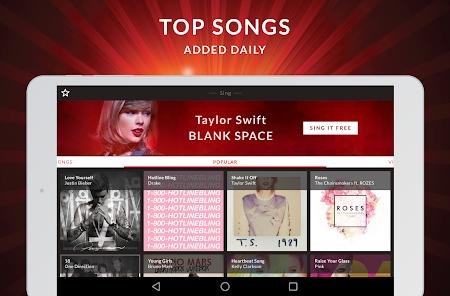
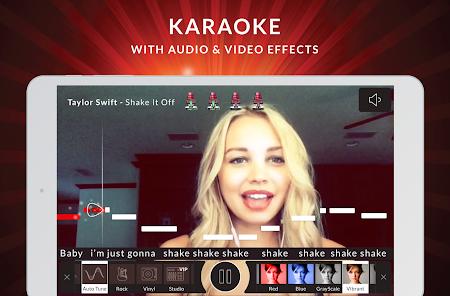
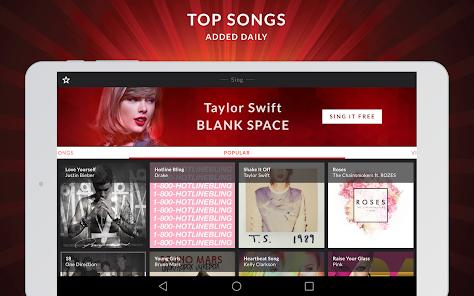
StarMaker Lite is a widely used social entertainment application that converts Android devices into portable, multi-track karaoke recording studios. Serving over 50 million music enthusiasts worldwide, the platform offers an extensive, licensed catalog of local and international tracks with synchronized scrolling lyrics. The application integrates real-time audio editing tools with social community features, allowing amateur vocalists to record, edit, and publish their musical performances.
Behind its user-friendly interface, StarMaker Lite utilizes an advanced digital signal processing (DSP) suite. The recording architecture features a real-time pitch-correction (autotune) engine, which analyzes vocal frequency registers using Fast Fourier Transform (FFT) algorithms and adjusts off-key frequencies to the correct musical scales.
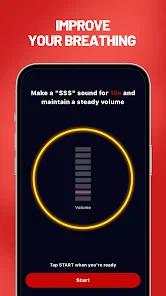
To help users capture clean vocals, the app includes noise-gating and background-denoising controls. It also features latency calibration parameters to resolve desynchronization issues between the vocal input and backing track, which are common on Android devices.
Additionally, the application offers custom spatial reverberation templates (such as hall, echo, and theater) to enhance vocal depth. On the social side, users can join virtual "KTV Party Rooms," which stream live, interactive group singing sessions with gamified vocal-rating algorithms.
Pros & Cons
Professional Vocal Processing: Features real-time pitch correction, spatial echo, and multi-track audio mixing.
Vast Music Database: Provides a massive library of licensed international and regional tracks spanning pop, rock, and folk genres.
Custom Latency Adjustment: Includes audio-alignment tools to correct input lag on Android hardware.
Engaging Community Features: Connects users via interactive live KTV party rooms, peer ratings, and duet challenges.
Creative Video Overlay Tools: Offers a library of visual templates and filters that generate polished lyric videos for social sharing.
- ✕
Heavy Storage Demands: The app's cache and local data expand rapidly, slowing down mid-range smartphones.
- ✕
Intrusive Virtual Microtransactions: Highly aggressive monetization pushes users toward paid virtual coins, gifts, and subscription options.
- ✕
Prone to Audio Clipping: Extreme autotune or compression settings can introduce digital clipping on lower-end phone microphones.
- ✕
Forced Cross-Promotional Alerts: Aggressive push notifications and pop-ups disrupt navigation to promote secondary application tasks.
Download
 Get it on Google Play
  Get it on App Store
 FAQs
How can a user resolve vocal latency issues while recording?
Vocal latency can be resolved by selecting the alignment calibration menu after a recording is complete. Users can manually shift the vocal track by millisecond steps to sync it with the instrumental backing.
What is the structural difference between StarMaker Lite and standard StarMaker?
StarMaker Lite features a lighter initial download footprint and uses optimized stream compression. This makes it more suitable for users on limited cellular connections or mid-range devices.
Are user recordings stored on local device partitions or remote servers?
Completed audio and video recordings are stored securely on StarMaker’s cloud servers for social sharing, but users can also download copies to their device's media storage.
Can a user transfer their premium VIP status across iOS and Android?
No, purchases made through the Google Play Store are restricted to Android profiles. Cross-platform transfer is only supported for accounts activated directly through the publisher's web platform.
How does the performance scoring engine calculate ratings?
The engine uses frequency analysis to compare the singer's vocal input against the original song's pitch and timing templates, generating real-time accuracy ratings.
Hot Reviews
The application's real-time pitch correction and reverb tools are outstanding. They allow amateur vocalists to adjust pitch registers, manage noise levels, and save polished tracks before sharing them with the community.
The live KTV rooms are incredibly engaging. The social mechanics make it easy to connect with other singers, exchange feedback, and join fun duet challenges.
While the recording tools are exceptional, the interface is overcrowded with microtransactions. The constant prompts to buy virtual gifts and premium subscription tiers distract from the music.
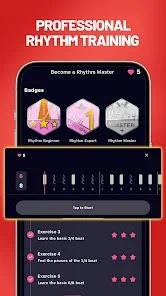
The updated vocal rating system provides highly accurate and valuable feedback. It assesses structural timing and pitch accuracy in real time, making it an excellent tool for tracking vocal improvements.