
AirDroid Parental Control
Overview
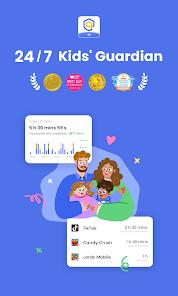
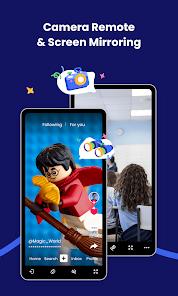
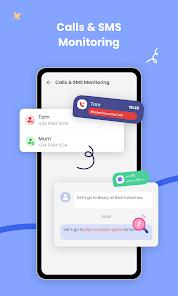
The digital safety vertical has seen a significant shift toward real-time monitoring, and the AirDroid Parental Control app is at the forefront of this trend. Designed with the primary goal of child safety, the application provides parents with an unprecedented level of insight into their child's digital and physical environments. The app's feature breakdown includes high-accuracy GPS tracking, real-time screen mirroring, remote camera access, and "Sync App Notifications" to help prevent cyberbullying and online fraud.
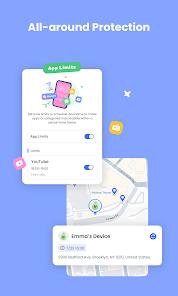
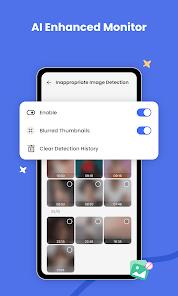
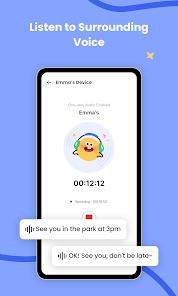
A technical analysis of the app's recent updates reveals a move toward an "AI-enhanced content monitoring system". Unlike traditional parental control tools that rely on simple keyword blocking, this AI system uses context-aware filtering to detect potential threats in real-time social media chats. The "App Management" hub centralizes "App Limits," "Always Allowed" lists, and "App Blocking" into a single interface, allowing parents to control exactly when and how their child interacts with their device. One of the most powerful features is "Remote Camera and Microphone," which allows parents to see and hear their child's surroundings through the device's hardware, acting as a "24/7 guard".
Insightful observations regarding the app's usage suggest it is most effective as a tool for "healthy digital habits" rather than just surveillance. The app provides detailed "Usage Reports" that allow parents to see which apps are being used and for how long, especially during school hours. While the level of access—including the ability to mirror the child's screen in real-time—is highly advanced, the developer emphasizes transparency, recommending that parents use the app as part of a dialogue about online safety. With the ability to monitor up to 10 devices on a single premium account, AirDroid is a comprehensive solution for modern families navigating the complexities of the internet era.
Pros & Cons
Features high-fidelity "Screen Mirroring," allowing parents to see exactly what their child is viewing on their device in real-time to prevent exposure to harmful content.
The AI-enhanced monitoring system provides intelligent, context-aware filtering of social media notifications, which is superior to basic keyword blocking.
Remote access to the child's camera and microphone provides an additional layer of physical safety, allowing parents to check on their child's environment remotely.
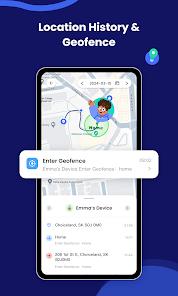
The "Geofencing" and location tracker are exceptionally accurate, providing instant alerts when a child arrives at or leaves a designated "safe zone" like school or home.
The app offers a 3-day free trial of all premium features, allowing parents to test the full suite of monitoring tools before committing to a subscription.
- ✕
The initial setup can be complicated, often requiring the parent to bind the child's device using a QR code and, in some cases, connecting to a PC for full feature access.
- ✕
Frequent OS updates on the child's phone can sometimes reset system permissions, meaning parents must occasionally re-allow access to the camera or microphone.
- ✕
The application uses military time (24-hour clock) for its scheduling and downtime features, with no current option for a standard 12-hour clock.
Download


FAQs
Does the app work if the child's phone is offline?
GPS tracking and remote camera access require an internet connection, but pre-set app limits and downtime schedules will continue to function offline once synchronized.
Can my child delete the app?
AirDroid Parental Control uses administrative permissions that make it very difficult for a child to uninstall the app without the parent's authorization.
Is there a limit on how many phones I can track?
A single premium subscription allows a parent to monitor and control up to 10 different child devices simultaneously.
What is the "Sync Notification" feature?
This feature allows the parent's phone to receive a real-time copy of the notifications your child gets on social media apps like Facebook and Messenger.
Does this app drain the child's battery?
Constant location tracking and screen mirroring will increase battery consumption; it is recommended to use "geofencing alerts" instead of live tracking to save power.
Hot Reviews
Parents frequently describe the app as "invaluable," especially for the peace of mind it provides when a child is traveling to school alone for the first time.
Reviewers praise the "Downtime" and "App Limits" features for helping them regain control over their children's evening routines and reducing phone addiction.
A common point of frustration is the "permission fatigue," where users have to repeatedly re-enable settings on the child's device after an app update or a phone restart.