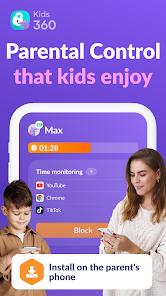
If the 'Kid' side of the ecosystem is the soldier, Kids360: Parental Control (app.kids360.parent) is the General. This application is the administrative hub where parents define the digital boundaries for their children’s lives. In a market saturated with blunt-force blocking tools, Kids360 Parent distinguishes itself through its focus on behavioral analytics and remote task management.
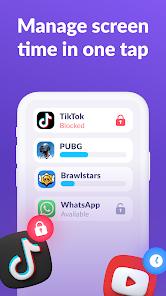
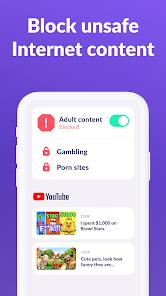
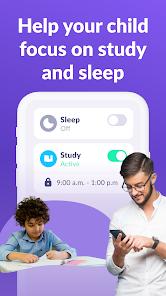
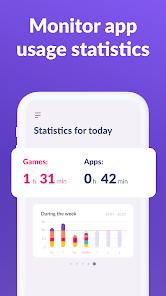
The app’s primary strength is its ability to categorize 'Entertainment' versus 'Education.' A parent can set a global screen time limit (e.g., 2 hours), but then create 'Schedules' where certain apps are always allowed (like Duolingo) while others are hard-blocked during school hours. The depth comes from the 'Statistics' dashboard, which doesn't just show total time spent, but reveals patterns of behavior—indicating whether a child is drifting toward social media or excessive gaming.
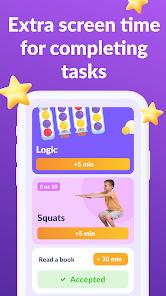
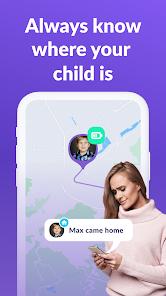
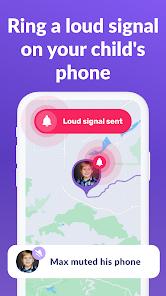
Furthermore, the integration with the child's physical world via GPS Geolocation is seamless. Parents can set 'Safe Zones' and receive notifications when a child enters or leaves school or home. The 'Loud Signal' button is perhaps the most valued 'panic' feature, ensuring that a parent can always grab their child's attention regardless of phone settings. In the broader landscape of parental apps, Kids360 Parent stands out by attempting to foster a 'contract' between parent and child rather than a simple surveillance state, encouraging parents to use the 'Tasks' feature to incentivize productive behavior. It is a high-utility tool for the modern parent navigating the complexities of the 'TikTok generation.'
Pros
Intuitive dashboard for multiple children.
Remote management of schedules.
High-precision GPS tracking.
Cons
The 'Premium' features are necessary for full utility.
Setup process can be technically demanding for non-savvy parents.
FAQs
Yes, the app allows for a centralized dashboard to track several devices independently.
Yes, it can manage a mix of iOS and Android child devices.
There is a basic version, but features like GPS history and specific app blocking often require a subscription.
Hot Reviews
Yes, the app allows for a centralized dashboard to track several devices independently.
Yes, it can manage a mix of iOS and Android child devices.
There is a basic version, but features like GPS history and specific app blocking often require a subscription.