
Planner 5D: AI Home Design





Overview
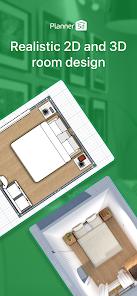
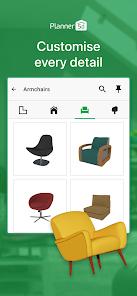
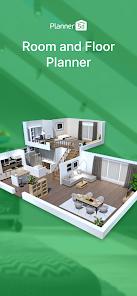
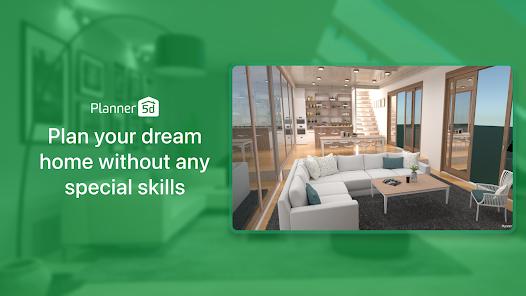
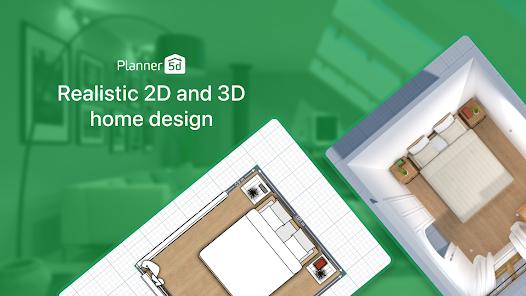
Planner 5D is a professional-grade architectural and interior design platform that has effectively democratized home renovation for millions of hobbyists and DIY enthusiasts. In 2026, the application has evolved into an "AI-First" design partner, utilizing Augmented Reality (AR) and LiDAR technology to remove the technical hurdles of floor planning. With a catalog of over 10,000 elements, the app allows users to create, visualize, and furnish everything from a single studio apartment to a multi-story commercial building in stunningly realistic 3D.
The feature breakdown of Planner 5D highlights its shift toward automation. The "AI Designer" includes tools like "Furnisher," which can analyze the dimensions of a scanned room and automatically suggest a furniture layout based on the user's preferred style (e.g., Scandinavian, Industrial, or Modern). For users on modern Android devices, the "AR Room Planner" uses the camera to scan a physical space and generate a scaled 3D floor plan in real-time, eliminating the need for manual tape measurements. This data can then be exported as high-resolution HD snapshots or detailed blueprints to be shared with real estate agents or contractors.
Planner 5D is significantly more intuitive. A novice can build a realistic 3D room in Planner 5D in less than 30 minutes. However, the app maintains professional relevance by offering a "Gallery of Ideas" and weekly design competitions that foster a massive community of creators who share their work and inspire others. Insightful observations of the app's 2026 roadmap suggest a move toward "Integrated E-commerce," where users will be able to buy the exact furniture they place in their 3D models directly from retail partners within the app.
Technically, Planner 5D is a cross-platform leader. It supports full project synchronization between Android, iOS, and Web, allowing a designer to measure a room on their phone, refine the layout on their tablet, and present the final 4K render on a desktop computer. It also supports Chromecast (screencasting), making it a favorite for families to sit together and "walk through" their future home on the living room TV.
Pros & Cons
The "AR Room Planner" leverages modern smartphone hardware to create accurate, scaled floor plans in minutes without the need for manual measurements.
A massive catalog of 10,000+ furniture and décor items from real-world brands allows for a highly realistic and practical planning experience.
The AI-driven "Furnisher" tool can automatically generate professional-looking layouts for any room, saving users hours of manual trial-and-error.
The application supports a seamless transition between 2D technical drawings and immersive 3D virtual reality walkthroughs.
Full cross-platform synchronization allows for a versatile workflow where designs can be accessed and edited on any device at any time.
The "Community Gallery" and weekly challenges provide a constant source of inspiration and feedback from millions of fellow design enthusiasts.
- ✕
Some of the most powerful features—like high-resolution 4K rendering and access to the full catalog—require an expensive premium subscription.
- ✕
Users on older Android devices without LiDAR or AR support may find the manual wall-drawing tools slightly clunky compared to the automated versions.
- ✕
The application features aggressive prompts to upgrade to the paid tier, which can be highly disruptive during the creative process for free users.
Download
 Get it on Google Play
  Get it on App Store
 FAQs
Can I use it offline?
Yes, the core 2D/3D design tools work offline; you only need a connection to download new catalog items or sync with the cloud.
Do I need an architect's license to use this?
No, the app is designed specifically for non-professionals to create professional-looking plans.
What is the "Furnisher" tool?
It is an AI feature that automatically places furniture in an empty room based on the room's purpose and your style preferences.
Can I export my designs to PDF?
Yes, you can generate technical blueprints and high-res images to share via email or print.
Is it compatible with IKEA furniture?
The app features a massive selection of items inspired by IKEA and other global brands for realistic planning.
Hot Reviews
Reviewers frequently mention that Planner 5D saved them thousands of dollars in mistakes by allowing them to see how furniture and wall changes would look before starting work.
Users are often stunned by the accuracy of the AR room scanner, noting that it captured their room dimensions perfectly on the first try.
A common complaint is that too many "essential" items like basic windows or colors are locked behind the subscription, making the free version feel like a demo.