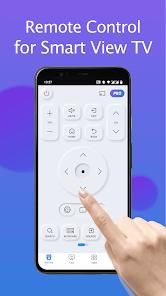
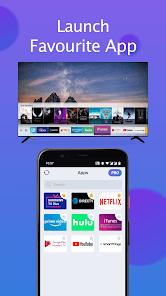
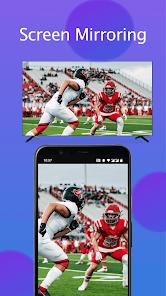
The 'TV Remote for Smart Samsung TV' app developed by BoostVision stands as a powerful third-party alternative to Samsung's proprietary SmartThings ecosystem. At its core, the app bridges the gap between traditional infrared remotes and modern network-based controllers. It leverages DLNA and UPnP protocols to discover Samsung Smart TVs (typically 2016 models and newer) on the local Wi-Fi network, providing an interface that mirrors the physical remote's functionality while adding digital-first features.
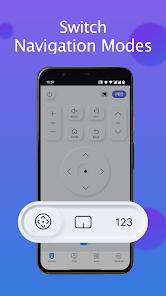
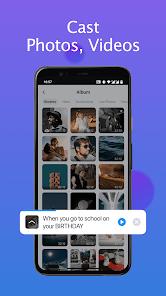
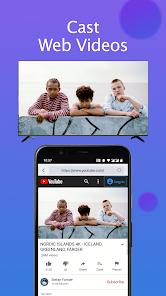
Functionally, the app decomposes the remote experience into three primary modules: Navigation, Content Casting, and Text Entry. The Navigation module provides a haptic-responsive D-pad and volume controls that feel instantaneous, a critical factor where many competitors lag. The Content Casting module is particularly robust, allowing users to beam local photos, videos, and even web-based content directly to the Tizen OS without the need for additional hardware like a Chromecast. However, its most significant 'killer feature' is the QWERTY keyboard integration. Anyone who has tried to type a complex password or search for a YouTube video using a physical remote knows the frustration; this app allows for fluid mobile typing that syncs in real-time with the TV's input field.
Deep Insights: While Samsung's official app is designed to manage an entire smart home, BoostVision's solution is 'lean and mean.' It avoids the bloat of managing refrigerators or washers, focusing purely on the TV experience. This specialization allows it to offer faster connection speeds and a more intuitive UI for users who just want to change the channel or mirror their phone screen without navigating through multiple 'Smart Home' layers.
Pros
High-speed auto-discovery of Samsung TVs on the same network.
Integrated QWERTY keyboard makes searching for content 10x faster.
Robust screen mirroring with low latency compared to generic casting apps.
Support for a wide range of Tizen OS versions, including older 6 and 7 series.
Minimalistic UI that prioritizes frequently used buttons.
Ability to cast local media files directly from the phone gallery.
Cons
Ads can be intrusive in the free version during navigation.
Requires both devices to be on 2.4GHz or 5GHz Wi-Fi simultaneously.
Does not support older non-smart Samsung TVs that require IR blasters.
FAQs
No, it is specifically optimized for Samsung Smart TVs and Tizen OS.
Unlike the official SmartThings app, this usually functions without a mandatory login.
Ensure both are on the same Wi-Fi and 'Remote Control' is enabled in the TV settings.
Voice control is limited compared to the physical Bixby remote but is improving in updates.
Hot Reviews
No, it is specifically optimized for Samsung Smart TVs and Tizen OS.
Unlike the official SmartThings app, this usually functions without a mandatory login.
Ensure both are on the same Wi-Fi and 'Remote Control' is enabled in the TV settings.
Voice control is limited compared to the physical Bixby remote but is improving in updates.