
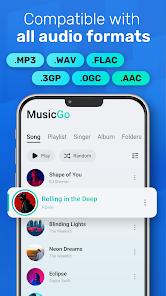
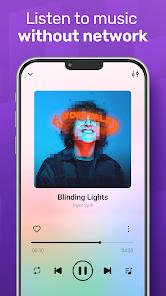
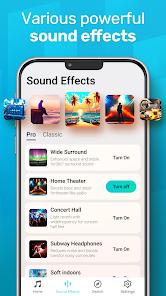
MusicGo, developed by IPLUG, serves as a high-fidelity alternative for users who prefer localized music storage over streaming services. The application is built to handle an exhaustive list of audio formats, including MP3, FLAC, WAV, MIDI, AAC, and APE, making it a versatile hub for audiophiles who maintain lossless libraries. The technical cornerstone of MusicGo is its professional-grade 20-band equalizer, which features bass boost, reverb effects, and over 20 presets tailored to specific genres like classical, rock, and dance.
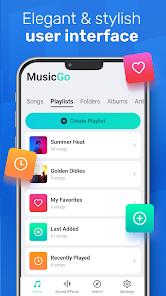
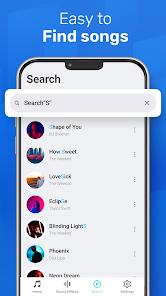
The functional disassembly of the app highlights a focus on automated library organization. MusicGo performs "deep scanning" of the device's internal and external storage, automatically refreshing the library to include newly downloaded tracks. The UI is designed for high customizability, allowing users to choose between various color themes and player designs to match their personal aesthetic. Additionally, the app features "Smart Auto Playlists," which curate tracks based on frequency of play and recent additions, providing a semi-automated listening experience even for static libraries.
Strategically, MusicGo positions itself as the "essential offline companion," emphasizing compatibility with both Bluetooth and wired high-end headphones. However, the 2026 iteration has seen a significant increase in ad density. Recent insights reveal that while the app remains "free," it has introduced a "Pro" plan to mitigate the frequent full-screen advertisements that users report can sometimes trigger between tracks, even during offline sessions.
Pros
Extensive Audio Format Compatibility: Handles high-fidelity lossless files like FLAC and APE that native players often struggle with.
Granular Audio Control: The 20-band equalizer provides a level of sound shaping usually reserved for professional desktop software.
Intuitive UI Personalization: Users can fully skin the interface, making the app feel more personal and aesthetically pleasing.
Efficient Library Indexing: The deep scan feature ensures that no audio file is missed, regardless of which folder it is stored in.
Background Playback Stability: The app is highly optimized for low-power background play, ensuring minimal battery drain during long sessions.
Seamless Peripheral Integration: Excellent handshaking with Bluetooth headsets, including support for specialized controls and metadata display.
Cons
Intrusive Ad Implementation: Recent updates have increased the frequency of full-screen ads, which can sometimes interrupt the transition between songs.
Lack of Lyrics Integration: Unlike many modern players, MusicGo lacks a robust, automated lyrics-fetching system for local files.
No Integrated Cloud Sync: The app is strictly local; it lacks the ability to stream from cloud storage providers like Google Drive directly within the UI.
FAQs
Yes, it fully supports high-fidelity formats like FLAC, WAV, and APE for high-quality playback.
The app automatically performs a deep scan upon opening, but you can also manually trigger a refresh in the settings menu.
Yes, the powerful built-in equalizer works with all connected audio devices, including Bluetooth and wired setups.
Ad-free listening is available through a one-time upgrade or subscription to the "Pro" version of the app.
Hot Reviews
Yes, it fully supports high-fidelity formats like FLAC, WAV, and APE for high-quality playback.
The app automatically performs a deep scan upon opening, but you can also manually trigger a refresh in the settings menu.
Yes, the powerful built-in equalizer works with all connected audio devices, including Bluetooth and wired setups.
Ad-free listening is available through a one-time upgrade or subscription to the "Pro" version of the app.