
Mi Video-Short Video Download



Overview
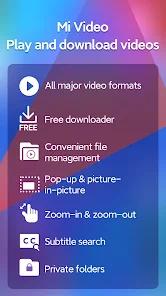
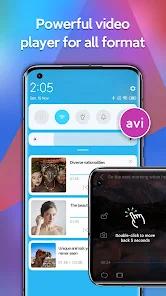
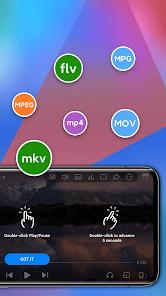
Mi Video developed by Xiaomi Inc., is a default media player and online content aggregator within the MIUI and HyperOS ecosystems, and is also available for general Android devices. The app operates at the intersection of local hardware-accelerated playback and remote content consumption. It supports major media containers (MKV, MP4, AVI, MOV, M4V, FLV) and parses complex sub-channel audio and subtitle formats.
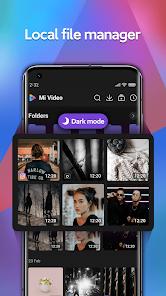
The application's video rendering pipeline uses Android’s media player APIs and hardware decoders. It includes a gesture interface that allows users to adjust volume, brightness, and seeking via swipe controls. Additionally, it features a password-protected directory for securing local file assets.
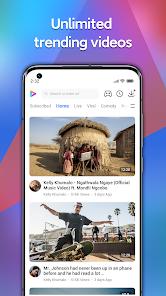
However, Mi Video's product focus has shifted from a local utility to an ad-supported online service. It includes "Moment," a scrolling feed of short-form comedy, lifestyle, and music videos designed to compete with TikTok. This shift has added significant advertising, such as unskippable pause-screen ads, which can degrade the local playback experience.
Security audits have also raised concerns about Mi Video's implementation of implicit intent handling. Reports show that older versions transmitted sensitive user telemetry—such as user credentials and email addresses linked to the device’s Xiaomi Account—via unencrypted broadcasts. These broadcasts could be intercepted by other applications running on the device, posing privacy risks.
Pros & Cons
Broad Format Compatibility: Plays modern file containers, including 4K MKV, MP4, and FLV.
Responsive Gesture UI: Simple touch gestures allow easy control over brightness, volume, and zoom.
Secure Storage Vault: Users can isolate personal files in a password-protected directory.
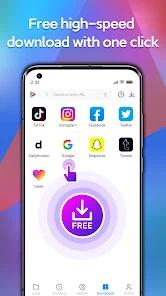
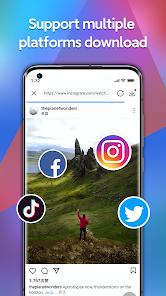
Multi-Platform Scraper: Supports downloading video content from multiple social channels.
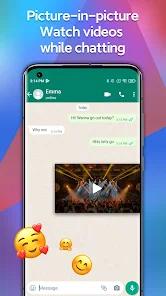
Background Playback Engine: Supports background audio playback and picture-in-picture mode.
Multilingual Subtitle Support: Easily imports and synchronizes external .srt subtitle files.
- ✕
Intrusive Advertisement Model: Frequent full-screen ads, banner ads, and unskippable video ads.
- ✕
Mandatory Online Services: The app pushes online streaming services that are difficult to disable permanently.
- ✕
Data Security Risks: Historical vulnerabilities showed potential for data leakage via implicit broadcast intents.
- ✕
Domain Integration Issues: Blocking domains like video.intl.xiaomi.com can break associated MIUI utility apps.
Download
 Get it on Google Play
  Get it on App Store
 FAQs
How can I permanently disable the online streaming feed in Mi Video?
There is no permanent disable toggle. Users can opt out of personalized content, but the feed remains active and will prompt for re-activation every 30 to 90 days.
Are local videos safe from third-party data tracking in Mi Video?
While files in the private folder are locally secured, general application analytics collect device and metadata info during playback to serve targeted ads.
Why does blocking video.intl.xiaomi.com cause issues in other MIUI apps?
Xiaomi's system architecture shares this domain across Mi Weather, Mi Browser, and Mi Video. Blocking it can break video content in these linked apps.
Does Mi Video support cast playback to smart TVs?
Yes, Mi Video supports wireless casting to DLNA and Chromecast devices, though performance depends on local Wi-Fi stability.
How does the system reboot bug impact the application?
Some users report that Mi Video automatically disables itself after a system reboot, requiring manual re-activation via the Google Play Store.
Hot Reviews
Users appreciate the player's core playback capabilities, noting that even high-bitrate 1080p and 4K MKV files render smoothly with minimal frame drops.
A common complaint centers on the frequency of ads, with users noting that promotional banners covering up to 50% of the screen upon pausing make offline playback frustrating.
Reviewers express annoyance with the forced "Moment" video feed, stating that the app functions more like an ad-heavy social media portal than a clean local utility.
Several users report that the application automatically disables itself during device reboots, forcing them to manually re-enable it through the Google Play Store.