
Offline Music Player - MeloMix
Overview
Offline Music & Video: Cadence, published under the developer credentials of Rhythm Mix Music, is a local media player designed to play high-fidelity music and video files directly from local storage. At a time when streaming platforms dominate, Cadence targets offline music collectors, audiophiles, and users in areas with spotty network coverage who want full control over their media catalog without relying on internet access.
The defining feature of Cadence is its "audio-to-video parity". When a user is listening to an audio track, the app allows them to toggle instantly to its associated music video with a single tap. This switch occurs seamlessly without losing their place in the song or interrupting the playback engine.
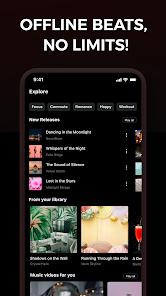
The user interface features a dark, image-focused design that emphasizes album and artist artwork. The playback controls are clustered at the bottom of the screen to make it easy for users to operate the app with one hand, even on larger modern phone screens.
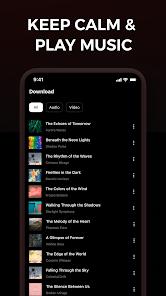
Additionally, the application includes a tiered download utility designed to let users balance audio quality and storage use. Users can choose specific bitrates and resolutions for files saved on their device.
However, user reviews suggest that this download utility can be unstable, often displaying "sorry, this file cannot be downloaded" errors. These issues are typical for local players that include scraping tools, as regular changes to web platform security can disrupt third-party download streams. As a result, the app is most reliable when used as a player for files transferred directly to the phone's storage.
Pros & Cons
Instant Audio-Video Swapping: Allows users to toggle seamlessly between a song's audio track and its music video without interrupting playback.
Responsive One-Handed Layout: Places essential player controls at the bottom of the screen, making it easy to navigate on large devices.
Customizable Quality Settings: Gives users control over download bitrates and video resolutions to help manage local storage space.
Smooth Lyric Integration: Features a responsive, time-synced subtitle engine that scrolls lyrics line-by-line with the music.
Clean, Ad-Free Design: The simple dark theme focuses on the music and artwork, avoiding distracting visual clutter.
- ✕
Unstable Video Downloads: Security updates on web video platforms can cause the built-in downloader to fail.
- ✕
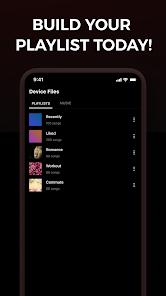
Basic Tag Editor: The app can struggle to read metadata tags on older files, occasionally leading to disorganized lists of unnamed tracks.
- ✕
No Integrated Cloud Sync: Lacks support for playing files directly from cloud storage, requiring files to be stored locally.
- ✕
High Battery Use During Videos: Rendering video files, even at lower resolutions, uses significantly more processing power and battery than audio playback.
Download
 Get it on Google Play
  Get it on App Store
 FAQs
Can Cadence play music when the phone has no internet connection?
Yes, the application is designed to scan and play audio and video files stored locally on your device without needing a network connection.
How does the audio-to-video toggle feature work?
If the app finds a matching video file for a song in your directory, tapping the toggle transitions the player to video mode while keeping the exact timestamp.
Does the application support lossless audio formats like FLAC?
Yes, the app's playback engine supports high-fidelity local formats, including FLAC, WAV, and high-bitrate MP3s.
Why does the download utility sometimes fail to download a video?
This occurs when the target hosting service updates its security protocols, which can temporarily block third-party download tools.
How can I edit wrong album art or song titles within the app?
You can use the built-in metadata editor to manually update artist names, song titles, and album covers for files in your storage.
Hot Reviews
The ability to switch instantly from a song's audio to its music video with a single tap is highly convenient and works without any lag or audio dropouts.
The download feature is unreliable, frequently displaying error messages when trying to download songs or videos from web links.
The interface is clean and dark, and placing all the navigation controls within easy reach of the thumb makes one-handed use very simple.