HP
Overview
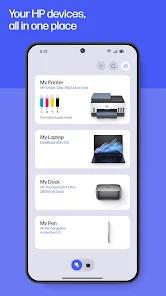
The HP App (formerly HP Smart) is the primary mobile interface for HP's extensive line of printers and multi-function devices. It represents a significant shift from traditional desktop drivers to a cloud-integrated, mobile-first ecosystem.
Functional Breakdown: The "All-in-One" Printer Hub
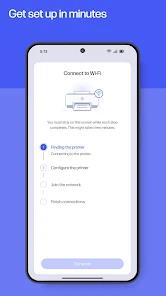
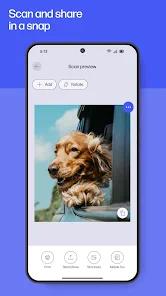
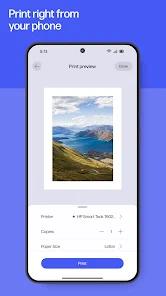
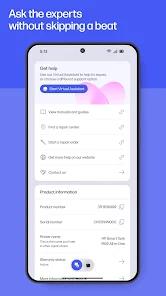
The application has recently been rebranded to simply "HP," merging the features of HP Smart and myHP into a unified platform. Its core functional mission is to simplify the complex handshake between mobile devices and hardware. This includes a guided, step-by-step setup for new printers, real-time ink and paper monitoring, and cloud-based printing and scanning.
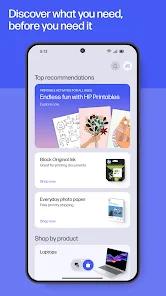
One of its most advanced technical features is "Mobile Fax," which allows users to send faxes digitally without a physical phone line. The "Print Anywhere" capability uses HP's cloud architecture to allow users to send a document to their home printer from anywhere in the world with an internet connection. Furthermore, the app includes "HP Printables," a library of coloring pages, cards, and educational worksheets that can be printed directly from the app.
Deep Insight: The Subscription Model Controversy
The HP App is the central gateway to the "HP Instant Ink" subscription service. This model has sparked significant industry debate, as it shifts the economics of printing from hardware ownership to a service-based model. While it offers convenience—automatically mailing ink when the printer is low—it has also led to user frustration, particularly when users find they cannot use ink they have already paid for if their subscription is inactive. This "Hardware-as-a-Service" approach is technically facilitated by the persistent cloud connection required by the app.
Pros & Cons
Guided wireless setup is significantly easier than traditional PC-based driver installations.
"Mobile Fax" is an excellent professional utility that eliminates the need for a physical fax machine.
"Print Anywhere" allows users to be productive regardless of their physical proximity to the printer.
The scanning interface includes professional features like automatic perspective correction and edge detection.
Real-time ink monitoring prevents the frustration of running out of supplies in the middle of an important job.
Access to "HP Printables" provides a continuous stream of creative and educational content for families.
- ✕
The recent rebranding and UI redesign have confused many long-time users, making some features harder to find.
- ✕
The app requires a mandatory HP account for many basic features, which users view as a barrier to privacy.
- ✕
Frequent reported connectivity issues where the app fails to find the printer despite both being on the same network.
Download


FAQs
What happened to the HP Smart app?
It has been rebranded and updated to the new "HP App," merging multiple HP services into one.
Do I have to pay to use the app?
The app is free to download, though certain features like "Mobile Fax" or "Instant Ink" may require a subscription.
Can I scan to my computer from my phone?
Yes, the app allows you to scan a document on the printer and save it directly to your phone or a cloud storage service.
Is my printer compatible?
Most HP wireless printers from the last decade are supported; check the HP website for specific model compatibility.
Does the app work with non-HP printers?
No, this is a proprietary application designed specifically for HP hardware.
Hot Reviews
Users generally praise the guided setup process, noting that it turns a historically frustrating task into a five-minute mobile experience.
A significant number of negative reviews focus on the mandatory account requirement and the "lock-out" mechanics of the Instant Ink service.
Professionals often mention the "Mobile Fax" and "Scan to Email" features as essential tools that allow them to handle paperwork without a traditional office setup.